Exit
  • Global community
    • Language:
      • Deutsch
      • English
      • Español
      • Français
      • Português
  • 日本語コミュニティ
  • 한국 커뮤니티
1

"Could not Complete the Export As Command" Error on New MAC

Community Beginner ,
Jul 11, 2024 Jul 11, 2024

Hi there,


I couple weeks ago got a new MacBook Pro and have encountered an error when using Photoshop.

I'll get a "Could not complete the Export As command because of a program error" error when I tried to export images whether it's on the canvas or on artboard(s).

Our IT guys checked on my system but they seems not able to fix it.

We've also tried almost every possible ways that we can find, including update to the newest version, downgrade to the previous version, delete preference settings, disable graphic card driver, checking the permission to access disk, and so on, but none of them work.

So I'm wondering if has there anyone encountered the same issue?


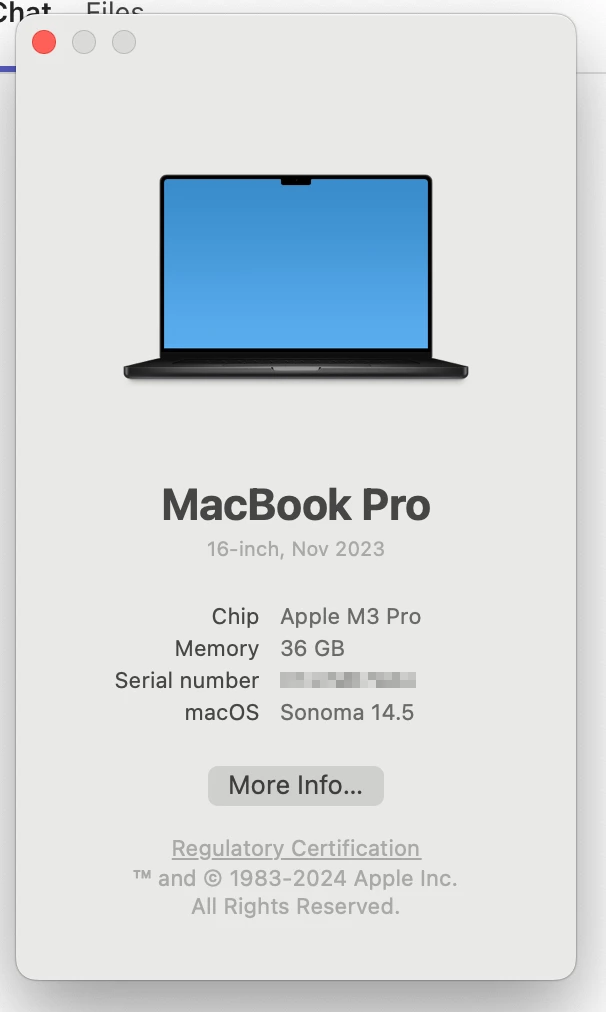
Down below I've attached the snapshots of the error message and the info of my laptop.

Thank you.


Terry
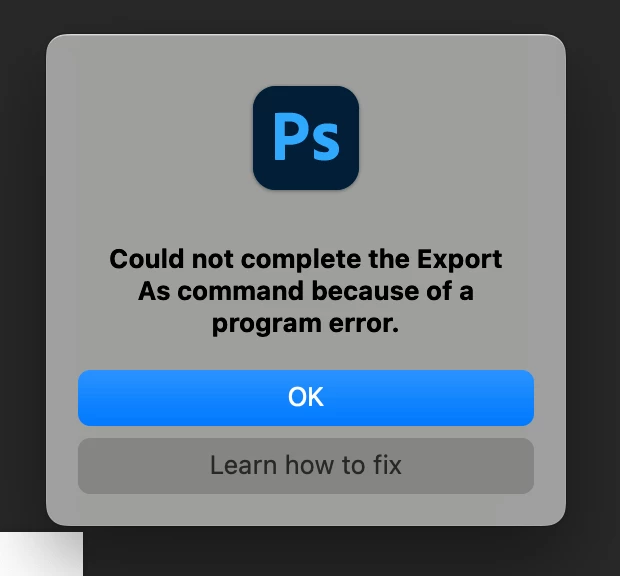
 

errormessage.pnglaptopinfo.png

TOPICS
macOS
1.2K
Translate
Report
Community guidelines
Be kind and respectful, give credit to the original source of content, and search for duplicates before posting. Learn more
community guidelines
Adobe
Adobe Employee ,
Jul 12, 2024 Jul 12, 2024

Hey, @Terry35567358rw56. Welcome to the Photoshop Community. I'll need more info to help you figure this out. Please share the system info from Photoshop Help > System info > Copy & paste into a text document > upload & attach here.


Do you have a cloud back-up service, like OneDrive & DropBox, active on your machine? Before troubleshooting, update Photoshop to the latest version (v25.9.1) via the Creative Cloud desktop app & check if the issue exists. 


Try these steps in the given order:

1 - Uninstall Photoshop
2 - Restart the device
3 - Install Photoshop again 
4 - Before the first launch, allow full disk access.


Let me know how it goes. Thanks! 

Sameer K

(Use '@mention' to tag me when you reply)

Translate
Report
Community guidelines
Be kind and respectful, give credit to the original source of content, and search for duplicates before posting. Learn more
community guidelines
Community Beginner ,
Jul 21, 2024 Jul 21, 2024

Thank you @Sameer K, sorry for the late reply, for I was out of office last week.

I've tried your approach again in the given order but it still can't work.

I've attached the system info in Photoshop, hope it can help solving the mystery for both you and I.

Thank you.


Terry

Translate
Report
Community guidelines
Be kind and respectful, give credit to the original source of content, and search for duplicates before posting. Learn more
community guidelines
New Here ,
Oct 22, 2024 Oct 22, 2024

Was there a resolve for this? Same issue over the last 4 updates. Currently installed latest update today v26


Translate
Report
Community guidelines
Be kind and respectful, give credit to the original source of content, and search for duplicates before posting. Learn more
community guidelines
New Here ,
Jul 31, 2025 Jul 31, 2025

was this ever resolved? ive had the same issue on Mac for a few months, on latest version of PS and also on PS Beta 

Translate
Report
Community guidelines
Be kind and respectful, give credit to the original source of content, and search for duplicates before posting. Learn more
community guidelines
Community Expert ,
Jul 21, 2024 Jul 21, 2024

@Terry35567358rw56 


 I still use an Intel Mac, so I'm just curious, in Preferences/Settings (CMD+K) > Export, do you have a Use Legacy "Export As" option and if so, does enabling or disabling this and restarting Photoshop help?

Translate
Report
Community guidelines
Be kind and respectful, give credit to the original source of content, and search for duplicates before posting. Learn more
community guidelines
Community Beginner ,
Jul 21, 2024 Jul 21, 2024

Hi @Stephen Marsh, I've checked the setting and I can't find that option, please see the snapshot below:


no-use-legacy-export-as-option.png

Still thank you for the reply, is there any other idea?

Translate
Report
Community guidelines
Be kind and respectful, give credit to the original source of content, and search for duplicates before posting. Learn more
community guidelines
Community Expert ,
Jul 21, 2024 Jul 21, 2024

@Terry35567358rw56 


No other ideas, apart from what may be listed when you click the "learn how to fix" button.


I had it in the back of my mind that the new M1/2/3 chips don't support legacy Export As so I didn't hold high hopes.


I'm sure that @Sameer K will sort you out.


Translate
Report
Community guidelines
Be kind and respectful, give credit to the original source of content, and search for duplicates before posting. Learn more
community guidelines
Community Beginner ,
Dec 13, 2024 Dec 13, 2024

Hi Terry,


The best solution I found is to save the file as a .jpeg (etc) in Photoshop rather than running the export function. I am still getting the issue with the exporting function and this is the only workaround I have managed to find. 


Literally none of the other suggested menu setting changes/ uninstalls etc worked for me. 


Thanks,

Translate
Report
Community guidelines
Be kind and respectful, give credit to the original source of content, and search for duplicates before posting. Learn more
community guidelines
Community Expert ,
Jul 31, 2025 Jul 31, 2025

@dlavarado_4263 you could just create your an action versus using the 'Quick Export' and when you need to use, click on 'Play' and you sould be good to go! 

Translate
Report
Community guidelines
Be kind and respectful, give credit to the original source of content, and search for duplicates before posting. Learn more
community guidelines
New Here ,
Jul 31, 2025 Jul 31, 2025

thanks for the quick reply! i'll give that a go 

Translate
Report
Community guidelines
Be kind and respectful, give credit to the original source of content, and search for duplicates before posting. Learn more
community guidelines
Community Beginner ,
Jul 31, 2025 Jul 31, 2025
LATEST

Thank you @Stage83  @creative explorer @dlavarado_4263 all for the reply, and sorry for noticing there's a reply and the replies afterwards.

I haven't tested the action trick as @creative explorer mentioned because most of my files contain multiple artboards, so it won't work with action as artboard amounts will difinitely be different in every file.


To be honest I've already given up on this issue last year and have been using "Export > Artboards to files" instead.

It can do ALMOST the same job, the biggest differece is that you can't scale the images when exporting.

(There's a specific digital asset in my daily work will need to be scale to half when exporting, so as the workaround, I have to export them as the highest quality .JPGs and then manually scale them afterwards.)

Maybe you can give it a try.


Thank you.

Translate
Report
Community guidelines
Be kind and respectful, give credit to the original source of content, and search for duplicates before posting. Learn more
community guidelines