


Answered
"Imaginary" line created when two open paths are on the same layer
Hi,
I'm using the latest version of Photoshop on my Windows 10 laptop. When I combine two shape layers (they contain open paths,) Photoshop automatically connects each individual shape together. In the screenshot below, I made two shape layers containing a three-point-path leaving the path open. I then merged the two shape layers into one. When I did this, Photoshop automatically created a stroke that connects point C to point A (the straight line) for each shape.
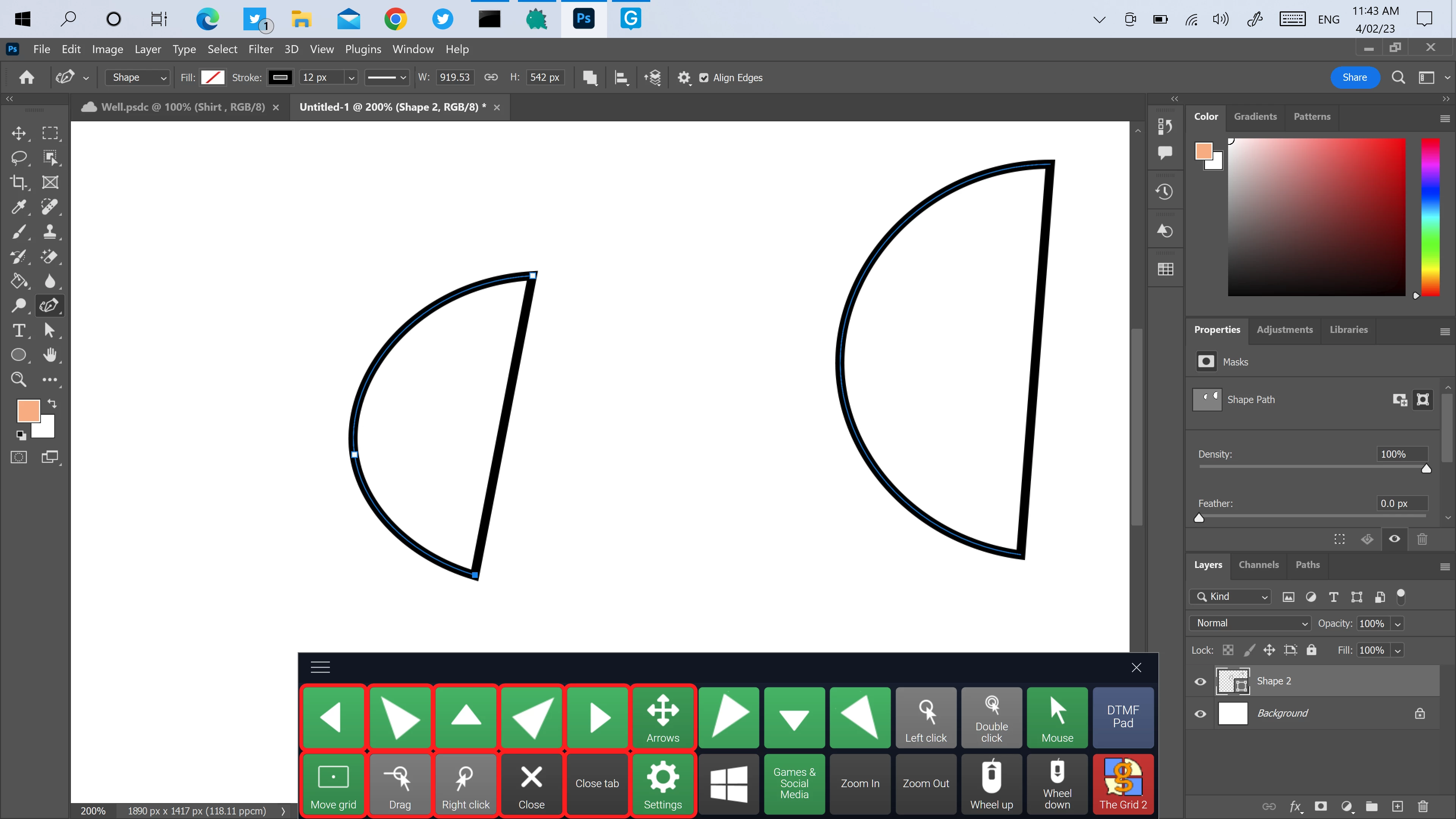
Why is this? Can I make the "imaginary" line disappear for each path/shape in the same shape layer?
Thank you
 AdChoices