


Inspiring
April 10, 2019
Question

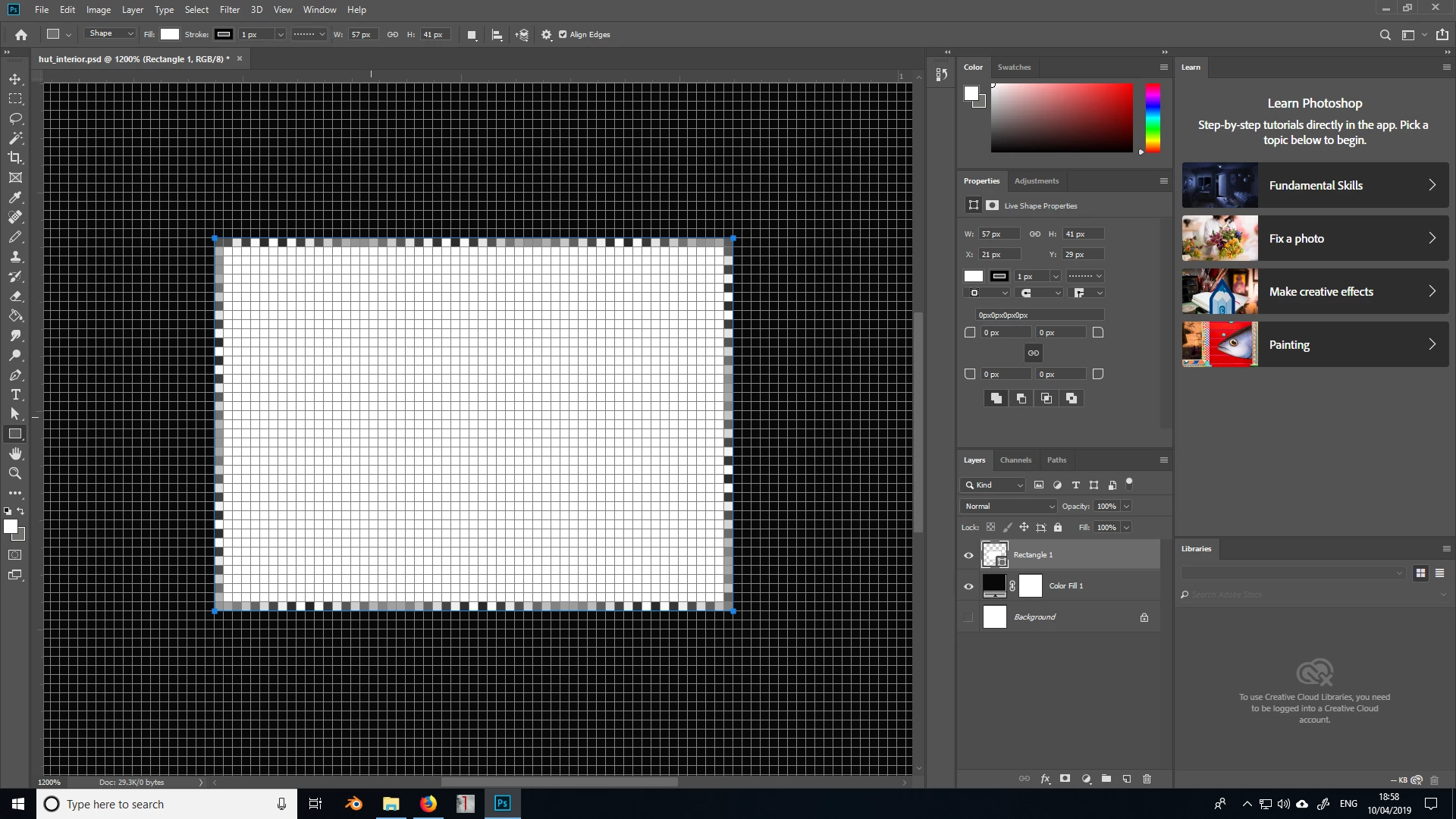
Random grey, white and black squares around edges

  • April 10, 2019
  • 2 replies
  • 968 views

I'm hoping there's a simple option somewhere I'm missing, but I've noticed I keep getting these random speckled borders whenever I use the rectangle tool. Any ideas how to prevent this? Thanks.
This topic has been closed for replies.

2 replies

Legend
April 12, 2019

You are zoomed in to 1200% and seeing the anti-aliasing on the edges.

Inspiring
April 12, 2019

I'm not sure... I tried zooming back in to 1200%, had the same layout with the background colour, and adjusted the interpolation under preferences and now the outer edge is completely black. No idea what happened before.

Sahil.Chawla
Adobe Employee
Adobe Employee
April 10, 2019

Hi there,

Sorry to learn about the squares appearing at the edge of the canvas, could you please let us know the exact version of Photoshop you're working on?

Also, could you please try deselecting "Use Graphics Processor" located in Photoshop's Preferences > Performance, then relaunch Photoshop and let us know if it helps?


Regards,
Sahil

Inspiring
April 12, 2019

Thanks for the reply. I'm using CC2019. I must have done something in the preferences because the issue seems to have gone away. I'll report back if it comes back though.