

Answered
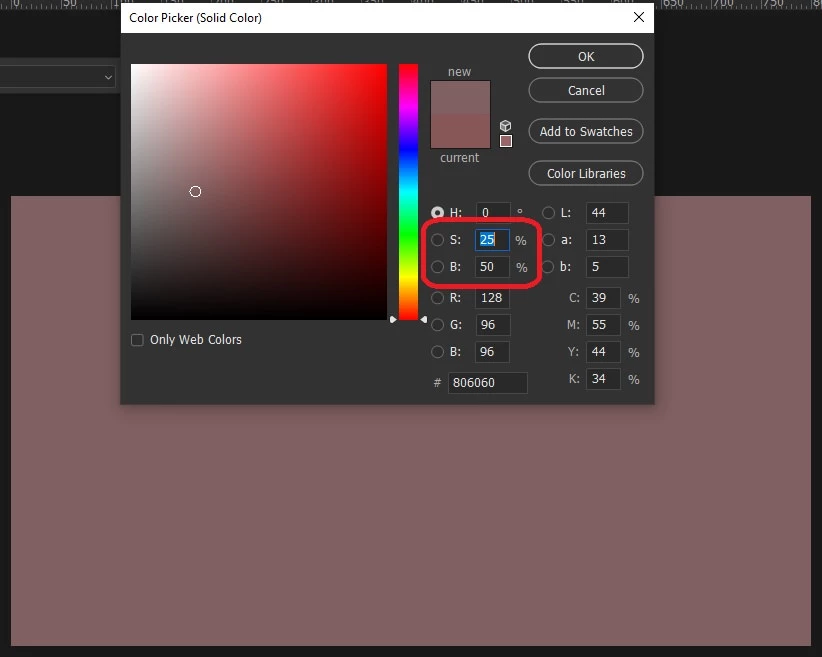
Randomize selected solid color layers always with (S > 25% & B = 50%)
Hello everyone. i need help
Thank you very much in advance

Hello everyone. i need help
Thank you very much in advance
hue need to be randomized?
#target photoshop

var s2t = stringIDToTypeID;

(r = new ActionReference()).putProperty(s2t('property'), p = s2t('adjustment'));
r.putEnumerated(s2t('layer'), s2t('ordinal'), s2t('targetEnum'));
var fill = executeActionGet(r).getList(p).getObjectValue(0).getObjectValue(s2t('color')),
    color = new SolidColor;
with (color.rgb) {
    red = fill.getDouble(s2t('red'))
    green = fill.getDouble(s2t('green'))
    blue = fill.getDouble(s2t('blue'))
}

with (color.hsb) {
    saturation = 25 + Math.random() * 75
    brightness = 50
}

(r = new ActionReference()).putEnumerated(s2t("contentLayer"), s2t("ordinal"), s2t("targetEnum"));
(d = new ActionDescriptor()).putReference(s2t("null"), r);
(d1 = new ActionDescriptor()).putDouble(s2t('red'), color.rgb.red);
d1.putDouble(s2t('grain'), color.rgb.green);
d1.putDouble(s2t('blue'), color.rgb.blue);
(d2 = new ActionDescriptor()).putObject(s2t("color"), s2t("RGBColor"), d1);
d.putObject(s2t("to"), s2t("solidColorLayer"), d2);
executeAction(s2t("set"), d, DialogModes.NO);
Already have an account? Login
Enter your E-mail address. We'll send you an e-mail with instructions to reset your password.
 AdChoices