

Answered

Guys, at the moment, the Reference Image option is only available in the beta version. With a selection in place, go Edit > Generative Fill
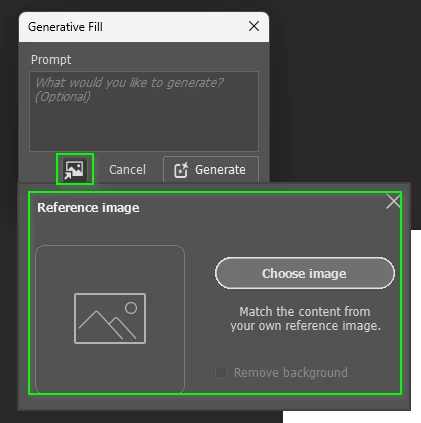
If you are using the Contextual Task Bar, click on Generate and the Reference Image button will be there in the next panel.

I am sure the Release version will have the same options in a future release.
Sign up
Already have an account? Login
To post, reply, or follow discussions, please sign in with your Adobe ID.
Sign inSign in to Adobe Community
To post, reply, or follow discussions, please sign in with your Adobe ID.
Sign inEnter your E-mail address. We'll send you an e-mail with instructions to reset your password.
 AdChoices