


New Participant
January 19, 2025
Question

Remove reflections

  • January 19, 2025
  • 3 replies
  • 435 views

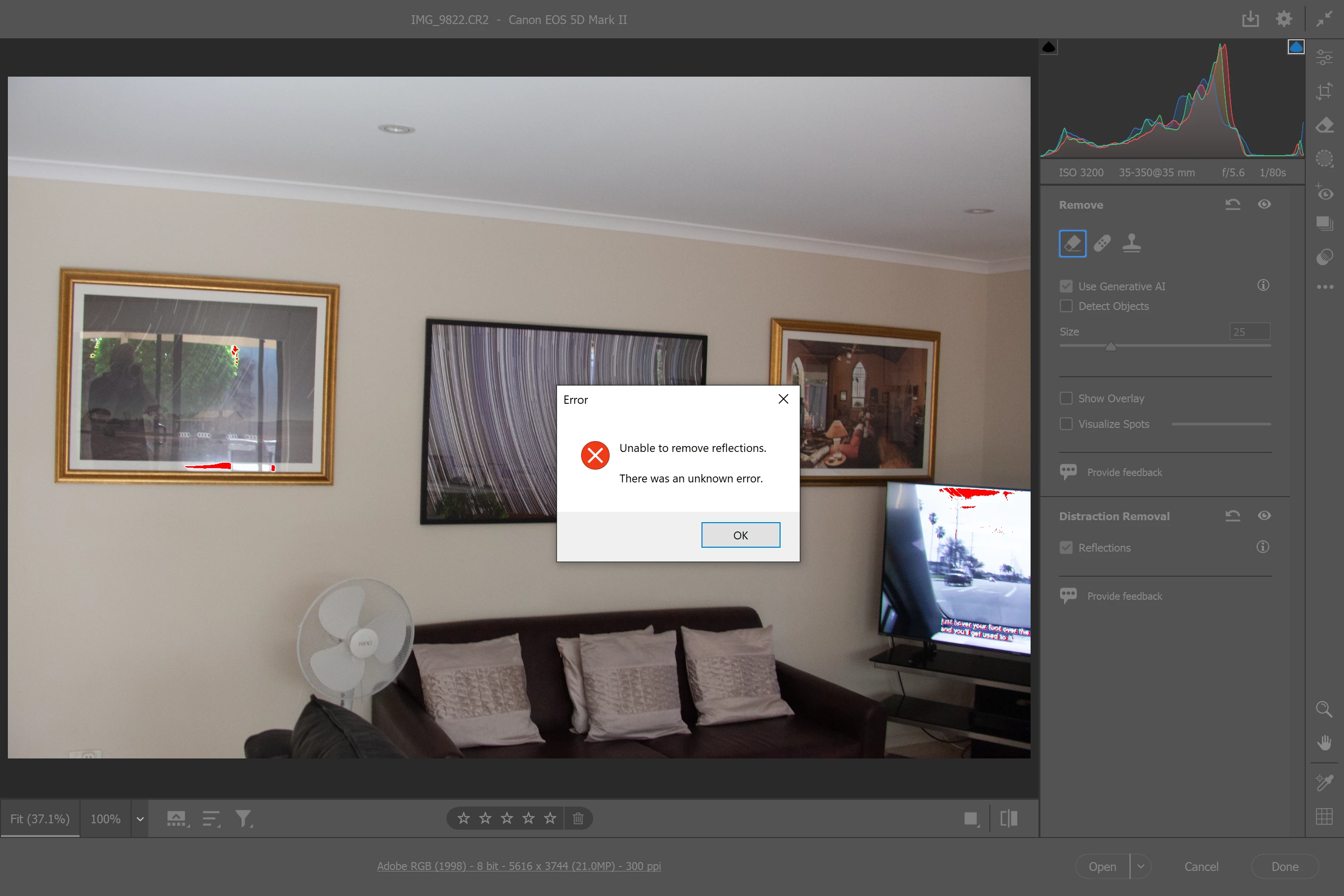
I use Photoshop Version 26.2 on Windows 10 Surface and Windows 11 on desktop. When I open a RAW file on either I go into remove distractions, tick reflections and a blue progress line appears It moves about a centimeter and stops, and this error message appears. The Technology Previews box is ticked. Any help would be appreciated. Many Thanks


Jeff Brokenshire
3 replies

Chuck Uebele
Braniac
February 1, 2025

I haven't used this feature yet, but I asked if it could remove reflections in eyeglasses. I was told no, so I'm wondering if the picture frame, in your image is too small for the feature to work, so you're getting an error.

Community Manager
January 29, 2025

Hi @Jeff22993209bfbo! Welcome to the community!

Is this happening with every image you try, or just with specific photos? Could you share your System Info? You can find it under Help > System Info. Just copy the info to a text file and attach it to your response.

Thanks!

Alek

*(If you mention me with an @, like @Aleke, I’ll get a notification and can respond faster.)*
New Participant
February 1, 2025
Here is my system information
kglad
Braniac
January 19, 2025

in the future, to find the best place to post your message, use the list here, https://community.adobe.com/

p.s. i don't think the adobe website, and forums in particular, are easy to navigate, so don't spend a lot of time searching that forum list. do your best and we'll move the post (like this one has already been moved) if it helps you get responses.


<"moved from using the community bugs">
New Participant
January 19, 2025

Thank you. The first time I have used this forum