


Participant
December 13, 2024
Answered

Remove tool doesn't work, needs to download components

  • December 13, 2024
  • 2 replies
  • 6136 views

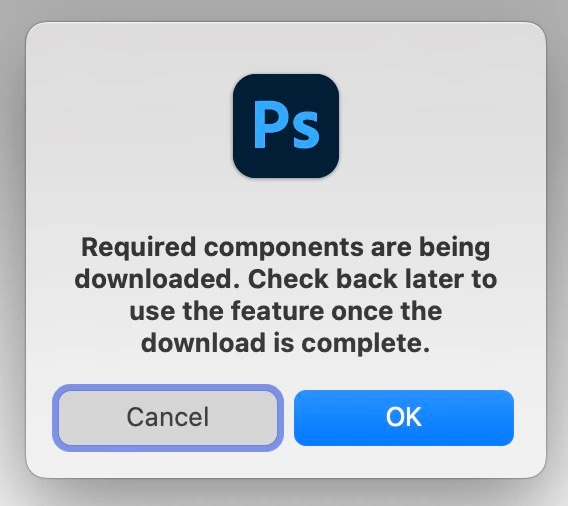
Hello, I have installed the latest version of PS but when I try to use the Remove tool, I receive the message "Required components are being downloaded. Check back later to use the feature once the download is complete.


It actually downloads nothing and every time I try to use this tool, the warning message appears.

any ideas how to fix this?

Correct answer Anshul_Saini

Hi @teokefalopoulos,


I understand how frustrating this can be, especially when you’re eager to use the Remove tool. To resolve this, please follow these steps:

1. Open the Creative Cloud Desktop app.

2. Navigate to Apps > All Apps and locate Photoshop.

3. Click on the three-dot menu (ellipses) next to Photoshop.

4. Select Get Add-ons.

5. Under Add-ons, find the components for the Remove tool and click Add to download them.


Once the components are installed, the tool should function as expected. Let us know if this helps or if you need further assistance!

Best,

Anshul Saini

2 replies

Participant
May 28, 2025

depuis la derniere mise à jour l'outil supprimer  ne fonctionne plus photoshop me dis  que lesq composant sont en cours de telechargement mais rien !!

Srishti Bali
Community Manager
Community Manager
May 28, 2025

Hi @Dhoisne30414843sqyd 


Thanks for reaching out. Here's a similar thread that might help. I recommend trying the suggestion shared there and letting us know if it works for you:

https://community.adobe.com/t5/photoshop-ecosystem-bugs/remove-tool-doesn-t-work-needs-to-download-components/idi-p/15037099


Regards,

Srishti

Anshul_Saini
Community Manager
Anshul_SainiCommunity ManagerCorrect answer
Community Manager
December 18, 2024

Hi @teokefalopoulos,


I understand how frustrating this can be, especially when you’re eager to use the Remove tool. To resolve this, please follow these steps:

1. Open the Creative Cloud Desktop app.

2. Navigate to Apps > All Apps and locate Photoshop.

3. Click on the three-dot menu (ellipses) next to Photoshop.

4. Select Get Add-ons.

5. Under Add-ons, find the components for the Remove tool and click Add to download them.


Once the components are installed, the tool should function as expected. Let us know if this helps or if you need further assistance!

Best,

Anshul Saini

Participant
June 17, 2025

One would think, that if I have photoshop downloaded and ready to use, it would be ready to use, and would not require me to manually download what seems to be stock features of the app