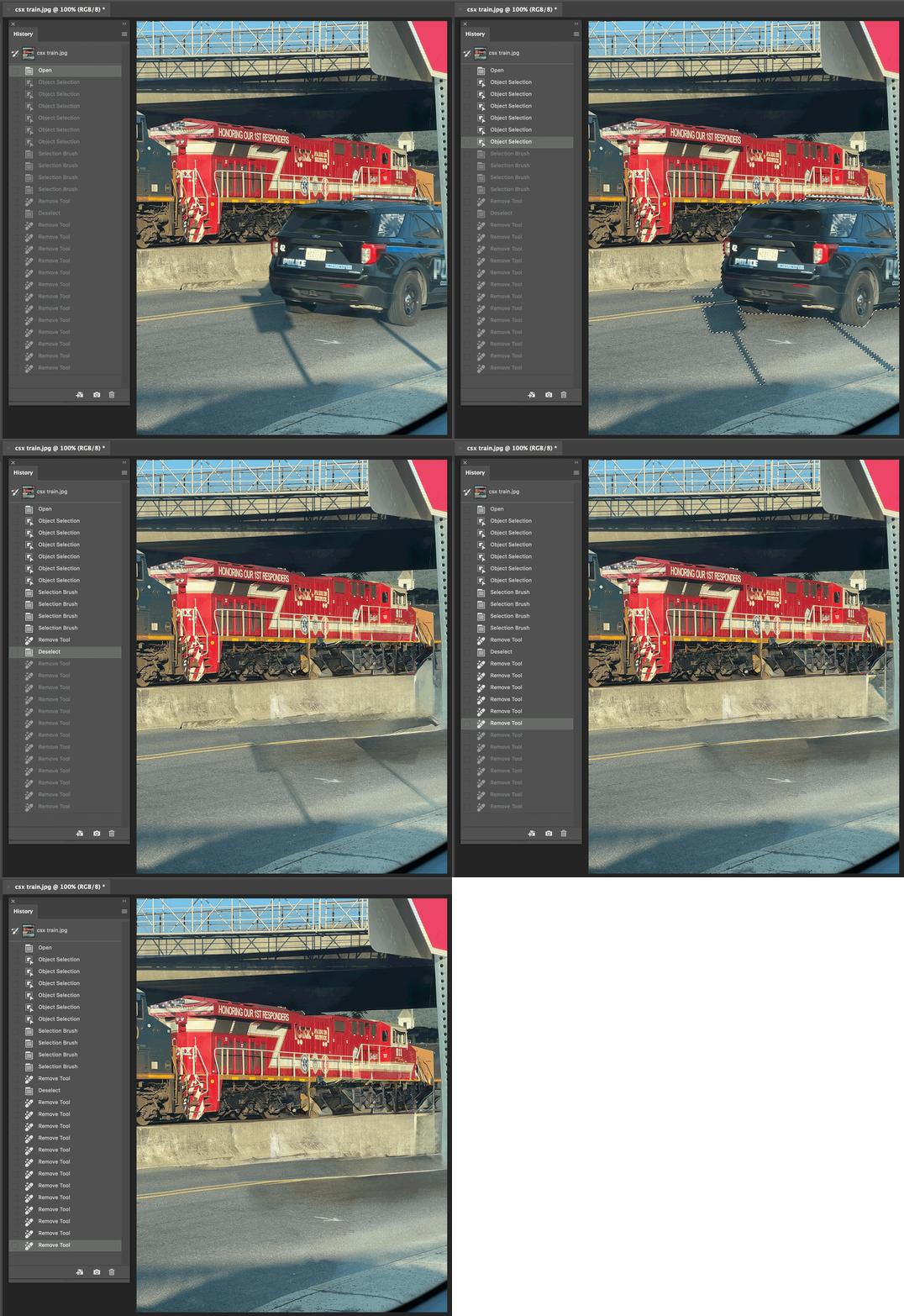
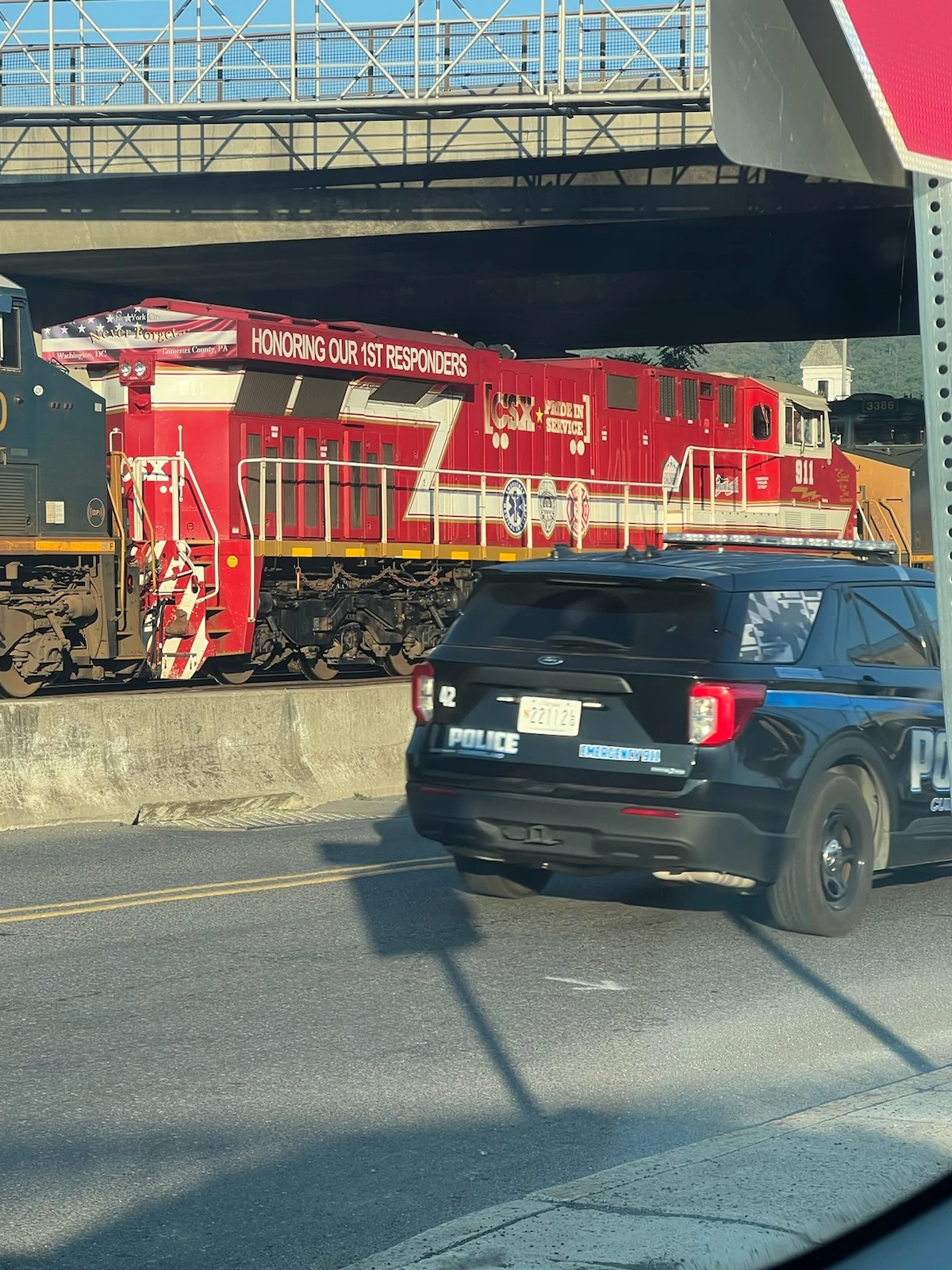
See the demo below…It was possible to get better results by using the Object Selection tool to precisely select the car, and I Shift-dragged the Object Selection tool to also include the distracting shadows. I then painted with the Remove tool inside the selection, and that got pretty far. If the result of the Remove tool isn’t perfect, you can drag it again over the parts you don’t like and it will try again. After a few more passes with the Remove tool, it looks sort of all right…but still not totally realistic, again the AI doesn’t seem to know that is a train undercarriage. It has to completely guess what the bottom front of the train engine might look like, and it guesses wrong. It might be hard to do better than this with AI alone. If you want something that looks more believable, someone will need to research what the front of that locomotive actually looks like and manually paint it in.




 AdChoices