pegasp96970027
New Participant
March 30, 2018
Answered

Removing canvas texture [2018]

  • March 30, 2018
  • 2 replies
  • 21781 views

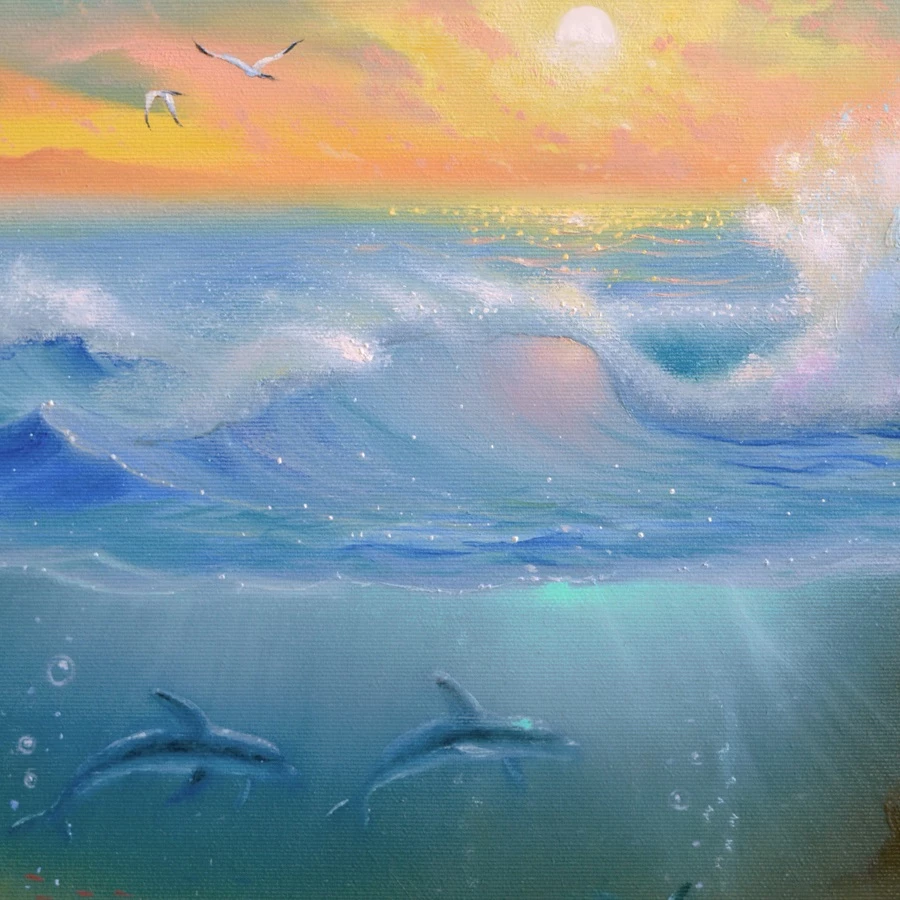
HI all. I really need some help with this. Im taking photos of some oil paintings with a camera, cropping in photoshop etc. the problem is the texture of the canvas is visible in the image and It looks not so good, on the other hand I want to save as much detail as possible. Can anyone tell me how to get rid of the canvas lines/texture? if its even possible.

Thank you very much


The image: (you can see the horisontal lines everywhere)
This topic has been closed for replies.
Correct answer Jon-M-Spear

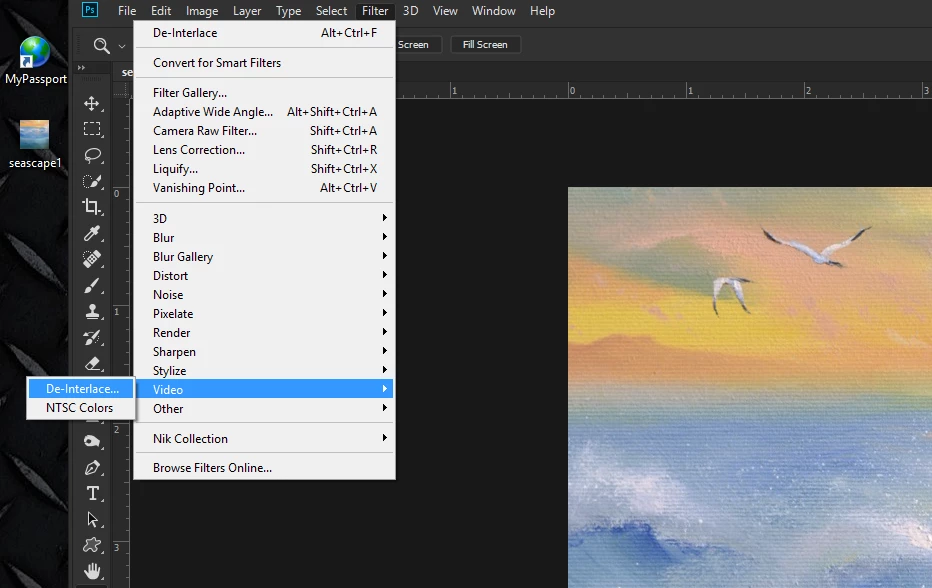
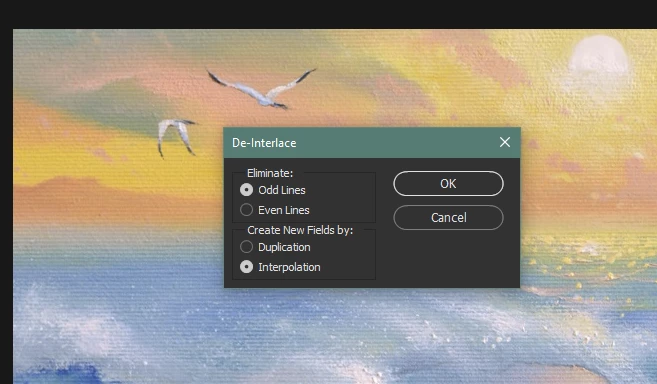
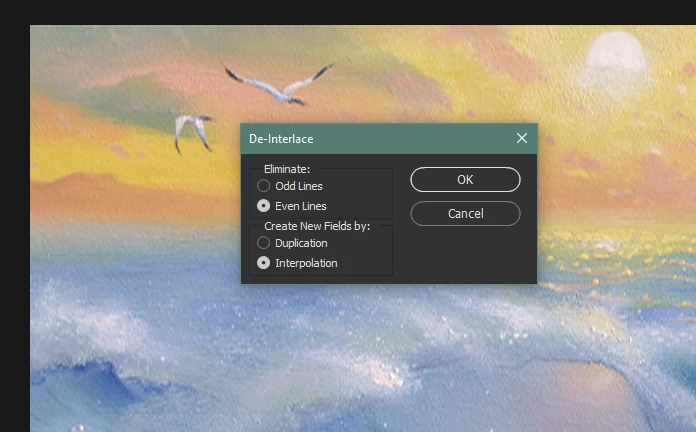
Files > Video > Deinterlace >odd lines interpolation  (repeat) even lines interpolation

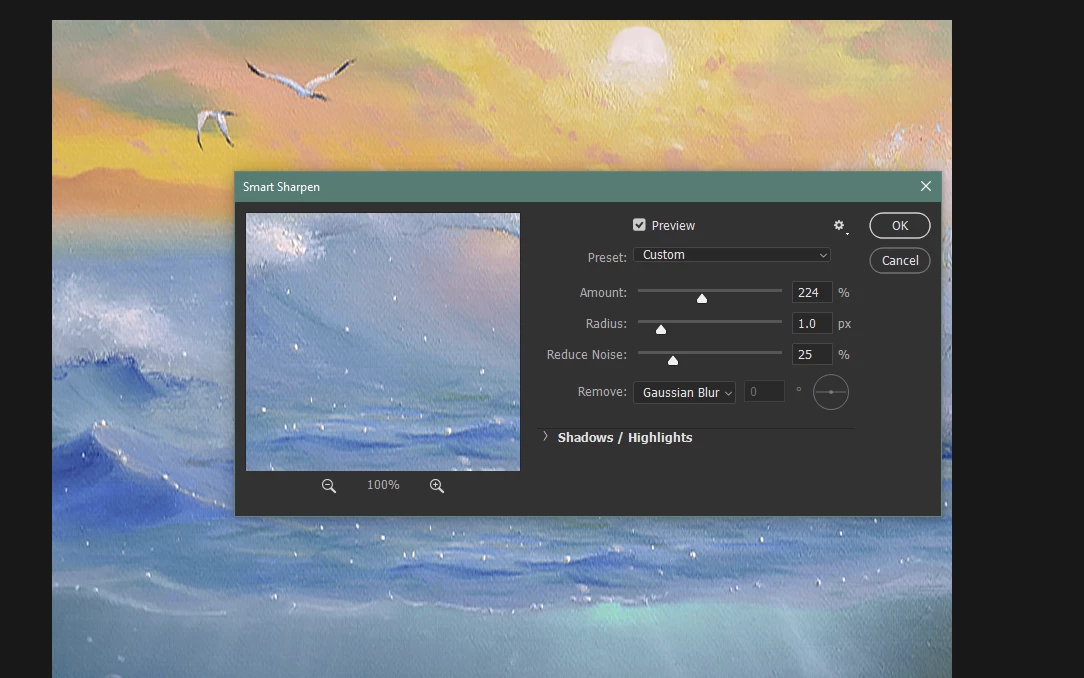
Filter > Sharpen > Smart Sharpen > play with amount until it looks okay.

2 replies

March 30, 2018

i think this can be solved the filter gallery u can check there add filters and check from where is remove

Jon-M-Spear
Brainiac
March 30, 2018

Really?

Jon-M-Spear
Brainiac
March 30, 2018

I treated as if it was a video frame: deinterlaced it (Filters/video) and then smart sharpened.

pegasp96970027
New Participant
March 30, 2018

This looks pretty good! thanks for your time. can you tell me the numbers? or atleast be more specific in what you did there?

Im a dumb person

Jon-M-Spear
Jon-M-SpearCorrect answer
Brainiac
March 30, 2018

Files > Video > Deinterlace >odd lines interpolation  (repeat) even lines interpolation

Filter > Sharpen > Smart Sharpen > play with amount until it looks okay.