Inspiring
February 26, 2020
Answered

Removing coloor from a line drawing

  • February 26, 2020
  • 1 reply
  • 531 views

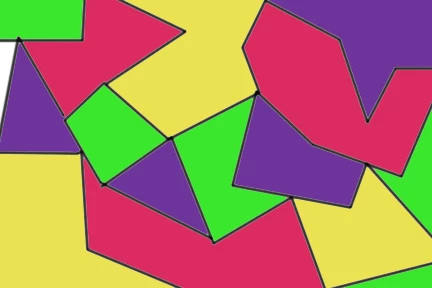
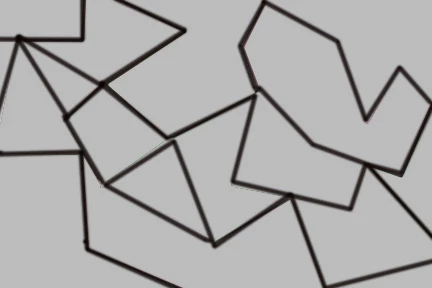
I would like to remove the color from a line drawing not in the sense of bringing the saturation down to 0 but leaving just the lines but removing anything that has color. It's as if you removed all of the glass from a stain glass window and left the frame. Below is a simplified example but I would like to know if the picture is more complex.


Thank you
 

Correct answer Chuck Uebele

Several ways. One is to use blend if sliders to knock out the color. The other is to use the B&W adjustment layer, which you can set to luminosity, then raise the brightness of all the colors. You can use channels to select color and/or increase the luminosity of the colors to make them white. You can use color range to select the color, or a combination of any of these methods.

1 reply

Chuck Uebele
Community Expert
Chuck UebeleCommunity ExpertCorrect answer
Community Expert
February 26, 2020

Several ways. One is to use blend if sliders to knock out the color. The other is to use the B&W adjustment layer, which you can set to luminosity, then raise the brightness of all the colors. You can use channels to select color and/or increase the luminosity of the colors to make them white. You can use color range to select the color, or a combination of any of these methods.

MSjkmailAuthor
Inspiring
February 27, 2020

Thanks for the quick reply. I think these suggestions will help.