


Answered
Replacing missing fonts withTypekit in Photoshop - Message is confusing
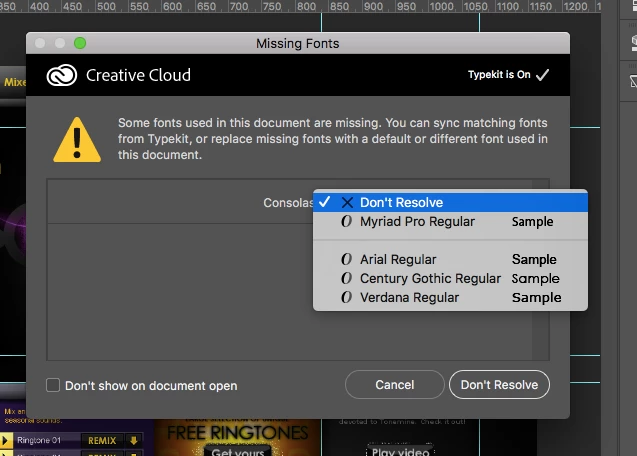
That's the alert I'm getting, and I find it confusing. It says I can sync matching fonts from Typekit, or replace missing fonts with a default or different font. I've selected Typekit to be "On", but don't see an option for it to automatically match the fonts from Typekit.
Instead, it's giving me the option to select from several fonts, which doesn't seem to make sense, as I'd like Typekit to pick the best match.
 AdChoices