


Geppetto Luis
Brainiac
March 21, 2020
Answered

save all open documents in psd

  • March 21, 2020
  • 6 replies
  • 7774 views

save all open documents in psd
in the same path as the original files


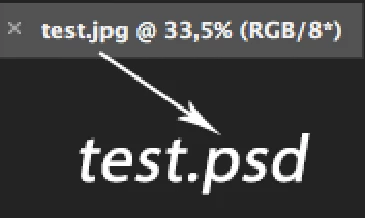
and rename the source file from test.jpg to test.psd
This topic has been closed for replies.
Correct answer jazz-y

That that code did not what you wanted has been established. 


What was the problem with the code DmitryEgorov had provided? 


try this:

for (var i=0; i<app.documents.length; i++) {
    var doc = app.activeDocument = app.documents[i],
    f = doc.fullName
    doc.saveAs (File(f.path + "/" + decodeURI(f.name).replace(/\.\S+$/, "") + ".psd"))
    f.remove()
}

* i think I understand what the geppettol66959005 needs

6 replies

Stephen Marsh
Adobe Expert
March 22, 2020

OK, a fresh take on the original post:


/* Start Saved Document Error Check - Part A: Try */
savedDoc();

function savedDoc() {
    try {
        app.activeDocument.path;
        /* Finish Saved Document Error Check - Part A: Try */

        /* Main Code Start */
        for (var i = 0; i < app.documents.length; i++) {
            app.activeDocument = app.documents[i];
            var doc = app.activeDocument;
            var docName = doc.name.replace(/\.[^\.]+$/, '');
            var docPath = doc.path;
            
            // File Saving Code
            var saveFilePSD = new File(docPath + '/' + docName + '.psd');
            SavePSD(saveFilePSD);
        }

        // PSD Options
        function SavePSD(saveFilePSD) {
            psdSaveOptions = new PhotoshopSaveOptions();
            psdSaveOptions.embedColorProfile = true;
            psdSaveOptions.alphaChannels = true;
            psdSaveOptions.layers = true;
            psdSaveOptions.annotations = true;
            psdSaveOptions.spotColors = true;
            activeDocument.saveAs(saveFilePSD, psdSaveOptions, true, Extension.LOWERCASE);
        }
        
        // alert("All open documents saved as PSD to the source file path!");

        // Close All Open Docs
        /*
        while (app.documents.length) {
        app.activeDocument.close(SaveOptions.DONOTSAVECHANGES);
        }
        // alert("All open documents closed!");
        */

        /* Main Code Finish */
    }

    /* Start Saved Document Error Check - Part B: Catch */
    catch (err) {
        alert("One or more previously saved documents must be open before running this script!");
    }
}
/* Finish Saved Document Error Check - Part B: Catch */


Note: I have commented out the code to close all open docs and the alerts to inform at key points.


EDIT: Late thought, I think that the OP wants the original open files to now be the PSD files?


c.pfaffenbichler
Adobe Expert
March 22, 2020

I tried with the names »mano.jpg« and »piede.jpg« and it worked as expected. 

Geppetto Luis
Brainiac
March 22, 2020

c_pfaffenbichler 

Sorry I'm a goat
I made a trivial mistake.

pixxxelschubser
Adobe Expert
March 21, 2020

Why not?

All necessary components are available - just not all possible scenarios.

Geppetto Luis
Brainiac
March 21, 2020

then it is I who is incapable Because I haven't found the solution yet

Brainiac
March 22, 2020

What is wrong with this code?

for (var i=0; i<app.documents.length; i++) {
    var f = app.documents[i].fullName, 
    p = f.path, 
    n = decodeURI(f.name).replace(/\.\S+$/, "")
    app.documents[i].saveAs (File(p + "/" + n + ".psd"))
    f.remove() // removes original file, delete this line if it is not necessary
}
pixxxelschubser
Adobe Expert
March 21, 2020

Only for addition

var aDoc = activeDocument;
try {
    var docPath = aDoc.path;
} catch (e) {
    alert("not saved before");
    // code for saving
    }
Brainiac
March 21, 2020

... also document names may contain characters not supported by the current file system, there may be other errors while saving the file (read only or inaccessible folder), etc. - all this things needs to be processed...
I think that geppettol66959005 just does not need it.

Brainiac
March 21, 2020

save all open documents in psd
in the same path as the original files


and rename the source file from test.jpg to test.psd

 

for (var i=0; i<app.documents.length; i++) {
    var f = app.documents[i].fullName, 
    p = f.path, 
    n = decodeURI(f.name).replace(/\.\S+$/, "")
    app.documents[i].saveAs (File(p + "/" + n + ".psd"))
    f.remove() // removes original file, delete this line if it is not necessary
}


* unsaved documents that do not have a disk path will cause an error. In this case, the c_pfaffenbichler code is more suitable

c.pfaffenbichler
Adobe Expert
March 21, 2020

You could try 

File > Scripts > Image Processor 

with »Save as PSD«. 


But as the psd-files are not the jpg-files renaming them does not seem to be an option. 

Geppetto Luis
Brainiac
March 21, 2020

c_pfaffenbichler
I need a clean script because I have to put it in a quick button.

c.pfaffenbichler
Adobe Expert
March 21, 2020

I have this
but it only works for jpg

i would like the same for psd.


var startDisplayDialogs = app.displayDialogs
app.displayDialogs = DialogModes.NO


if (app.documents.length > 0) {
   var theFirst = app.activeDocument;
   var theDocs = app.documents;

   jpgOpts = new JPEGSaveOptions( );
   jpgOpts.embedColorProfile = true;
   jpgOpts.formatOptions = FormatOptions.STANDARDBASELINE;
   jpgOpts.matte = MatteType.NONE;
   jpgOpts.quality = 12;

   for (var m = 0; m < theDocs.length; m++) {
     var theDoc = theDocs[m];
     var num = m + 1;
     app.activeDocument = theDoc;

     theDoc.saveAs((new File("~/Desktop/file_" + num)), jpgOpts, false, Extension.LOWERCASE); 
   };
   app.activeDocument = theFirst;
};


It seems to me that your original post did not describe what you want by a long shot. 
Anyway, this should save the files with numbers to the Destop. 
 
var startDisplayDialogs = app.displayDialogs
app.displayDialogs = DialogModes.NO
 
 
if (app.documents.length > 0) {
   var theFirst = app.activeDocument;
   var theDocs = app.documents;
 
// psd options;
psdOpts = new PhotoshopSaveOptions();
psdOpts.embedColorProfile = true;
psdOpts.alphaChannels = true;
psdOpts.layers = true;
psdOpts.spotColors = true;
 
   for (var m = 0; m < theDocs.length; m++) {
     var theDoc = theDocs[m];
     var num = m + 1;
     app.activeDocument = theDoc;
     theDoc.saveAs((new File("~/Desktop/file_" + num + ".psd")), psdOpts, false, Extension.LOWERCASE);
   };
   app.activeDocument = theFirst;
};