


- Página inicial
- Photoshop ecosystem
- Discussões
- Hello, I have the same issue with photoshop CC 202...
- Hello, I have the same issue with photoshop CC 202...
Save for web error - Mac OS Catalina

Copiar link para a área de transferência
Copiado
Hello everyone,
I have an issue saving gif for web with my OS to Catalina (10.15.2).
When I try to save, there's a message saying :
"Adobe save for web error. Could not complete this operation. An unknown operating system error has occured."
I tried to delete "save for web prefs.psp" but nothing has changed.




Explorar tutoriais e artigos relacionados
 153
respostas
153
153
respostas
153




Copiar link para a área de transferência
Copiado
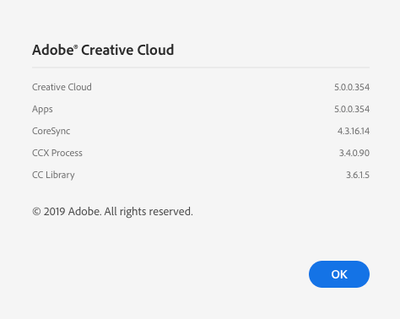
Hello, what is the version of Photoshop ?

Copiar link para a área de transferência
Copiado
Hey! I am ahving the same problem. I am using Photoshop CC 2019. I try to export using Save for Web (Legacy) but it gives me the same error. I tried using a windows computer too but it did not work.

Copiar link para a área de transferência
Copiado
I am also having the same problem and using the most current photoshop, 19.1.0. I weekly have to save images for the web and then now it will not work. Thought my file might be corrupt, but tried several I made legacy jpegs for and I get the same error.
I then thought it was maybe a memory problem, so purged lots of files to free up space. Still same error.
This is a big problem for since I just updated to Catalina 10.15.2

Copiar link para a área de transferência
Copiado
19.1 is not the most current update to Photoshop. The current update is 21.0.2 and this issue is resolved in that version.

Copiar link para a área de transferência
Copiado
You keep telling people to use the latest Photoshop upgrade, and to reset preferences. THIS IS NOT SOLVING THE PROBLEM! I've tried every single one of the suggestions from both Adobe and the support forum, and nothing works. Still cannot use Save for Web feature, and the "Export As," while usable, is very limited. Come ON Adobe! Get on this. Someone said the Save for Web feature was legacy and no longer supported. Is this true? And if so, was the upgrade to Mac OS Catalina the straw that finally ended it? Please don't tell me to trash old preferences or make sure I'm using the latest versions. I assure you that I am.
Copiar link para a área de transferência
Copiado
21.0.2 - CC 2020

Copiar link para a área de transferência
Copiado
I am ahving the same problem

Copiar link para a área de transferência
Copiado
I have the same problem.
Is it widespreaded or just particular cases?

Copiar link para a área de transferência
Copiado
Having the same issue. I just finished chatting with Adobe support and was told it is a known issue with Catalina that they are working on... And I thought I'd waited long enough to update. : /
Copiar link para a área de transferência
Copiado
There is an update it's CC2020. This issue was addressed with that update as far as I know.

Copiar link para a área de transferência
Copiado
Currently having the same problem in Photoshop 2020 in Catalina. Did not have this problem with PS 2019.
Copiar link para a área de transferência
Copiado
This is NOT a correct answer. I've updated to the latest Photoshop 21.0.3 and the latest Catalina, and the problem is still persisting. I tried to allow Photoshop Full Disk Access, and my machine won't allow me to add PSD to this list in Privacy (System settings).
Copiar link para a área de transferência
Copiado
Its a known issue with CC2019 and Catalina. The solution is to update your Photoshop to CC2020 (21.0.2)

Copiar link para a área de transferência
Copiado
Hello, I have the same issue with photoshop CC 2020. Anyone has a solution ?
I work on Mac Catalina 10.15.2
Copiar link para a área de transferência
Copiado
did you run all available updates for Photoshop?

Copiar link para a área de transferência
Copiado
I've updated it to the latest version and now works perfectly!

Copiar link para a área de transferência
Copiado
still not working for me too...
Copiar link para a área de transferência
Copiado
Dear Adobe Community Professionals,
Please read all the comments. I, along with many others in this thread and elsewhere, have tried everything – and still get this same annoying error. I always run every update, and have in this case too. For Catalina and for Photoshop, This is absolutely an issue with the new Photoshop. Someone needs to be straight and tell us if the Save For Web (legacy) version is Dead and Gone. I've heard this from some other people, but I'm trying not to trust it until it comes from Adobe, and I never get a straight answer.

Copiar link para a área de transferência
Copiado
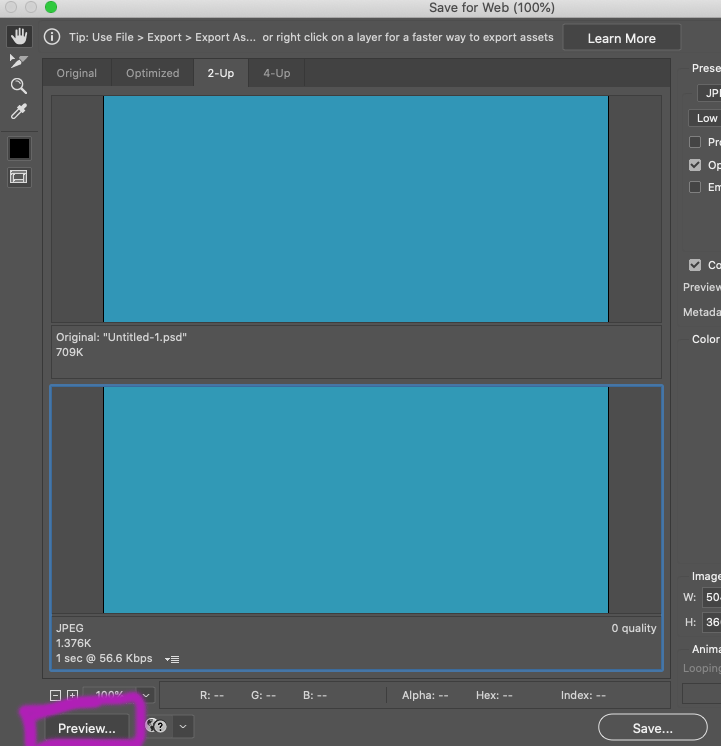
I too can't solve this for the life of me. The only work around I found is: file > export > save for web legacy.... then adjust your settings to whatever you like...> click the PREVIEW button IN THE BOTTOM LEFT CORNER ...when the preview window pops up you can save the file from there by CONTROL clicking (on a mac) on the image > save image as.
Such an idiotic way to have to do this I know. It works for all file types including animated gifs.
Copiar link para a área de transferência
Copiado
That's the ONLY workaround I've found, too. And, of course, Adobe remains silent. Since I first started using Adobe products daily in 1988 (with Illustrator '88), I've never seen a non-response like this. Or a bigger screw up. Ignoring a problem won't make it go away. This has been such a huge blunder. This adds 10 seconds to every image I process for the Web. It's like taking a step back to the mid 1990s or something. Pre-Photoshop layers, even!

Copiar link para a área de transferência
Copiado
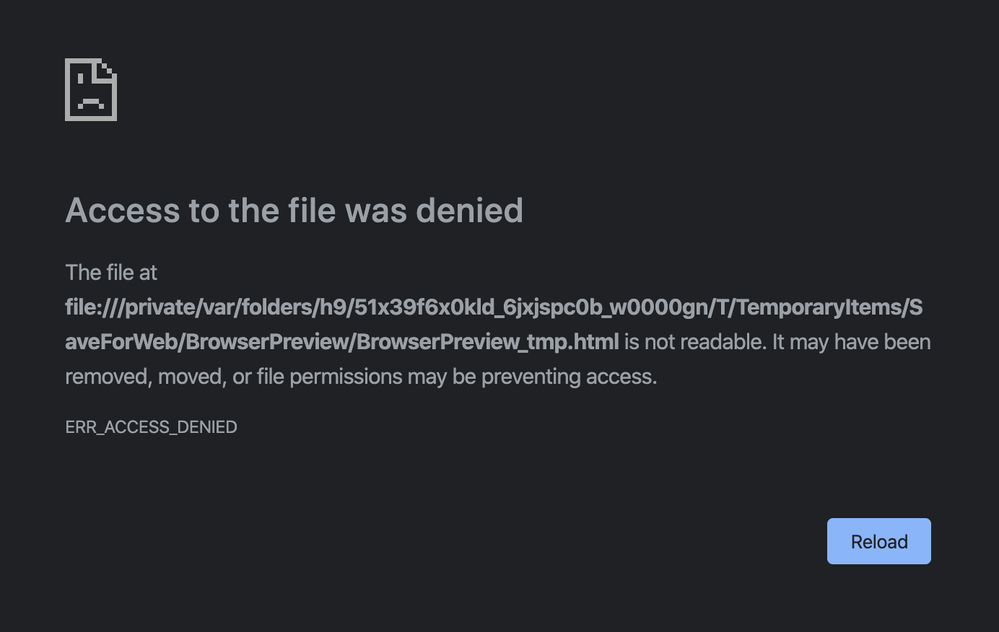
I've tried this workaround but every time I get this error, insights would be appreciated!

Copiar link para a área de transferência
Copiado
The fix that worked for me for this is to give Google Chrome full disk access in System Preferences (Security & Privacy > Privacy > Full Disk Access > + > Google Chrome.

Copiar link para a área de transferência
Copiado
This worked for me - makes sense. Would be based on your default browser settings as the Save For Web tries to communicate with it.

Copiar link para a área de transferência
Copiado
I started with Adobe 88 as well!
This animated gif problem has been a real hassle and unfortunately Adobe still even uses the terminology "Save for Web (Legacy)" what a letdown! ...Adobe please fix this issue!


Prepare-se! Uma experiência aprimorada da Adobe Community chegará em janeiro.
Saiba mais
 AdChoices