


Inspiring
March 16, 2019
Question

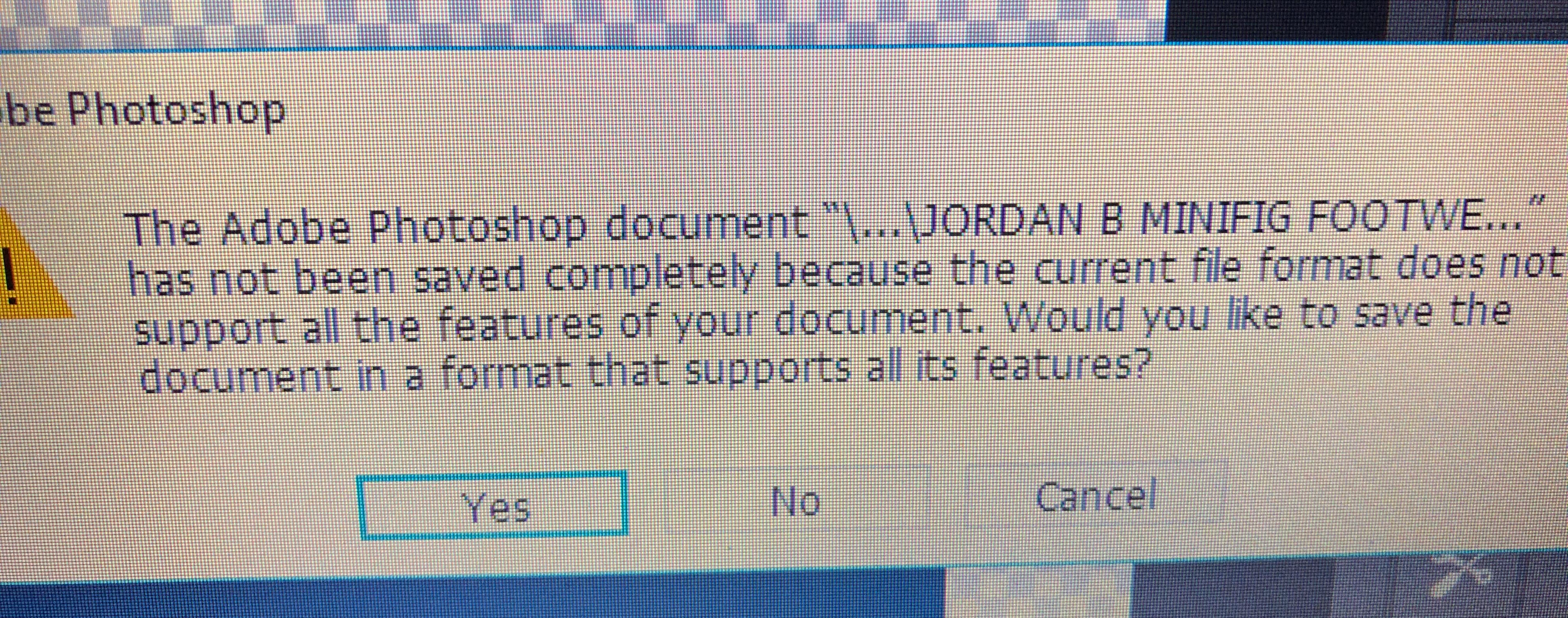
saving as pdf error message

  • March 16, 2019
  • 2 replies
  • 680 views

it doesnt matter what psd it is or what it contains but now everytime i want to save any as a pdf this message appears and its starting to annoy me. for example this psd contains only 3 layers with 3 solid colour rectangles... any other psd i try and save as pdf it is the exact same message , wether it be lots of layers or basic like this one?, what is the problem? i dont actually know, any ideas?, & how can i stop it & get it to save correctly , this is latest windows cc version, this is with preserve photoshop editing capabilties unselected, but a pdf copy does save to my documents if i click no anyway....  etc cheers.
    This topic has been closed for replies.

    2 replies

    JJMack
    Adobe Expert
    March 16, 2019

    The problem I have is I do not know of reason I would want to save an image in a Portable Document Format.  I find it hard to believe that  Adobe could  keep their PDF File format compatible with every Photoshop layer formats and features. Photoshop itself is not even bug free.  To me Saveing a PDF using Photoshop is like asking to be bitten by a bug. IMO its best to save as PSD or PSB I would consider those file formats Photoshop native file format.

    JJMack
    c.pfaffenbichler
    Adobe Expert
    March 16, 2019

    Concerning screenshots please see this:

    FAQ: How do I capture and post a screen shot or video?

    What are the pdf settings you chose?

    Did you check »As a copy«?

    Inspiring
    March 17, 2019

    im literally, saving a copy as pdf from the orig psd. i didnt have this message before updates i dont think...

    c.pfaffenbichler
    Adobe Expert
    March 18, 2019

    What are the image’s Color Mode and bit depth?

    What have you done for general trouble-shooting so far?

    Restoring Preferences after making sure all customized presets like Actions, Patterns, Brushes etc. have been saved might be a good starting point:

    https://helpx.adobe.com/photoshop/kb/basic-trouble-shooting-steps.html