


Inspiring
April 17, 2023
Question

Saving Photoshop document with extendscript in background

  • April 17, 2023
  • 4 replies
  • 3033 views

Hello,


When I save changes to a Photoshop document - already saved to disk - with the app.activeDocument.save() command, a progress modal dialog is displayed:
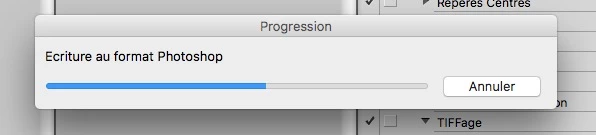
 

But if I use the Save menu item of the File menu, the recording is done as a background process (without modal progression) and I can continue to work.



So, using extendscript with Photoshop 13 (CS6), how can I save the active document as background process without this annoying modal window?


Thank you.


This topic has been closed for replies.

4 replies

frmorelAuthor
Inspiring
April 18, 2023

@Stephen Marsh  I didn't know that a script could perform an action. It can be interesting.


@r-bin   indeed, it must be possible but it becomes complicated for what I would like to do.


Maybe I'm doing it wrong and there are other ways to do what I want.

When I save the changes of the active document, I would like a history step to be created (with an extendscript script).


I tried to run the history step creation script with the Scripts Events Manager but there are problems:

- if I run my extendscript on the "start saving" event, the history step is created even if the saving of the document is not completed (error or cancellation by the user). So this solution is not accurate.

- if I run my extendscript on the "saving document" event, the history step is created after the document is saved, and so the document appears as modified (and displays a save modal dialog if I close this document, which is rather painful).


Do you know another way to do what I would like?

Brainiac
April 18, 2023
I didn't really understand what you want and why you need a history step after document.save()
 
 
Brainiac
April 18, 2023

This is possible by running an external script (or program) that simulates pressing Ctrl + S, provided that you have the background save mode enabled.


REM: In this case, the script must be in step-by-step mode for some time at the time the external program is launched, otherwise Photoshop will skip processing the keystrokes.

frmorelAuthor
Inspiring
April 21, 2023

OK, I finally wrote an Applescript that launches a Photoshop action, because MacOS makes it difficult to directly call a menu-item.

So I have an extendscript that inserts a history step and then calls the Applescript (which itself calls an action)...

Stephen Marsh
Community Expert
April 17, 2023

Have you tried something like:


var savedDisplayDialogs = app.displayDialogs;
app.displayDialogs = DialogModes.NO;
app.activeDocument.save();
app.displayDialogs = savedDisplayDialogs;
Chuck Uebele
Community Expert
April 17, 2023

Offhand, I would say this may not be possible, as when you run a script, you can't do anything until the script completes. However, you might want to try recording the save with AM code rather than DOM. Maybe that might work.

frmorelAuthor
Inspiring
April 17, 2023

Thank you for your answers.

@Stephen Marsh: just tried but DialogModes.NO doesn't change anything.


Chuck, I don't understand what is a record with AM. Is it the ScriptListener?

I tried with the code written by the ScriptListener when using the Save menu item but the result is the same: I always have this annoying modal progress window.


Stephen Marsh
Community Expert
April 18, 2023
quote

Thank you for your answers.

@Stephen Marsh: just tried but DialogModes.NO doesn't change anything.


By @frmorel


That's a shame. What happens if you record the save command into an action? A script can play an action...