


Scanned line art editing - Grey & black lines help?
Hi there,
Completely new to this but I am attemping to learn how to edit/clean up my basic line drawings on photoshop ready to put them into illustrator to edit...
This may be something very obvious/simple but I'm really struggling to work it all out, hopefully I can also explain it so will make some sense!
I don't really want to have to draw/create the image again digitially i'd rather use the scanned drawing and turn that digital, so have been trying several ways to edit (with contrast/brightness etc) in order to create the black outline on a transparent background, but keep coming back to the same problem:
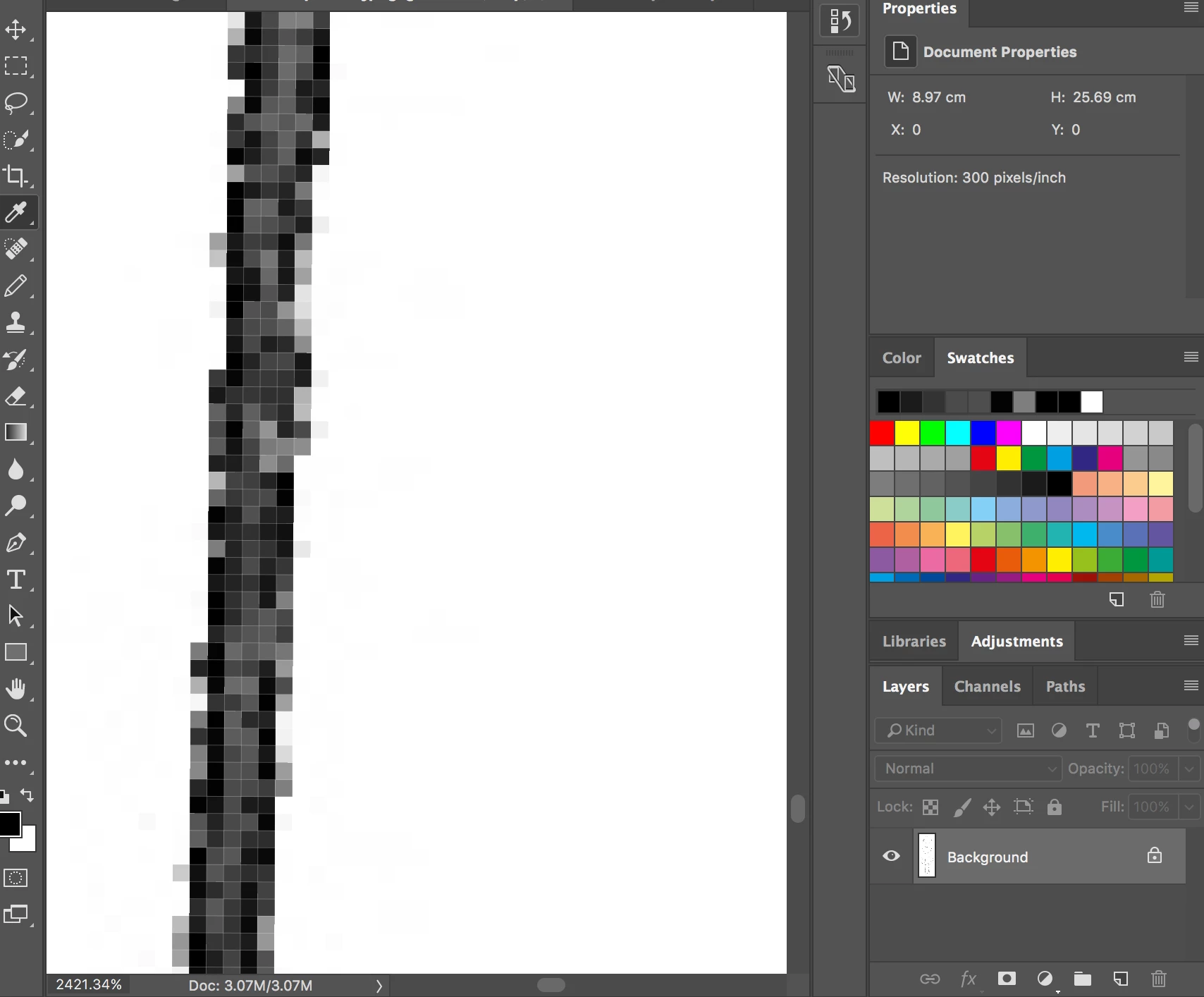
The scanned image is originally made with a black fine liner on white paper but when scanned in the line isn't back it is mainly lots of different shades of grey (maybe this is normal and it's just me not knowing much?). My aim is to make it all solid black but nothing seems to work like it does in the tutorials I've followed/watched because typically thiers will become dark obvious lines just like the hand drawing, mine instead creates a small black line around the edges of the original scanned line in the drawing.
I have attached 2 image to try and try and help show what I mean...
The one has a black outline around the original drawn black line (which has scanned in grey)
The second shows the make up of the line being a mixture of black an grey
I have scanned it in using settings of greyscale and colour and it's made no difference.
Is the issue the paper and pen to begin with (it is only black colour I use for the lines)?
Or is there a way I can make it solid a solid black line?
Or am I just going about this the wrong way completely??
Any adivce would be much appreciated. Thank you!

 AdChoices