Retsied
Known Participant
January 12, 2020
Answered

Script to change font only changes first character?

  • January 12, 2020
  • 1 reply
  • 2922 views

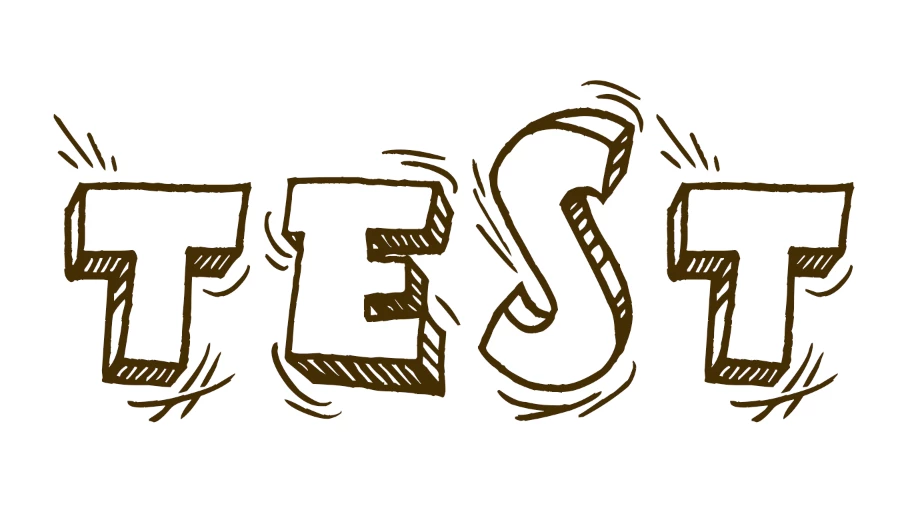
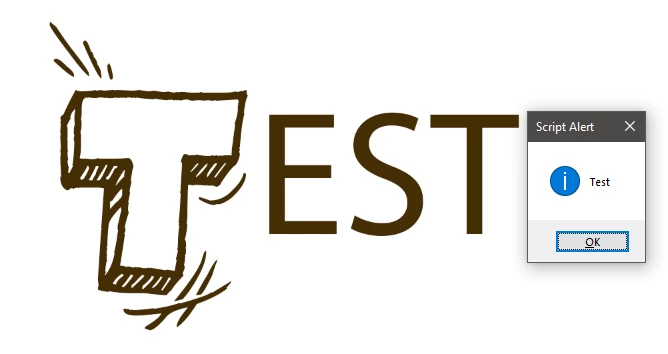
Hello, I have a simple script in which the font of a text layer is changed. Certain fonts, however, I have noticed change only the texts first character. So, for example: Test becomes Test, instead of Test

Any idea why this might happen, and a way around it? Thanks!


doc.activeLayer.textItem.font = "[Text Postscript Name Here]";


This topic has been closed for replies.
Correct answer jazz-y

Whoops, sorry I forgot to mention that I did this as well.

I'm aware the font features only uppercase letters so included the below line of code as well, but still only the first character is changed. 


doc.activeLayer.textItem.capitalization = TextCase.ALLCAPS;
doc.activeLayer.textItem.font = "GoodMorning";


Now problem is that capitalization = TextCase.ALLCAPS does not really change the case of letters - it changes only the style of their display (essentially it an effect that draws over the text, like any other function from the characters palette ). TextItem.contents string does not change.

To really change case of letters, you need to change the case in textItem.contents using .toUpperCase


activeDocument.activeLayer.textItem.contents = activeDocument.activeLayer.textItem.contents.toUpperCase()
activeDocument.activeLayer.textItem.font = "GoodMorning"


activeDocument.activeLayer.textItem.capitalization = TextCase.ALLCAPS
activeDocument.activeLayer.textItem.font = "GoodMorning"



activeDocument.activeLayer.textItem.capitalization = TextCase.ALLCAPS
activeDocument.activeLayer.textItem.font = "GoodMorning"
alert (activeDocument.activeLayer.textItem.contents)

 

1 reply

JJMack
Braniac
January 12, 2020

Are you sure? try this one.  Was the "Test" in the text layer all the same font to begin with?


if (activeDocument.activeLayer.kind==LayerKind.TEXT) { activeDocument.activeLayer.textItem.font = "Tahoma"; }


Even when font are mixed all fonts seem to change I'm on a Windows 10 PC

JJMack
Retsied
RetsiedAuthor
Known Participant
January 12, 2020

JJMack,

Font is the same for the entire layer. The same script works correctly with "Tahoma" font (and most others) and changes the entire text.

The issue seems to be with a few fonts downloaded online. 

JJMack
Braniac
January 13, 2020

You should then identify which fonts and where you got them from and which which OS version and Photoshop version you are using..


Supply pertinent information for more timely and effective answers. The more information you supply about your issue, the better equipped other community members will be to answer. Consider including the following in your question:

  • Adobe product and version number
  • Operating system and version number
  • The full text of any error message(s)
  • What you were doing when the problem occurred
  • Screenshots of the problem
  • Computer hardware, such as CPU; GPU; the amount of RAM; etc.
JJMack

