


Participating Frequently
July 8, 2015
Answered

Script to resize and rename images to multiple file sizes in Photoshop CC

  • July 8, 2015
  • 2 replies
  • 11071 views

I have THOUSANDS of images I have to do this to:

Resize to 500x500 and rename to FILENAME_MD.jpg

Resize to 374x498 and rename to FILENAME_SM.jpg

Resize to 276x385 and rename to FILENAME_XS.jpg

My process:

I have to separate the Portrait size vs Landscape sizes so when I resize them to 374x498 and 276x385 the images won't get cut off

I tried just trimming the original 2000x2000 and then creating the droplets, but for some reason some of them kept getting cut off, so I am now just eyeballing them and separating them out. (Please tell me there is a better way!)

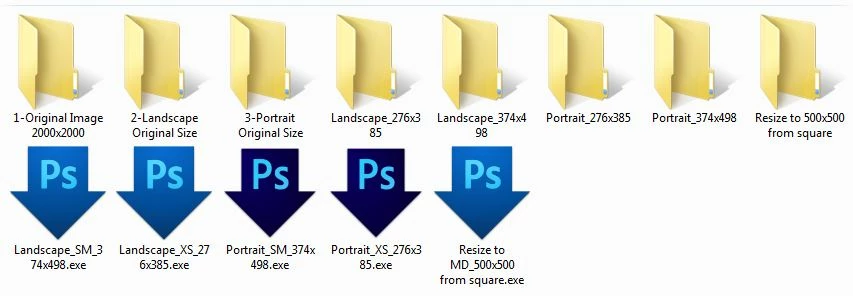
Here's what my folders/droplets look like:

There has GOT to be a better way of doing this!!!! Please someone help!!!!! I have 50,000 images to do this to!
This topic has been closed for replies.
Correct answer xbytor2

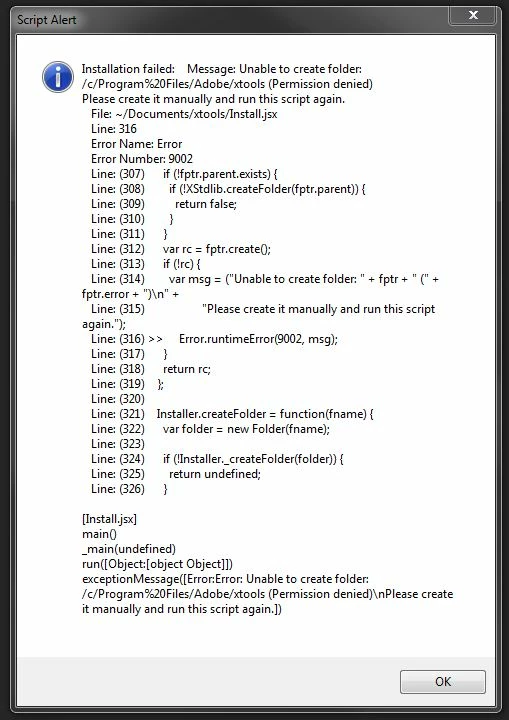
This is what I got after trying to install....


You don't need install xtools. Just install version v3.2b3 from here: ps-scripts - Browse /Image Processor Pro/v3_2 betas at SourceForge.net. You can either install it manually or as an extension.

BTW, if you really do want to install xtools, you have to run PS with admin privileges.

2 replies

Chuck Uebele
Community Expert
Community Expert
July 8, 2015

Have you tried Xbytor's Image Processor Pro script?

ps-scripts - Browse Files at SourceForge.net

Participating Frequently
July 8, 2015

No I don't know anything about it, can you give me more details? I clicked the link but it doesn't give any details.

JJMack
Community Expert
Community Expert
March 1, 2017

I don't want the images to skew, so I guess I want them cropped to the center? I can run the action to trim them, and then sort them between portrait and landscape so when I resize to fit the aspect ratio I don't lose the image.


The Aspect Ratio Selection Plug-in  I wrote will set a crop  selection relative to a documents orientation, There is no need to separate Landscape and Portraits.   If you want you output images to have a 3:2 Aspect Ratio all you need to do is record an action that uses the plug-in to set the crop selection then follow that step with Image Crop. If you also have a size you want you can follow that with Adobe Plug-in Fit Image set the Width and Height to the same value the length of the longest side.  If you record  3 2  in the Aspect ratio selection step  If the document has a Landscape orientation the Plug-in will set a  centered 3:2 selection if it has a  Portrait orientation the plug-inn will set a centered 2:3 Selection.    Fit Image will resize and preserve the image's aspect ratio you output images will have a 3:2 or 2:3 aspect ratio.

JJMack
Participating Frequently
July 8, 2015

Here's my droplet.....