



Whatevermajorloser
Inspiring
January 3, 2017
Question

Script UI staying on screen after Cmd+tab

  • January 3, 2017
  • 1 reply
  • 1023 views

I have a dialog that, among other things, allows you to select files to upload to our site (it just saves them into a folder that is then picked up by another script).

Unfortunately, I can't Cmd+Tab into another app and do something else while they upload because my dialog just stays on the screen until it's finished.
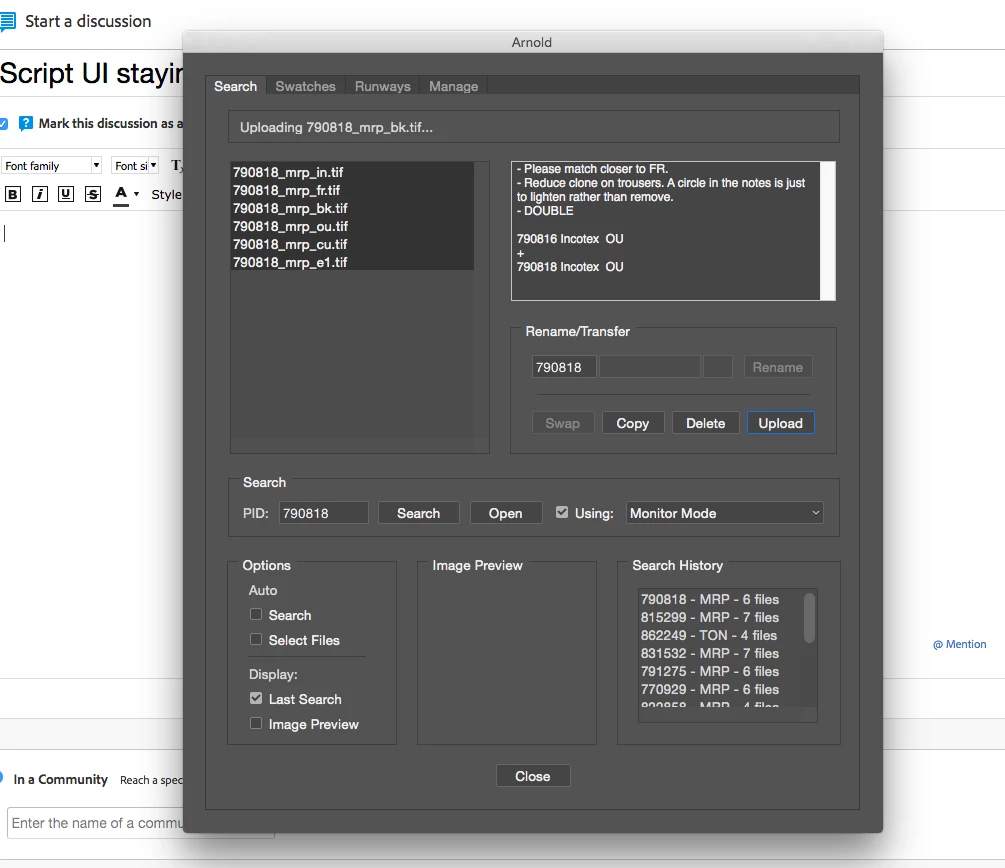
Is there any way to avoid this?

This topic has been closed for replies.

1 reply

JJMack
Brainiac
January 4, 2017

That sound like a Mac problem on Windows Alt+Tab your Option+Tab is used to switch application.  If a ScriptUI Dialog is open in Photoshop I can use Alt+Tab to switch from Photoshop to for example switch to Chrome and in Chrome I can use Crtl+Tab to switch Chrome's tabs.  That would be CMD+Tab on a Mac. So it looks like ON Windows Ctrl+Tab get passed to the current application where Atl+Tab your Option+Tab is an OS shortcut windows has for switching applications. In Photoshop with a ScriptUI dialog open Crtl+Tab (CMD+Tab) does nothing... The solution is to run Windows on your Mac.

JJMack
Whatevermajorloser
Inspiring
January 5, 2017

Haha, that sounds like an extreme solution to a problem this size!

I can Cmd+Tab just fine when the dialog is up and doing nothing, but it's only when it's in the middle of processing that it stays on the screen when I swatch applications.

JJMack
Brainiac
January 5, 2017

I do not know how Mac OSX hadles runing task a active windows and window focus  Perhaps the running process is stealing systen window focus from OSX CMD+Tab feature and the ScriptUI dialog window gets focus. It may be OSX is handling  contention for systen Window focus.

JJMack