


Copy link to clipboard
Copied
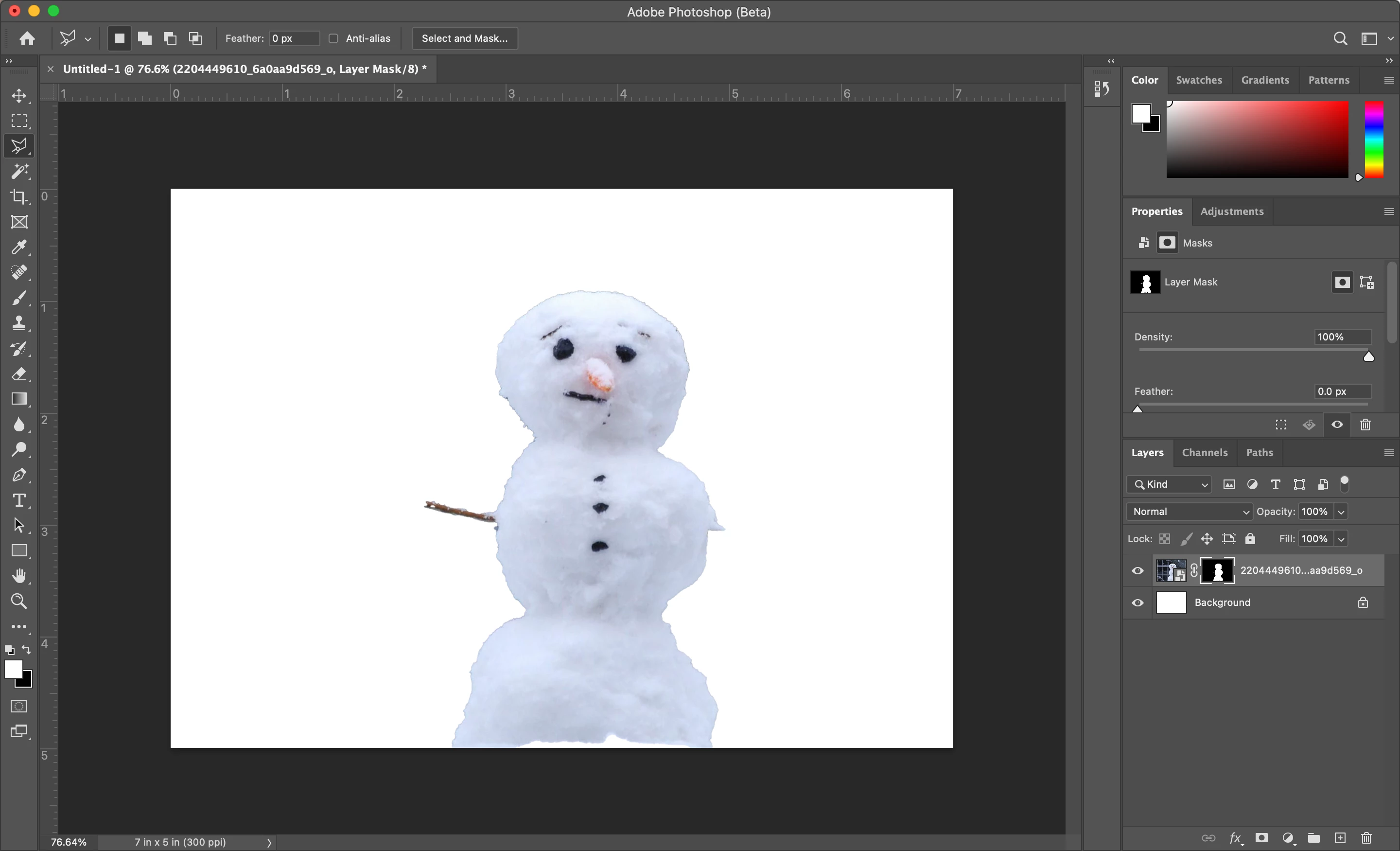
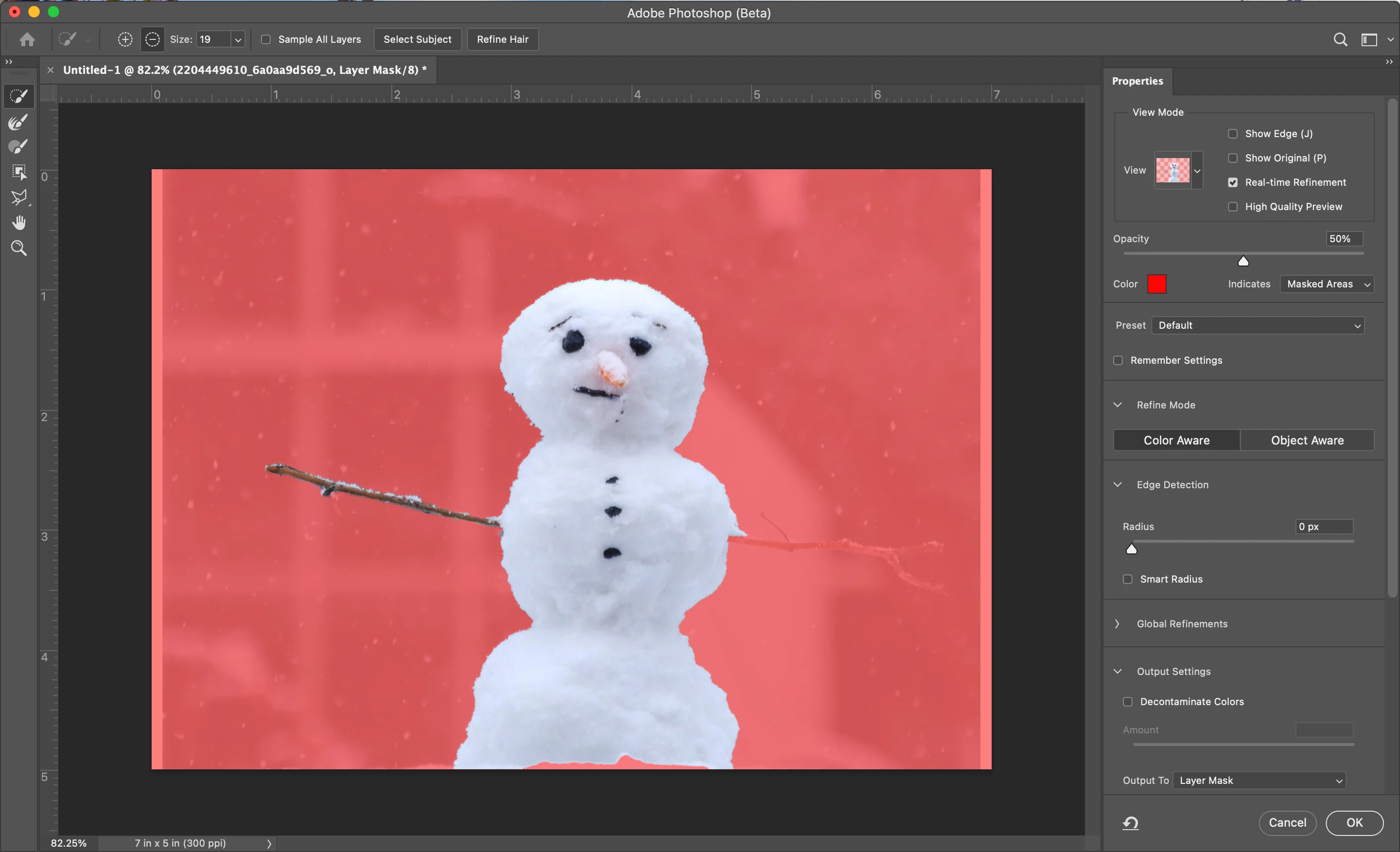
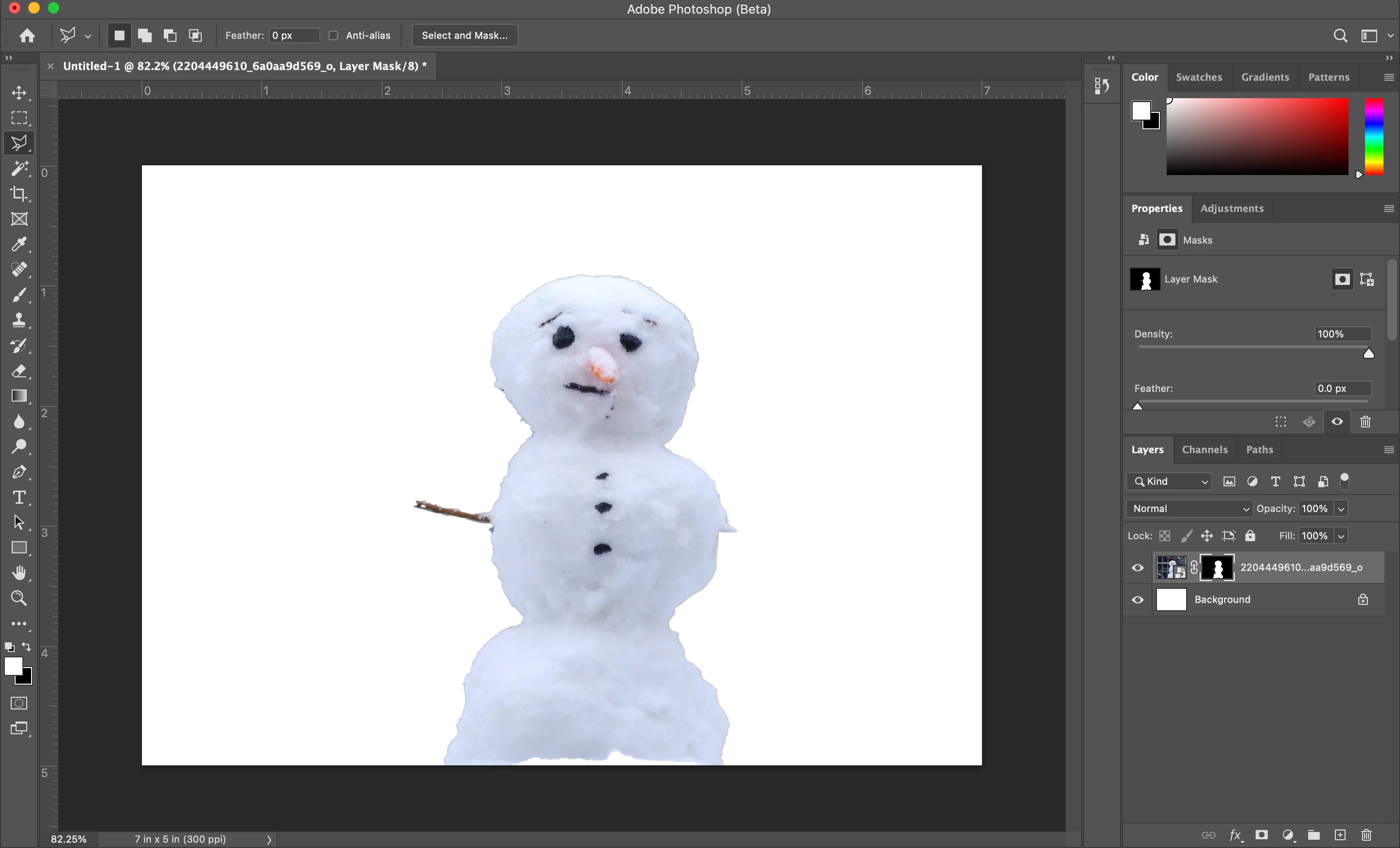
Using a new M1 MBP running the beta version of the app. When I edit the mask of a layer is seems to preview and work as expected but when I confirm the new mask (click "OK") the mask does not update properly. Not sure if this is a beta bug or user error. I've been able to work around by making a selection then hitting the layer mask button, but it'd be better if select and mask interfaceapplied changes properly. See seasonly themed example below.
Snowman with current mask missing arms:
Select and Mask interface with desired updates to mask:
Result after clicking OK:
Just tried intel based PS CC 2021 thru rosetta so I'm assuming it's a beta bug.
Correct me otherwise!
Thanks
Copy link to clipboard
Copied
I am with you, I am using the new Mac book pro running the new silicon M1 chip. From what I can understand is since we are using a beta version I do not think the system can process, especially running through rosetta. I unfortunately can't even get it to select a subject. It always give me the message "Couldn’t find a subject to select. There might not be prominent objects in the image." I have even went to youtube and tried their tutorial images to make sure my images weren't the issue. I hope this updates, I look forward to utilizing this feature!
Copy link to clipboard
Copied
I'm having the same issues as well, on a new Mac Mini with the M1 chip as well. It's super annoying, as it worked perfectly in the previous version, and is now costing me a lot of time. Like the commenter above, every time I try it says it cannot find the subject. I also hope this gets fixed soon.
Copy link to clipboard
Copied
Hello,
I had the same problem and I don't use Rosetta on my mac so I don't think the problem comes from here.
Here what worked for me : I clicked on "Select & mask", and at the top right, there a little arrow going down, and here you can reset the settings of "select and mask". It all went back to normal for me after that.
Hope it helps! 😉
Copy link to clipboard
Copied
I right clicked and rasterized the vector masked and it finally worked! I had read so many different forums, reset my preferences, updated my photoshop etc. and this is what worked for me. Hope this helps!
Find more inspiration, events, and resources on the new Adobe Community
Explore Now