Inspiring
May 14, 2020
Question

select pixels doesn't work, it always selects everything, including transparent pixels

  • May 14, 2020
  • 2 replies
  • 2520 views

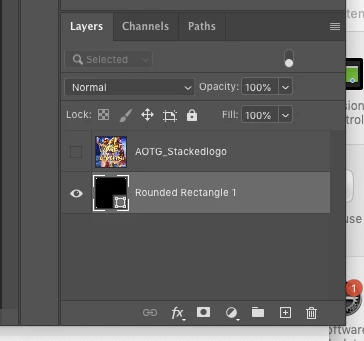
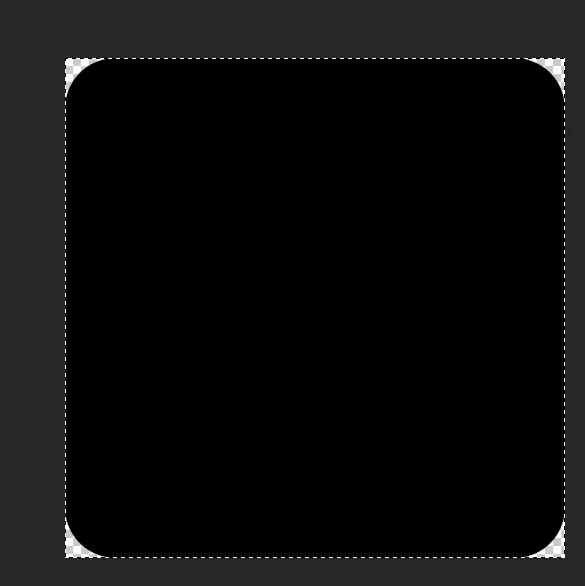
I have a new empty transparrent layer. If I then draw a black rounded rectangle in the layer, then right click on the layers thumbnail and hit "select pixels", it always then selectes the entire layer (i.e. dotted lines around the whole layer). There seems to be no way to get a selection from a shape.


Any ideas why select pixes doesnt work?


I have the layer selected, and its the only layer visible. Its not the background layer.  I am deselecting first.


This topic has been closed for replies.

2 replies

Jeff Arola
Community Expert
Community Expert
May 15, 2020

That's just weird that Cmd/Ctrl clicking on the Layer Thumbnail always loads the selection of the object, but Select Pixels doesn't always work, like on Shape Layers.


I thought Select Pixels was supposed to do the same as Cmd/Ctrl clicking on a layer thumbnail.


Anyway, it used to work on Shape Layers until photoshop cs2 when adobe must have changed something.

Select Pixels used to be called Select Layer Transparency until photoshop cs3. In cs2 it was still called Select Layer Transparency, even though it no longer worked on Shape Layers as it had before.


I guess you'd have ask adobe about the change and why it was implemented.

https://feedback.photoshop.com/photoshop_family

Semaphoric
Community Expert
Community Expert
May 14, 2020

That is a Shape layer, which ic vector, not pixels. You need to rasterize the layer, or you could click on the little dotted line "Load Patha as a Selection" icon at the bottom of the Paths panel, which will keep it as a Shape.