


emjaycalago
New Participant
May 27, 2025
Answered

Selecting the layer will automatically select the mask? BUG?

  • May 27, 2025
  • 5 replies
  • 315 views

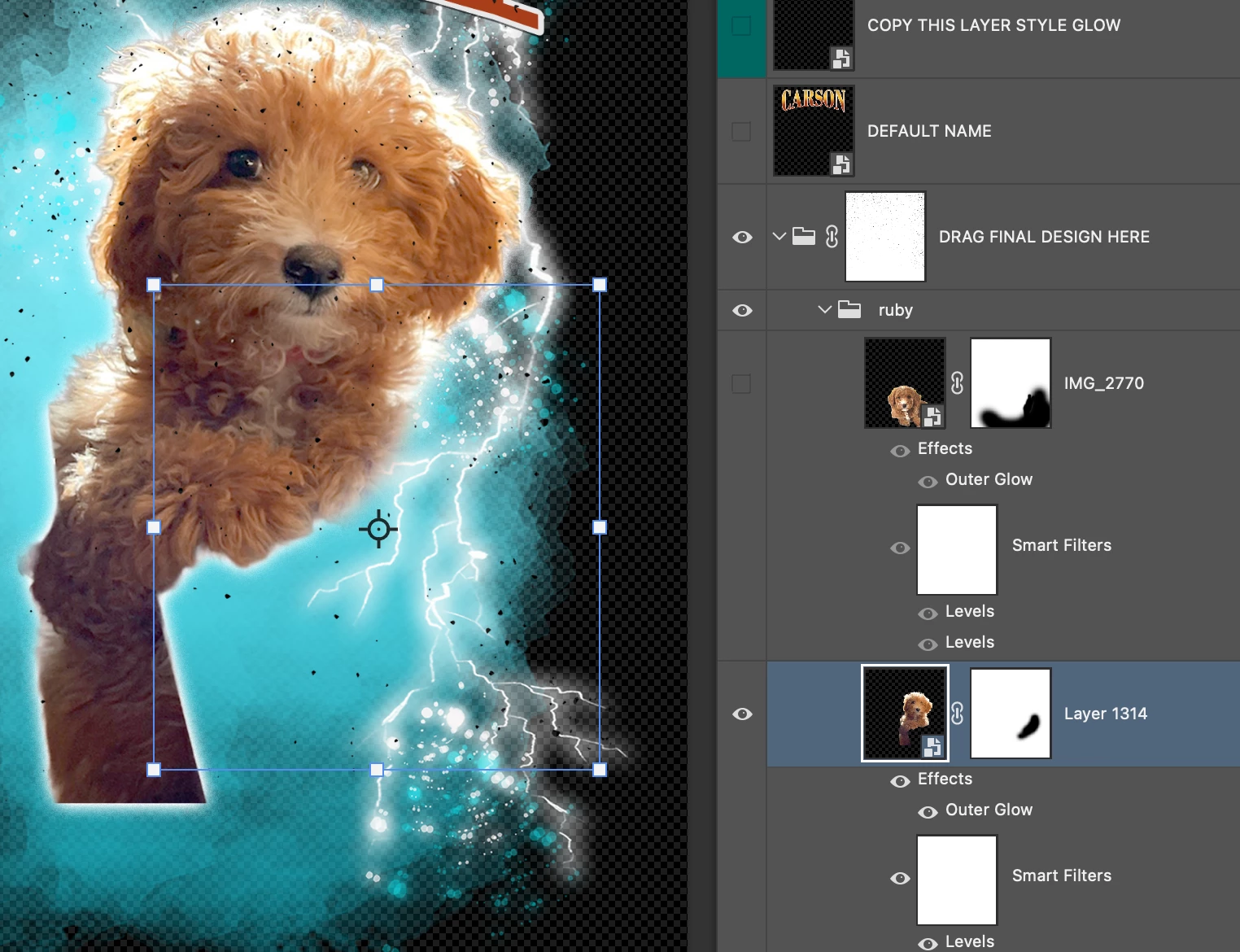
After the update, the selected layer with a layer mask will automatically select the layer mask not the layer, even if I CMD+T the layer.

Is there any way to fix this issue? Thanks
Correct answer emjaycalago

Uninstalling PS and installing it again fixed it. Thank you for noticing and replying.

5 replies

emjaycalago
emjaycalagoAuthorCorrect answer
New Participant
May 28, 2025

Uninstalling PS and installing it again fixed it. Thank you for noticing and replying.

Bojan Živković11378569
Braniac
May 28, 2025

I cannot reproduce the issue on my end with Photoshop 26.7.0 on Windows. Everything functions as expected with the Move tool active and Auto-Select > Layer checked. I tested with pixel-based, vector-based, and Smart Object layers with the layer mask. The only instance where the mask was selected upon clicking on content was when the mask was applied to a Type layer. The Outer Glow effect does not alter anything.

emjaycalago
New Participant
May 28, 2025

it is just a image with removed background and convert into smart object. and 1 outer glow.

Bojan Živković11378569
Braniac
May 27, 2025

Can you provide more details about the types of layers and how you are selecting them? Version of Photoshop is 26.7.0?

emjaycalago
New Participant
May 27, 2025

If I have adjustments to the image I have to drag and hold the edges of the mask not the whole edges of the layer.