hymansc2
New Participant
January 19, 2017
Answered

Shape-style stroke with text

  • January 19, 2017
  • 2 replies
  • 323 views

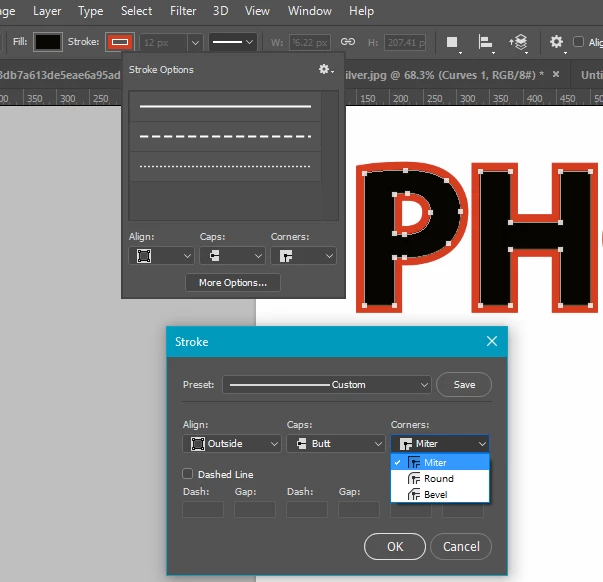
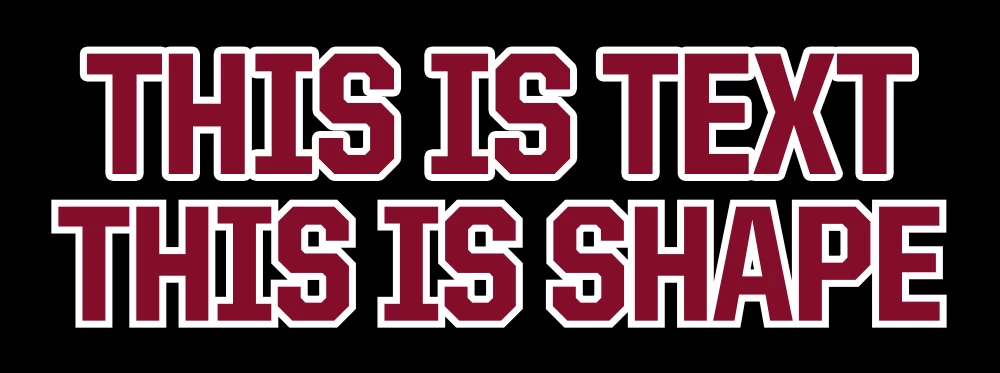
I know I can convert the text to a shape then use the shape stroke set to outside and to sharp corners. But I am wondering if there is a way to do that without converting the text. I am using the same template for a variety of graphics, so I would like to be able to change the wording and I can't if I convert to a shape.

Any help is much appreciated!
    This topic has been closed for replies.
    Correct answer Trevor.Dennis

    You are completely right.  It would be wonderful to have the same options under Layer Styles, but I am guessing it is not straight forward to change because one is vector and the other raster.  If you'd like to start a request in the Feedback site, and give us a link to the thread here, I for one would support it, and I imagine I'd be far from the only one to do so.

    OK. There is already a discussion on the subject, with Chris Cox saying it is not easy with non vector objects.

    What you might be able to do as a rough and ready workaround, is use a heavier font and stroke Inside with layer Styles.  We choose our fonts for a reason though, and hate to compromise.

    2 replies

    Trevor.Dennis
    Trevor.DennisCorrect answer
    Community Expert
    January 19, 2017

    You are completely right.  It would be wonderful to have the same options under Layer Styles, but I am guessing it is not straight forward to change because one is vector and the other raster.  If you'd like to start a request in the Feedback site, and give us a link to the thread here, I for one would support it, and I imagine I'd be far from the only one to do so.

    OK. There is already a discussion on the subject, with Chris Cox saying it is not easy with non vector objects.

    What you might be able to do as a rough and ready workaround, is use a heavier font and stroke Inside with layer Styles.  We choose our fonts for a reason though, and hate to compromise.

    Chuck Uebele
    Community Expert
    January 19, 2017

    Have you tried using the stroke with layer styles?