


New Participant
December 30, 2019
Question

Share Library file button missing on Creative Cloud Assets
  • December 30, 2019
  • 2 replies
  • 3068 views

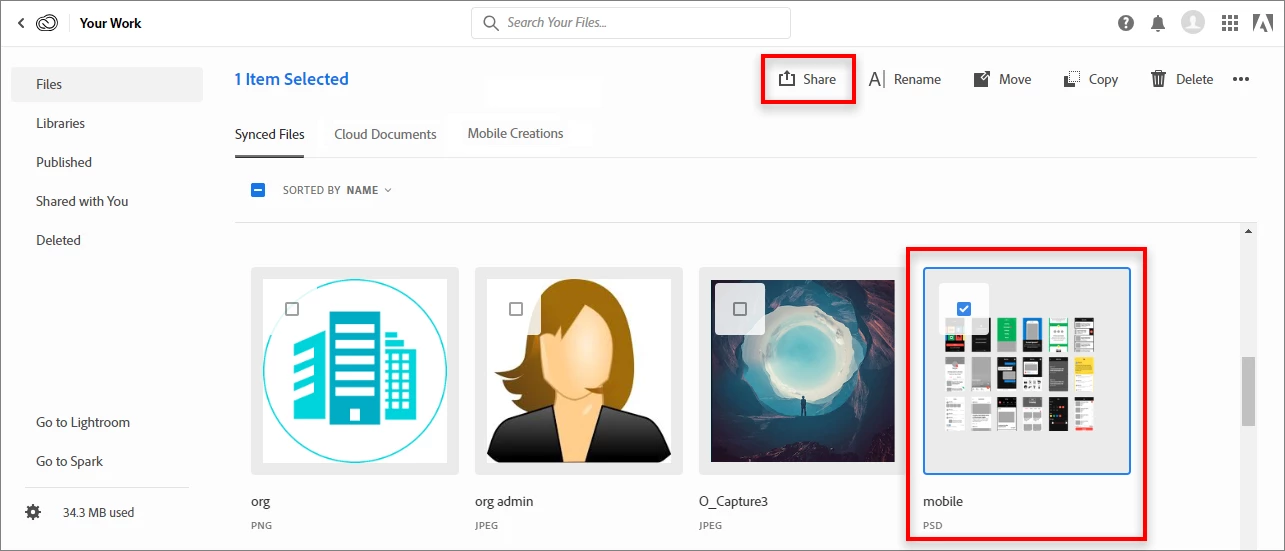
Here is Adobe's screenshot on how to share a single file.
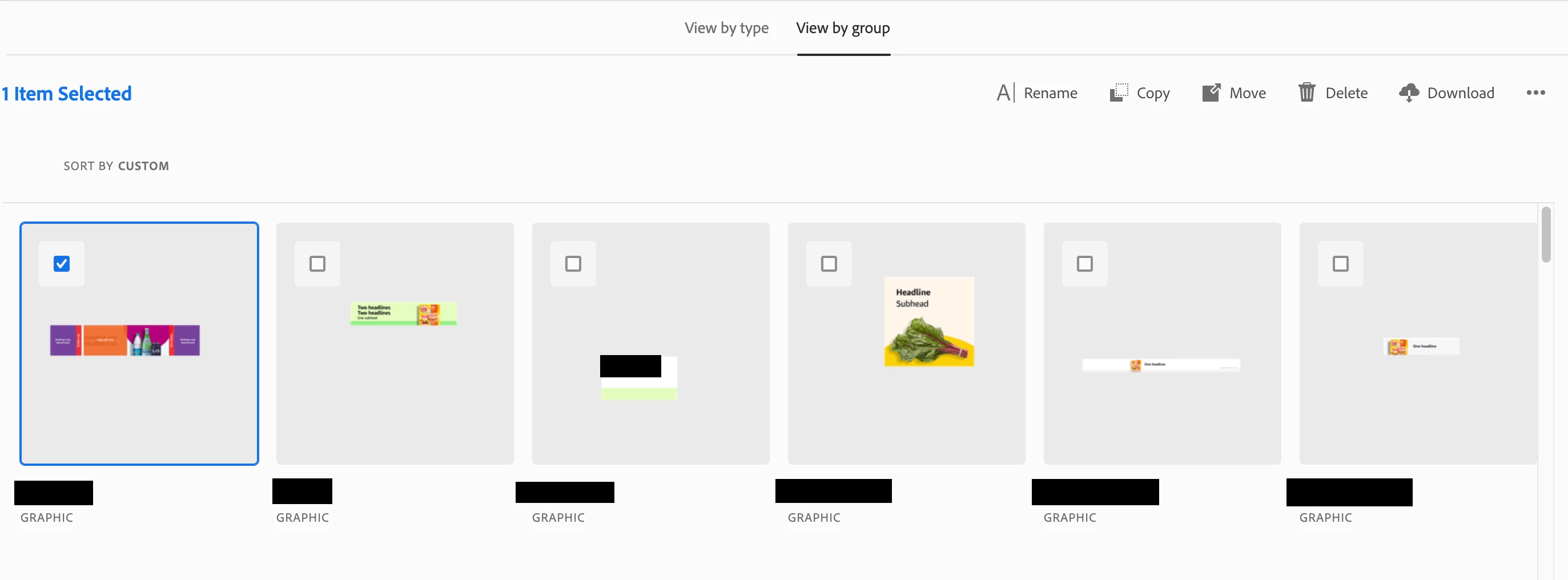
 

Here is mine. As you can see, the share button is missing, so I'm unable to share a link to a single file. The share button above this shares the entire folder, and that's not what I want to do, but I've been navigating around this for a good hour. No additional options when I click into the file itself, or if I'm accessing my library through Creative Cloud app, or accessing the asset through libraries in Photoshop itself.


How do I share a link to a single file?

Also, is it possible to share a link online with a preview of what that asset looks like?


{Thread renamed by moderator}

This topic has been closed for replies.

2 replies

War Unicorn
Adobe Expert
December 30, 2019

I can barely see the contents of the selected file, Lung. Here's my asset on Creative Cloud:


ON EDIT: I just realized how awful the image upload is now. I'm never going to be able to illustrate anything this way. *sigh*

Sahil.Chawla
Community Manager
Community Manager
December 30, 2019

Hi there,


As you're not getting the share button, could you try opening the file and then see if you're able to see the Get link button on th top right corner as shown below?


Once you click on the Get link button, a share dialog will open and you''ll see the url for that specific file, which you can then share with any one.

Regards,
Sahil

New Participant
December 30, 2019

The 'get link' button you described creates a link to the entire library. I just want to share this file.


When I click into the file, any option of sharing the file disappears.


I'm just learning that I'm using a library asset, as opposed to a cloud document. But according to the sharing guide I referred to from Adobe, library elements (such as this graphic) should be individually sharable too. 


How can I share an inidividual library element? There's no option to do so from the website, cloud app, or photoshop itself.

War Unicorn
Adobe Expert
December 30, 2019

Hmm...yeah...I don't see a way to share individual assets within a library.


A possible way around this: Create a library specifically for that asset, copy the specific asset to that new library, then share the newly-created library. Messy? Yes. But it gets the job done if it's mission-critical. (If this is for a client, it could be a way to create libraries that are client-specific as well.)