bellevue scott
Inspiring
August 10, 2020
Answered

Shift F5 no longer works correctly

  • August 10, 2020
  • 1 reply
  • 7877 views

Mac Pro: Version 10.14.5

Adobe PS: 21.1.2


Suddenly today Shift F5 stopped working for fill. This is a shortcut I use many times daily. The message I got was this: 
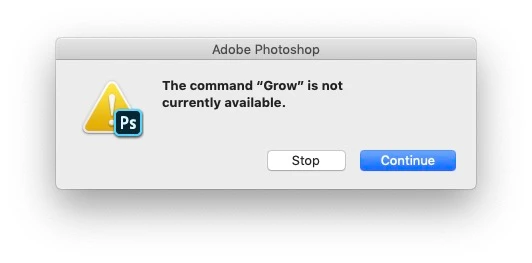
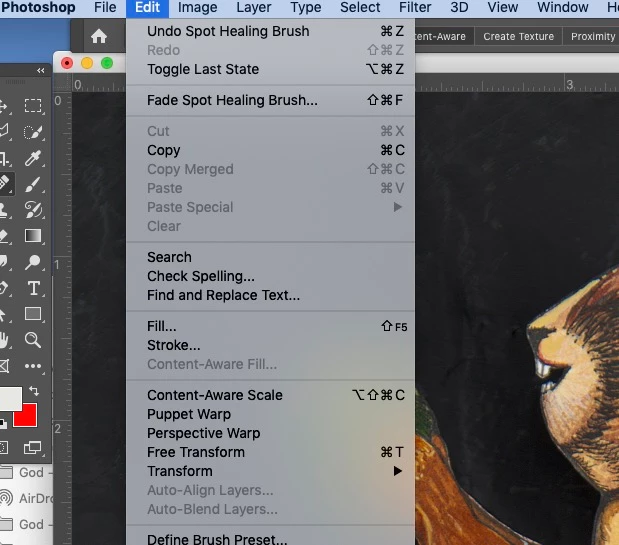
I never use this, and I don't know how it got this way. So I went to Edit -> Keyboard Shortcuts, and changed it back to Shift+F5 = Fill. I can see in the menu that it's set to fill, but still, whenever I try and use it, I get the message saying "grow is not currently available". 


Why is this happening, and how can I fix it? 
 

This topic has been closed for replies.
Correct answer Jeff Arola

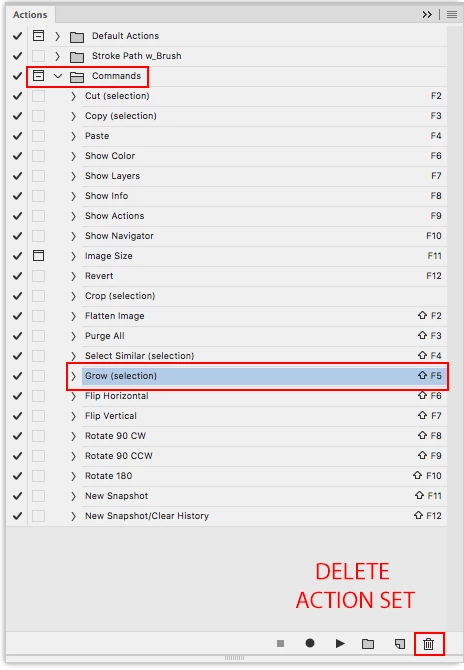
Sounds like you have the Commands action set loaded which has Shift-F5 assigned to

Select>Grow and supersedes other keyboard shortcuts.


Go to Window>Actions and check for the Commands action set.


If Commands are loaded you can delete the set by clicking on the word Commands and then dragging to the Trash Can   icon at the bottom of the actions panel. This just deletes the actions from the actions panel, not your hard drive.


1 reply

Jeff Arola
Community Expert
Jeff ArolaCommunity ExpertCorrect answer
Community Expert
August 10, 2020

Sounds like you have the Commands action set loaded which has Shift-F5 assigned to

Select>Grow and supersedes other keyboard shortcuts.


Go to Window>Actions and check for the Commands action set.


If Commands are loaded you can delete the set by clicking on the word Commands and then dragging to the Trash Can   icon at the bottom of the actions panel. This just deletes the actions from the actions panel, not your hard drive.


bellevue scott
Inspiring
August 10, 2020

Thank you! That was the fastest correct answer I've ever found here. Very much appreciated!