


Participating Frequently
December 9, 2022
Answered

Should I tick “Use Windows display calibration” in Windows Color Management?

  • December 9, 2022
  • 1 reply
  • 3876 views

I have an Adobe RGB monitor. Recently, I used a color calibrator to generate an icc profile and installed it following the steps below:


https://support.microsoft.com/en-us/windows/about-color-management-2a2ed8fa-cf09-83c5-e55c-d1428519f616


After installing the icc profile, Photoshop seems to be able to manage color correctly. Specifically, when I open a sRGB picture, it looks less saturate than before. I think what I see in this case is the correct color.


However, I encountered a problem. Some articles on the Internet tell me that I should tick “Use Windows display calibration” in Windows Color Management after installing the icc profile.
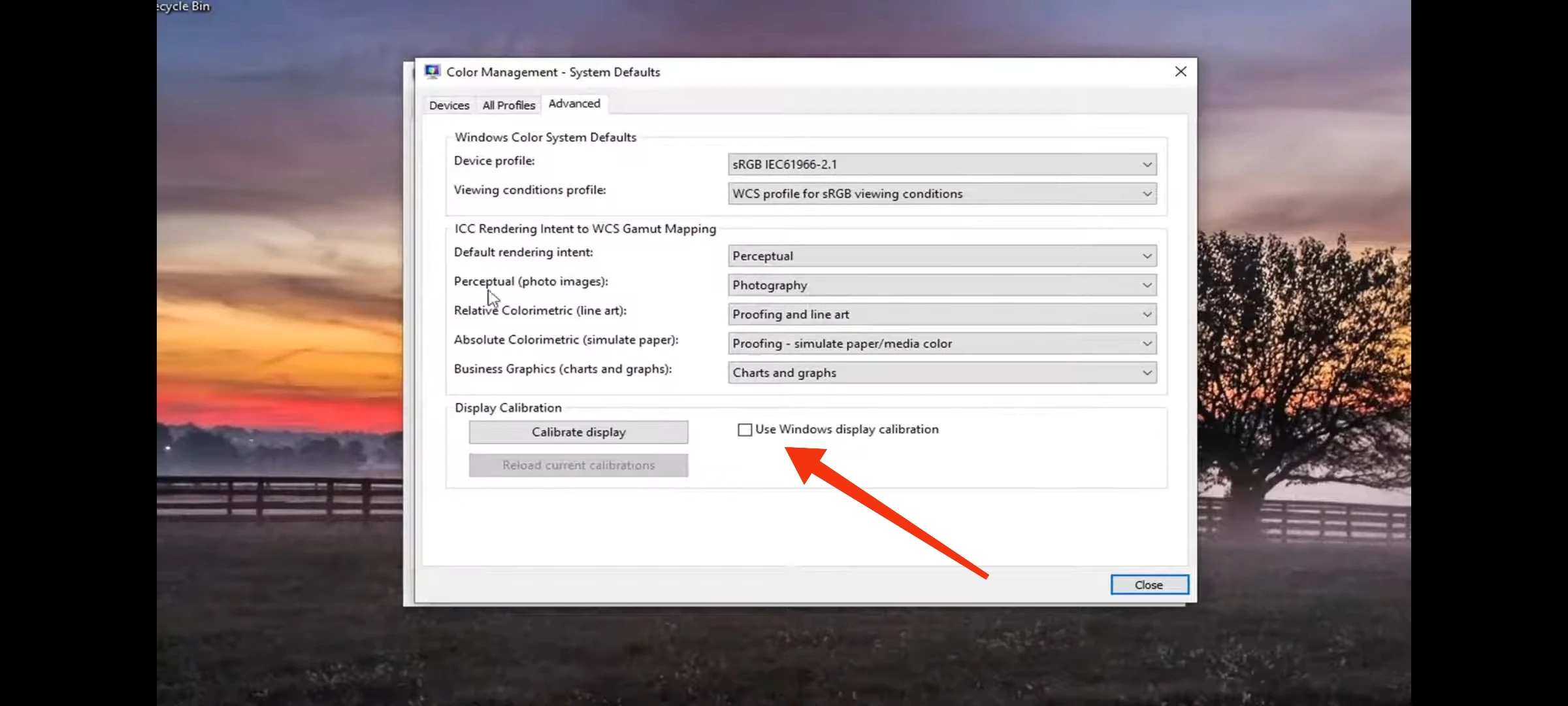


When I tick it, the color of the whole screen  will change a little, including Photoshop. So the color displayed in Photoshop seems to be calibrated twice.


In short, whether tick “Use Windows display calibration” or not will generate different colors. I don't know which one is correct.


Please help me. Thank you.

This topic has been closed for replies.
Correct answer D Fosse

No, don't do anything! The software will set it all up automatically. Run the calibrator, at your chosen calibration parameters, done.


You are specifically not using Windows display calibration. You do not need to go into the Windows color management dialog at all.


BTW, "Adobe RGB monitor" is just a marketing term. It does not match Adobe RGB exactly, and it doesn't have to. The monitor doesn't need to match any standard color space.  Leave it at "native" response, don't use the ARGB preset. From a color management perspective, you could just as well have a monitor half way between standard and wide gamut.

1 reply

D Fosse
Community Expert
D FosseCommunity ExpertCorrect answer
Community Expert
December 9, 2022

No, don't do anything! The software will set it all up automatically. Run the calibrator, at your chosen calibration parameters, done.


You are specifically not using Windows display calibration. You do not need to go into the Windows color management dialog at all.


BTW, "Adobe RGB monitor" is just a marketing term. It does not match Adobe RGB exactly, and it doesn't have to. The monitor doesn't need to match any standard color space.  Leave it at "native" response, don't use the ARGB preset. From a color management perspective, you could just as well have a monitor half way between standard and wide gamut.

Participating Frequently
December 9, 2022

Yes, I used a Spyder X(①) and its software to generate an icc profile(②). After that, I took the colorimeter off the screen, and uninstalled the software. Finally, I installed and selected my icc profile here(③).


Is this the correct procedure?

D Fosse
Community Expert
Community Expert
December 9, 2022

Why did you uninstall it? You may need to do this from time to time.


But as far as the profiling procedure is concerned, there is no need for you to do anything at all. The Spyder software sets everything up. Don't do anything.