


New Participant
September 4, 2021
Answered

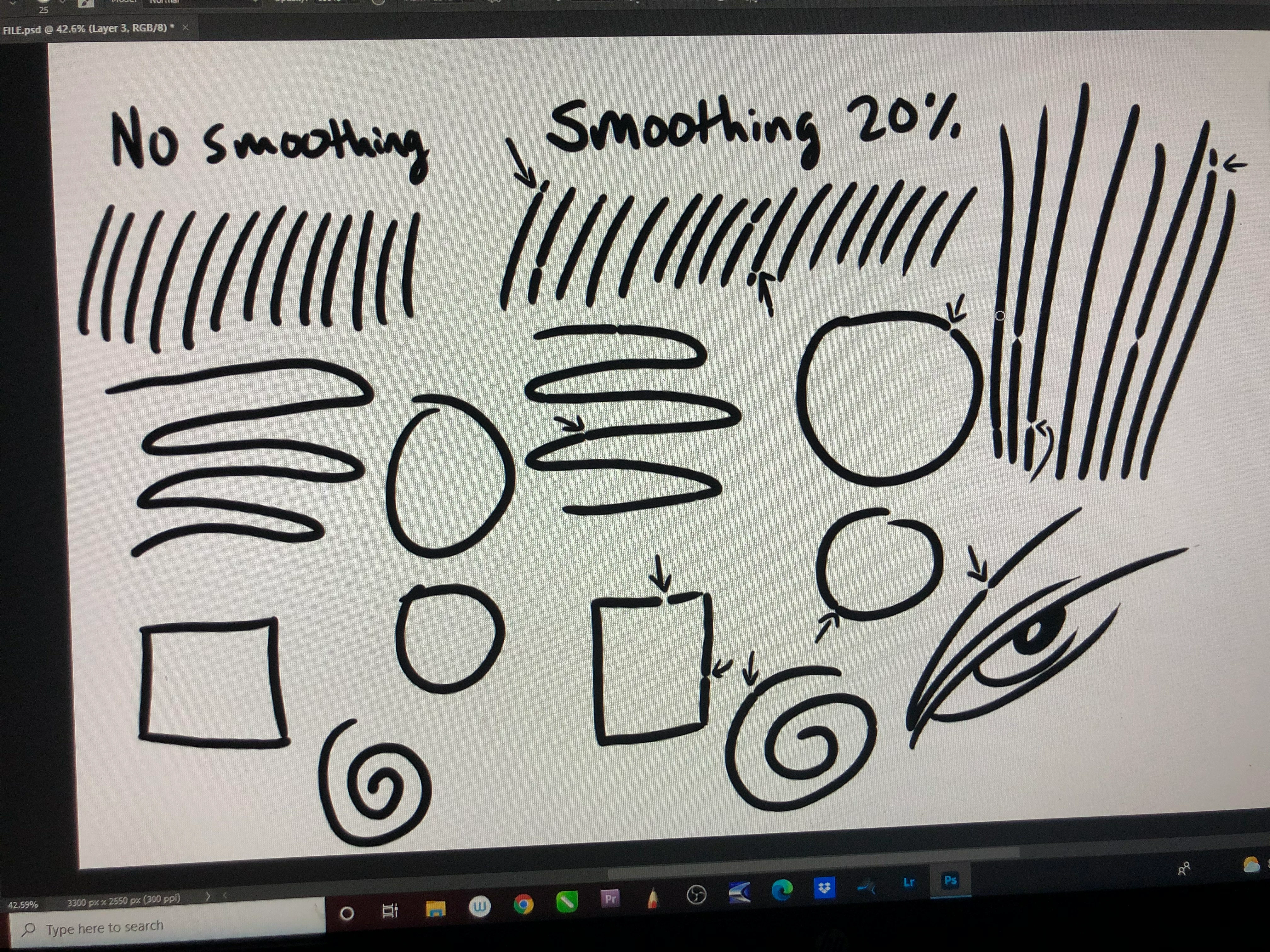
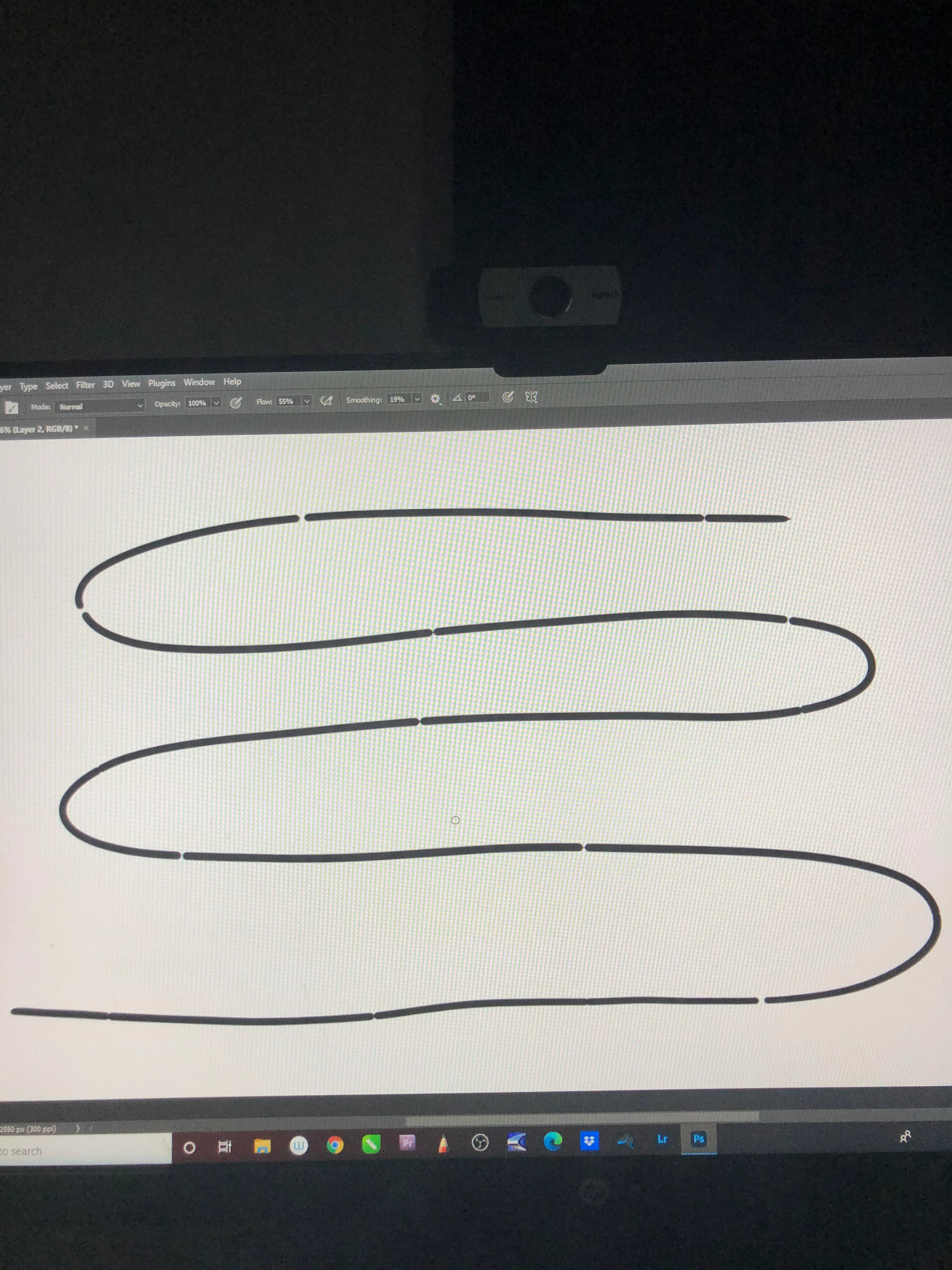
Smoothing tool creating gaps

  • September 4, 2021
  • 1 reply
  • 573 views

I just bought a PS and LR subscription, I usually use Sketchbook Pro but I'm trying to upgrade into big league. I always use a slight steady stroke in Sketchbook to create cleaner line work, and I learned about Photoshop's smoothing tool which is the same thing essentially. I'm using a Wacom Ciniq Companion 2, a top of the line illustrating tablet and have never had issues with Sketchbook when illustrating. My problem occurs only when I turn on the smoothing tool though. When doing fast strokes or really any strokes there's a line break, even when moving slowly it breaks continuity. I've adjusted spacing and customization options for any brush and the problem persists.  This is very frustrating and I can't find any info on other users encountering this problem.
This topic has been closed for replies.
Correct answer defaulttichlqu6wfew

I looked into LNP and it's awesome, I'll probably get it! It didn't fully fix my issue however. I came across this video on youtube and I followed the instructions, it bypasses the need for Windows Ink as far as I can tell and now I believe the issue is fixed! I would recommend this method if anyone runs into the same problem! https://youtu.be/sGi47EWEkuY

1 reply

Trevor.Dennis
Adobe Expert
September 5, 2021

It looks like a variation of the shoelace artefact.  Which API are you using? Wintab or Windows Ink?  I think Windows Ink is thew way to go nowadays providing you are using an up to date version of Windows.  

However, I am pretty sure that Windows Ink is on by deefault, so unless you have deliberately changed to Wintab I suspect this will not fix it.


Do you use Lazy Nezumi Pro?  I tend to bore this forum's regulars with LNP fanboy comments, but it did fix the shoelace problem when it was rife, and I am convinced it is the single best add-on for Photoshop if you use a tablet and a Windows system.  (It does not work with Macs)


While you are here, I have a Ciniq Companion 2 sitting in a cupboard because I am unable to update Windows 10, which prevents me from installing recent Photoshop versions.  Did you encounter this problem?  Mine must be a six or seven years old, if that makes a difference.


New Participant
September 5, 2021

Thanks for the input! Windows Ink was on by default, I recalibrated my pen and deselected then reselected Windows Ink. Haven't given it another go to see if it did anything yet. I personally didn't have any issue installing windows 10 on mine and it's about 3 years old. I will definitely look into that Lazy Nezumi, I've used sketchbook and Corel Draw for 5 years and only dabbled in Photoshop so I have a lot of plugins and brushes etc. to learn about and acquire. I'll let you know if that helps, thanks again!