Copy link to clipboard
Copied

Copy link to clipboard
Copied
What did you do that led up to this happening? Did you save and exit out and try to come back? Just curious
Copy link to clipboard
Copied
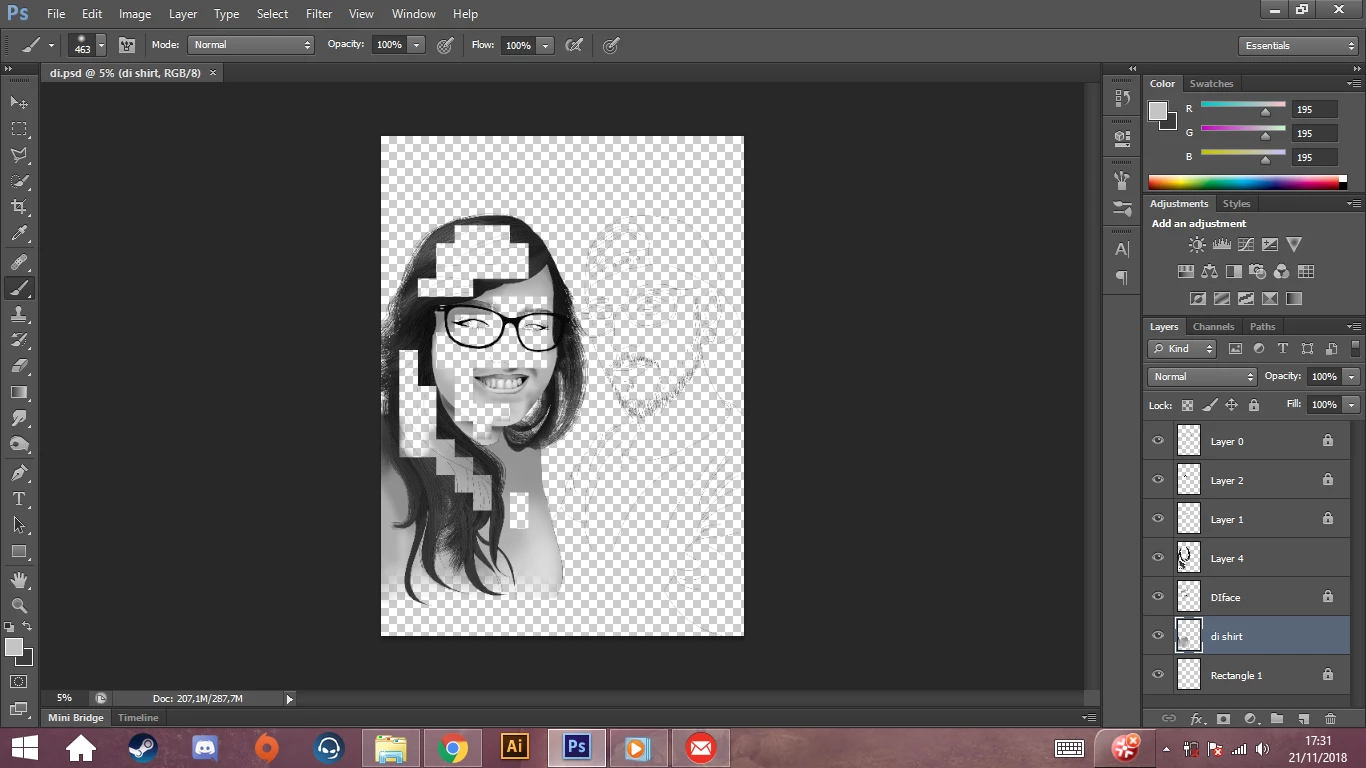
I didn't do anyhting special I was trying to select the hair part and all of the sudden the drawing was like that. Yes I did, I tried to save it as jpeg as well but the image stays like that. I saved the drawing a bunch of times but I don't know if I can re-open one of the saved files and just re-do what I need to.
Copy link to clipboard
Copied
If you did a Save As with different names, you should be able to open a backup. Looking in your Layers panel, the layer called Layer 4 is missing pixels.
If the document has not been closed, you might be able to use your History panel. CS6 has 20 history states by default unless you changed it in Preferences.
Get ready! An upgraded Adobe Community experience is coming in January.
Learn more