



Specific Color Replacement Script
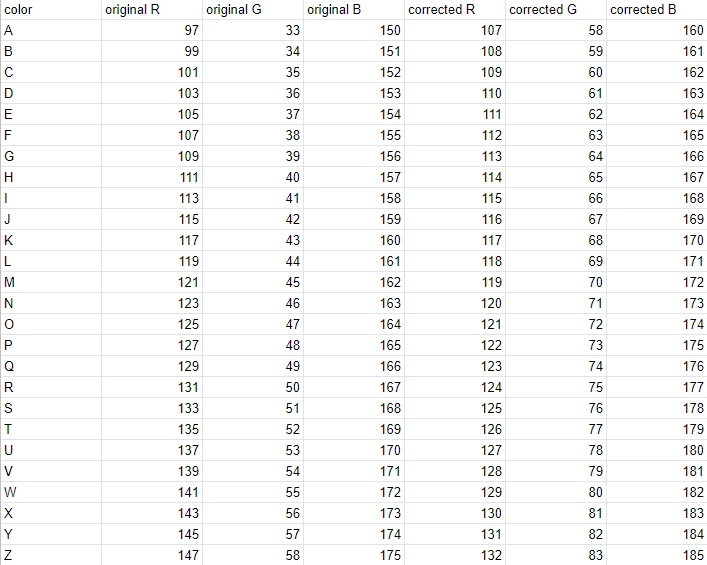
I need to replace a specific RGB value with another specific RGB value multiple times in Photoshop. I know this can be accomplished with an action but due to the volume of color adjustments (1000+), I want to make a script. My current thought process for the script is to make a selection of the original RBG value, set the foreground color to corrected RGB value, and then fill the selection with foreground color. I can get the last two parts working but I don't know how to make the initial selection based off of color. What is the best way to accomplish this? Is there a way to script based off color range,load in .axt files, or replace color? Or anything else to make the selections? I've included mock example below of the changes that need to be made.
 AdChoices