


Strange alpha channel behavior with gradient masking . . .
PS 26.8.1 I have an RGB photo on a layer. I want to have the top of the photo gradually go out of focus.
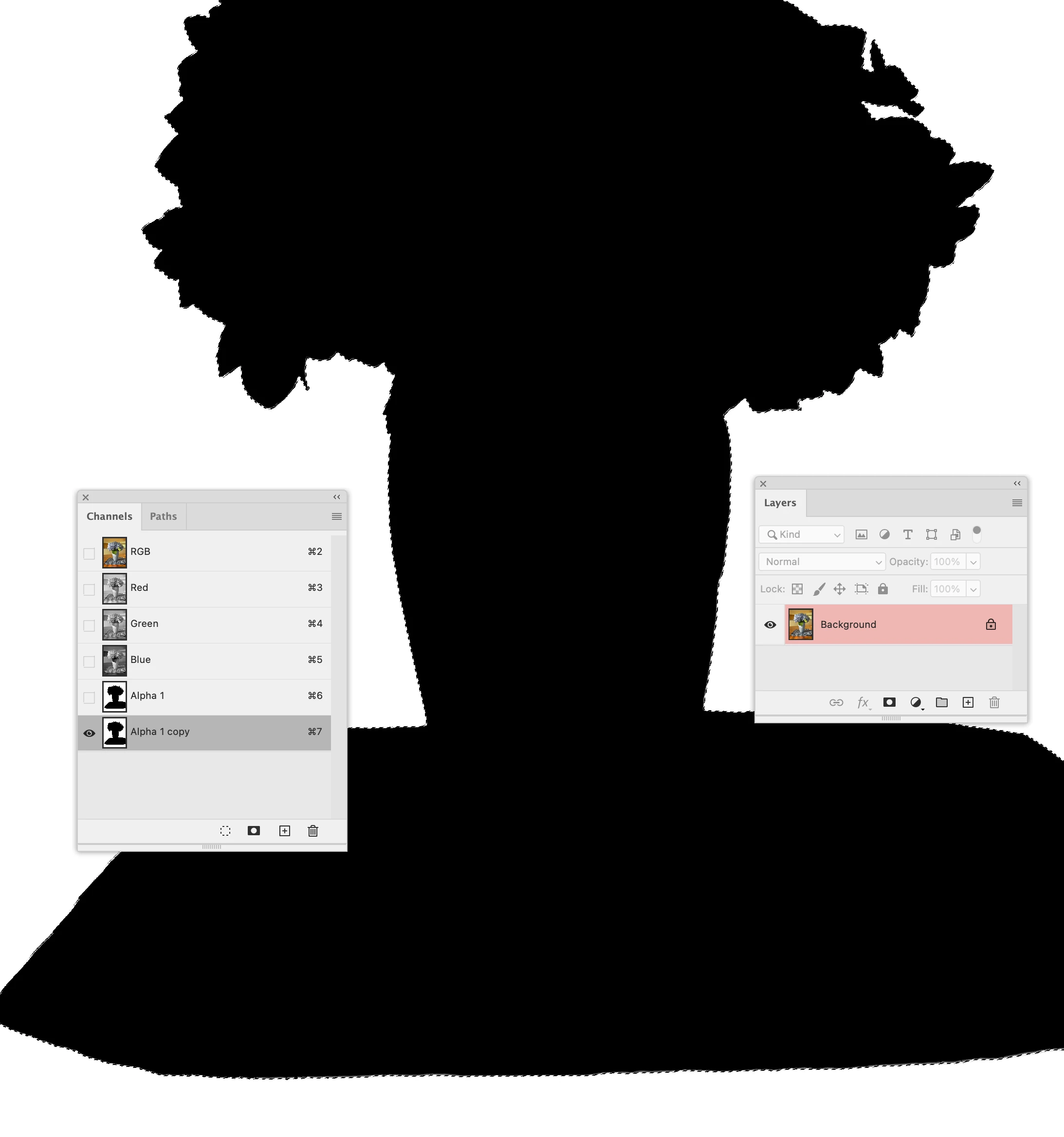
I have asked Gen Fill to select subject (a vase with flowers). I took the generated selection of the subject and selected the inverse. I made that into an alpha channel. I duplicated that Alpha channel. I now have an alpha channel with the foreground black and the background white, and I want to take the white area in the alpha channel and make a gradient white to black.
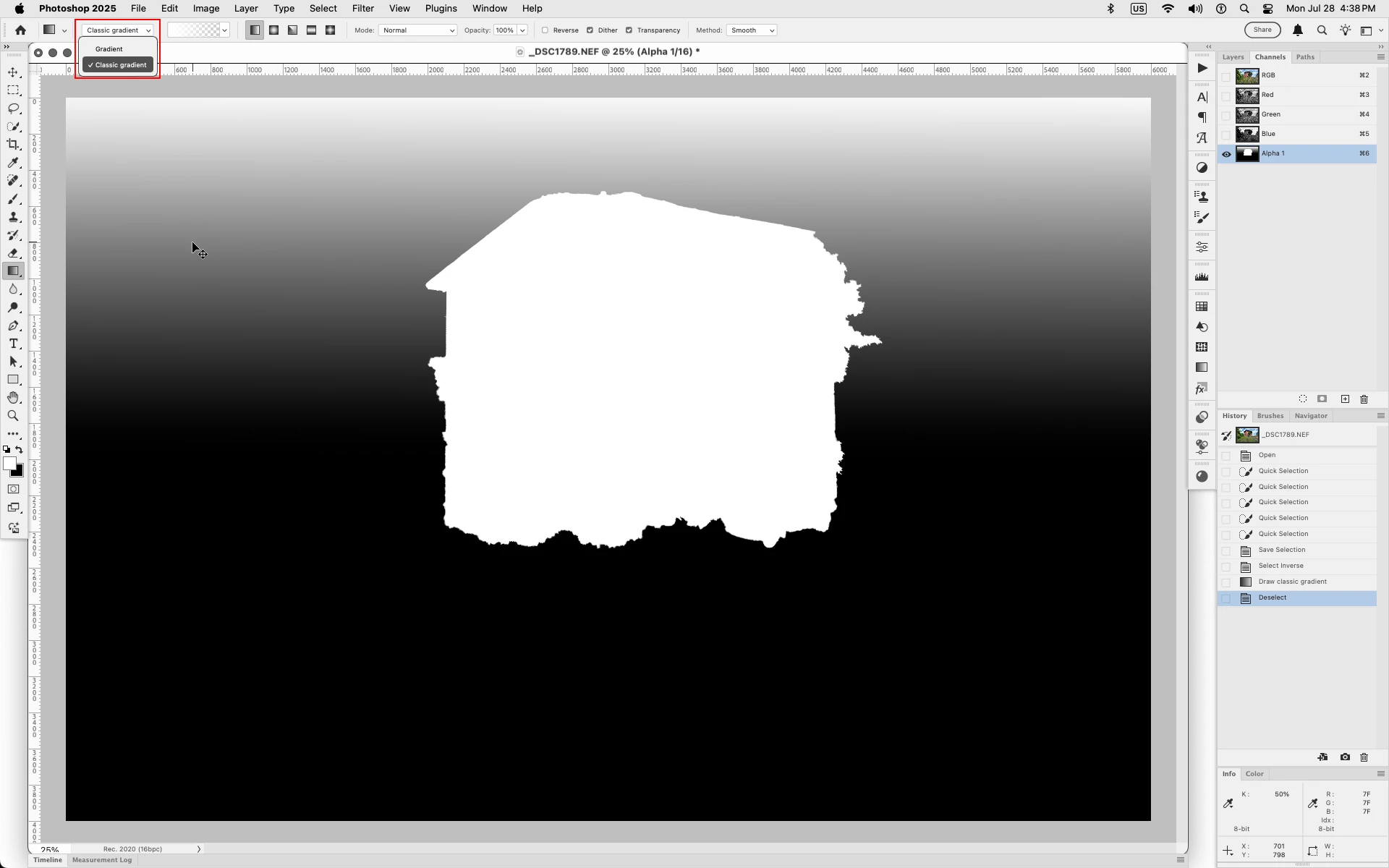
What used to happen is that with only the Alpha channel selected (RGB no eyeballs) I could add a gradient to just one Alpha channel.
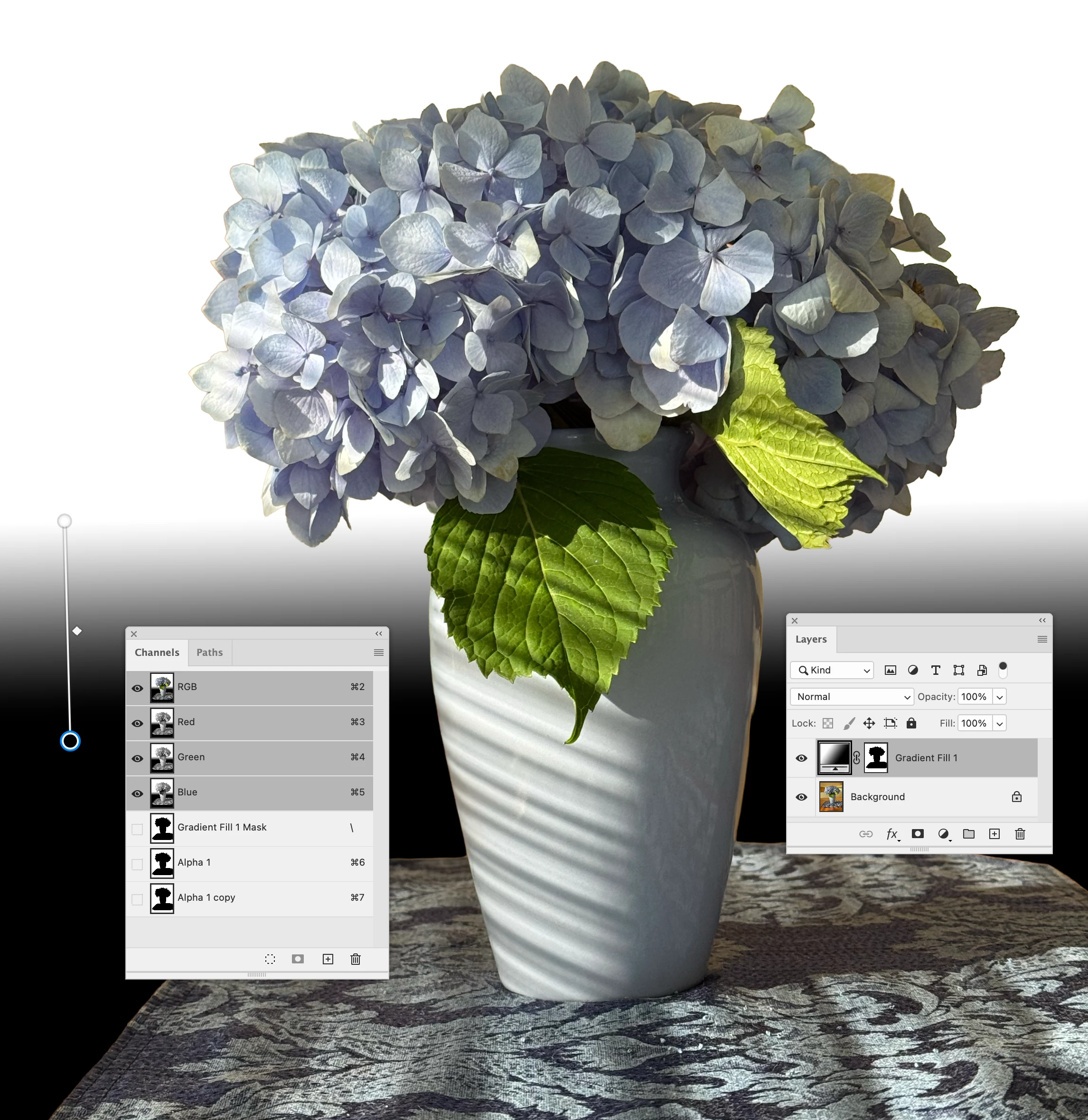
But what's happening now is when I draw the gradient, with only the Alpha channel selected, it creates a gradient fill mask over the background layer, and the Alpha channel is unaffected.
I see no way to get the gradient on the Alpha channel, like in the past.
What has changed? Thanks!
Screen grabs:
 AdChoices