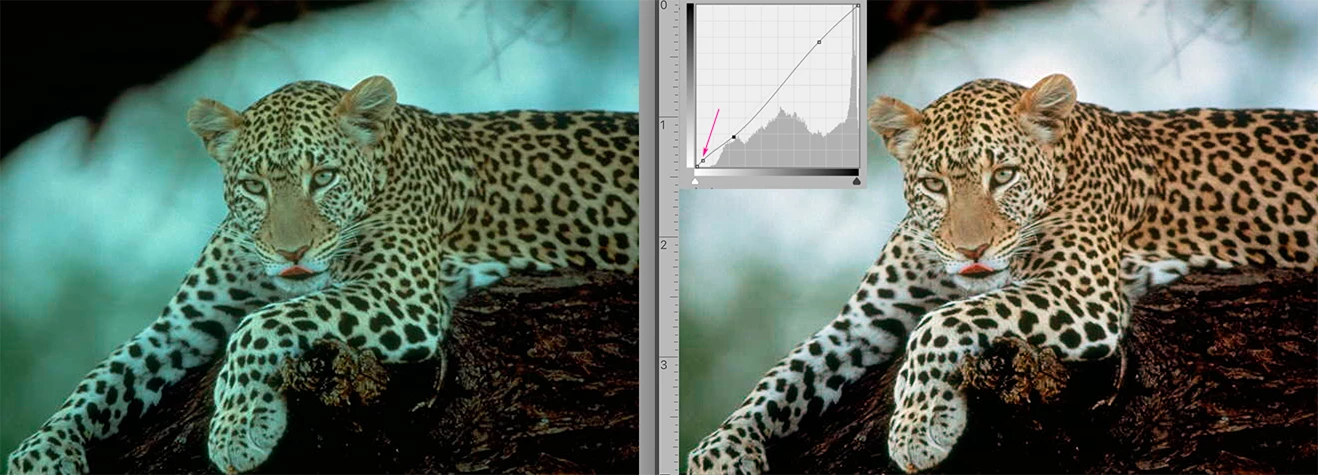
I have found the lightest value a litho plate can hold and print consistently on coated stock is the equivalent of a Lab Color Lightness value of 97 or 98 which translates to RGB values of R246 G246 B 246 or R249 G249 B249 Set the Curves highlight eyedropper to one of those sets of values (or another you prefer) and save it as the highlight default value.
You will find that images that require a pin-dot in the highlights, using the highlight eyedropper to establish that value often also contributes to correcting both color balance and contrast in the image, as shown above.
When the highest highlight in the image is apparent, choose Curves and click on that highlight with the highlight eyedropper. (If the highest highlight is not apparent in the image see the instructions below.)
Then click off the highlight eyedropper, and Cmd+click on the image highlight. It will place a point on the Curve to secure that value and modify the hightlight range. Now you are free bend the rest of the curve to adjust contrast without jeopardizing the highlight value.
***
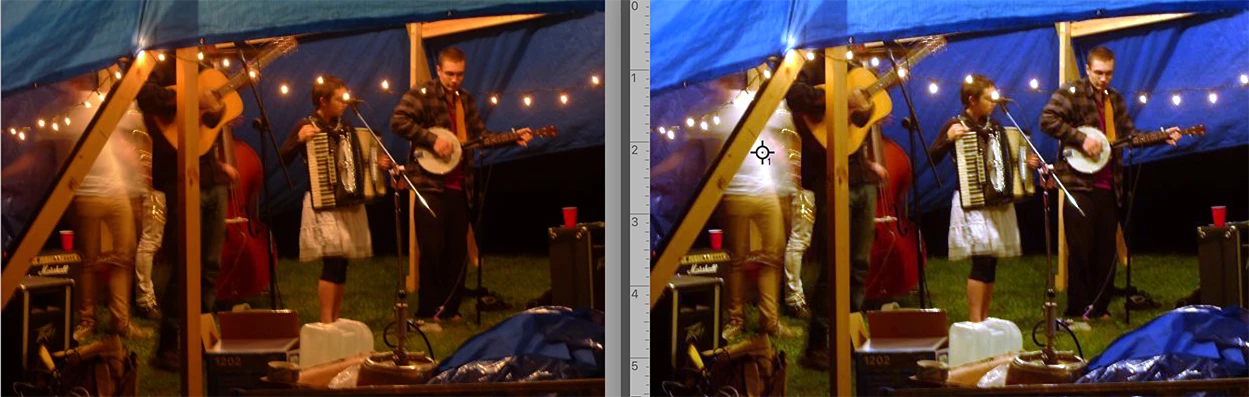
If the highest highlight is not apparent in the image:
From the symbols at the bottom of the Layers panel, add a Threshold Adjustment Layer. You will be presented with a histogram, and below it, a slider. Move the slider all the way to the right; the image will go completely black. Inch the slider to the left until the first meaningful white patch appears. It is the location of the highlight extreme. Choose the Color Sampler tool. (It is nested with the Eyedropper tool in the Tools panel.) Click in that highlight location. The Color Sampler will mark the site.
You no longer need the Threshold layer, so drag it to the Trash. The point you
marked will remain. You have now successfully located and marked the highlight end point. Modify it with the highlight eyedropper tool.

 AdChoices