

Participant
August 16, 2023
Answered

The gradient on the export looks much different than in PSD

  • August 16, 2023
  • 2 replies
  • 5178 views

Hello,


When trying to export this graphic, the gradient takes up much more space than intended. Looking for any help with what I am doing wrong or if this is a bug. Thanks!
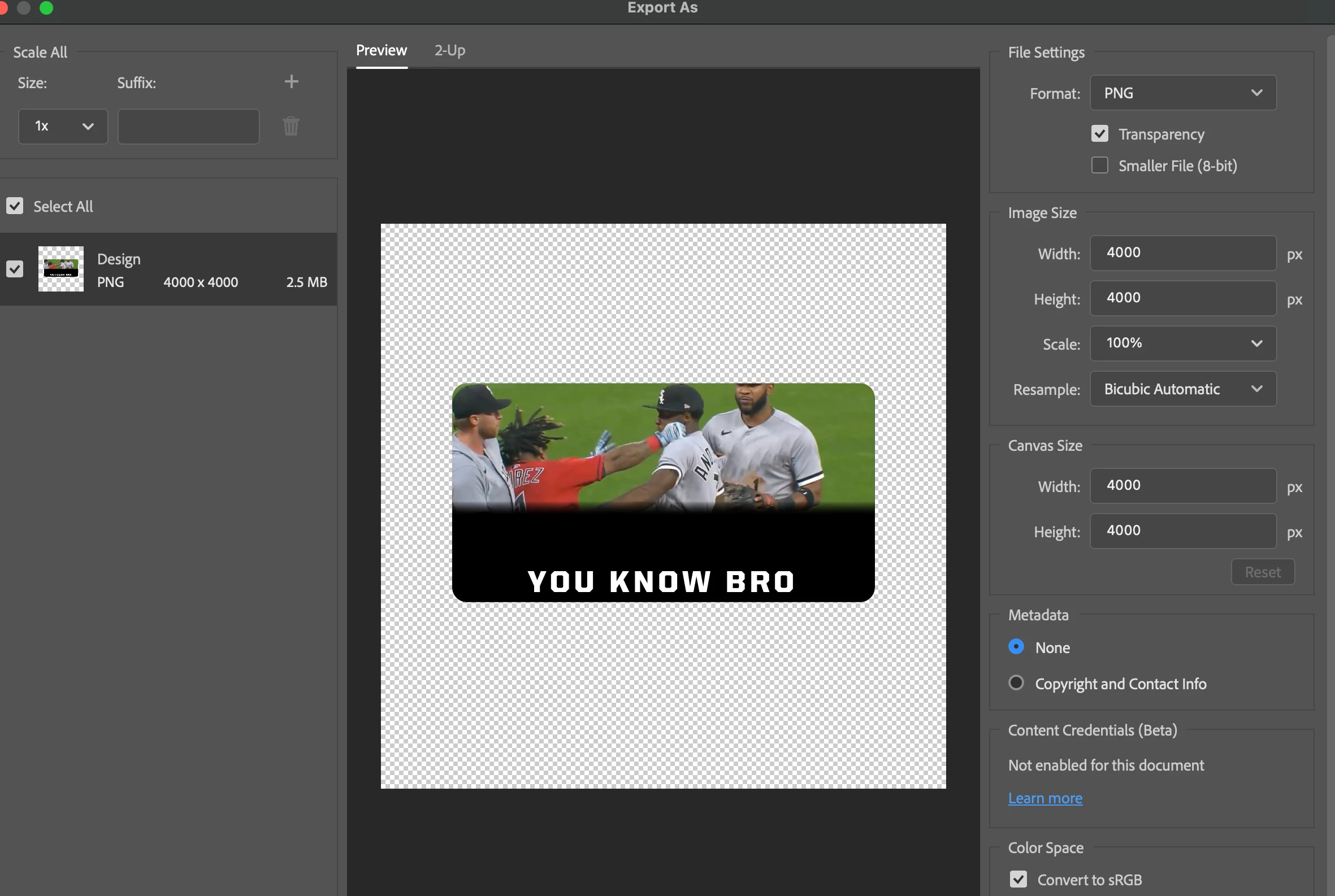


Correct answer mickih49713030

I converted the gradient to a smart object and it fixed all exports.


2 replies

mickih49713030Correct answer
Participant
January 8, 2024

I converted the gradient to a smart object and it fixed all exports.


Participant
May 29, 2024

this worked for me thanks

Sameer K
Community Manager
Community Manager
August 16, 2023

Hey @Hayden31710870z0yx. Welcome to the Photoshop Community. I'll need more specific info to help you figure this out.


What version of Photoshop & macOS are you working on? How is the document built? The screenshots suggest adding a gradient layer on top of your image & resize it to fit.


As a test, I drew the black gradient on a random image & then selected the mask of the gradient to show/hide the rest of the gradient layer. This is how my test file looks & the export screen works as expected when matched to the setting you're working on.


Please test this at your end or share the process you're working on.

For a temporary workaround, you can go to Photoshop > Settings > Export > Use legacy 'Export as' & restart Photoshop.


Check if that helps. Let me know how it goes. Thanks!
Sameer K