



Exit
  • Global community
    • Language:
      • Deutsch
      • English
      • Español
      • Français
      • Português
  • 日本語コミュニティ
  • 한국 커뮤니티
0

The tool (rectangular Marquee tool) does not work correctly!

Community Beginner ,
Oct 22, 2018 Oct 22, 2018

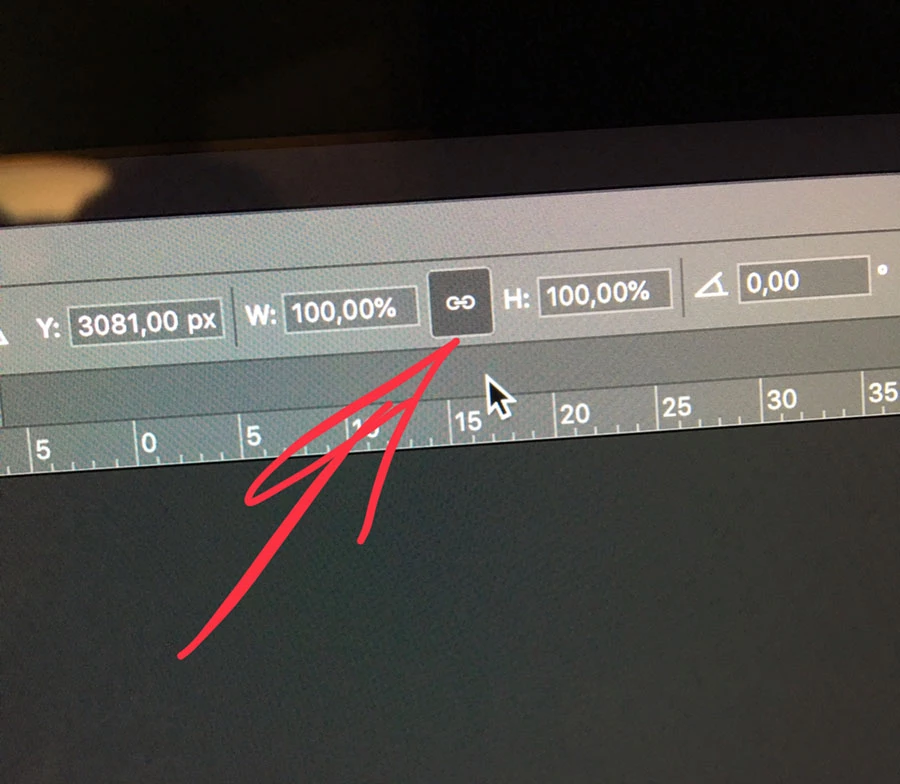
choose (free transform) and remove the dependence of the vertical on the horizontal , but still there is a transformation in all directions while maintaining the proportions, and I need only one way!IMG_3799.jpg
4.0K
Translate
Report
Community guidelines
Be kind and respectful, give credit to the original source of content, and search for duplicates before posting. Learn more
community guidelines
Adobe
Community Expert ,
Oct 22, 2018 Oct 22, 2018

Please post the name of the program you use so a Moderator may move this message to that forum

-A program would be Photoshop or Dreamweaver or Muse or Premiere Pro or ???

Translate
Report
Community guidelines
Be kind and respectful, give credit to the original source of content, and search for duplicates before posting. Learn more
community guidelines
Community Beginner ,
Oct 22, 2018 Oct 22, 2018

I'm talking about Adobe Photoshop CC 2019

Translate
Report
Community guidelines
Be kind and respectful, give credit to the original source of content, and search for duplicates before posting. Learn more
community guidelines
Community Expert ,
Oct 23, 2018 Oct 23, 2018

Discussion successfully moved from Adobe Creative Cloud to Photoshop

Translate
Report
Community guidelines
Be kind and respectful, give credit to the original source of content, and search for duplicates before posting. Learn more
community guidelines
Guest
Oct 23, 2018 Oct 23, 2018

Hi

The way the Transform works has changed in Photoshop CC2019, take a look here

Transform proportionally by default

https://helpx.adobe.com/photoshop/using/whats-new.html

Translate
Report
Community guidelines
Be kind and respectful, give credit to the original source of content, and search for duplicates before posting. Learn more
community guidelines
Community Expert ,
Oct 23, 2018 Oct 23, 2018

Yeah there were some big changes to Photoshop, that might be confusing at first.

This video covered them.....

Top 20 NEW Features & Updates EXPLAINED! - Photoshop CC 2019 - YouTube

Translate
Report
Community guidelines
Be kind and respectful, give credit to the original source of content, and search for duplicates before posting. Learn more
community guidelines
Community Beginner ,
Oct 23, 2018 Oct 23, 2018

Found an option. When transforming hold Shift ⇧.

Translate
Report
Community guidelines
Be kind and respectful, give credit to the original source of content, and search for duplicates before posting. Learn more
community guidelines
Community Expert ,
Oct 23, 2018 Oct 23, 2018

Yep, or revert to the old behaviour as explained by Adobe in the What's New in Photoshop article.

Translate
Report
Community guidelines
Be kind and respectful, give credit to the original source of content, and search for duplicates before posting. Learn more
community guidelines
New Here ,
Dec 25, 2018 Dec 25, 2018
LATEST

This worked. Thank you.

Holding SHIFT while dragging in the direction desired worked.

Translate
Report
Community guidelines
Be kind and respectful, give credit to the original source of content, and search for duplicates before posting. Learn more
community guidelines