
Tiff images with transparency saved are printing as ghosted image
When featuring products in print ads (and other media), I often remove the background of the image using Photoshop. For print purposes, I then convert the image to CMYK (by choosing Image > Mode > CMYK Color and merging the layers), and save it as a TIFF with the transparency saved. This tiff file is then placed into InDesign when creating the ad graphic, which is then exported as a print PDF.
Lately, this has resulted in a few instances of the product appearing "ghosted" in the published/printed ad. One publisher thought maybe it was due to a linked file not being CMYK, but that does not appear to be the case.
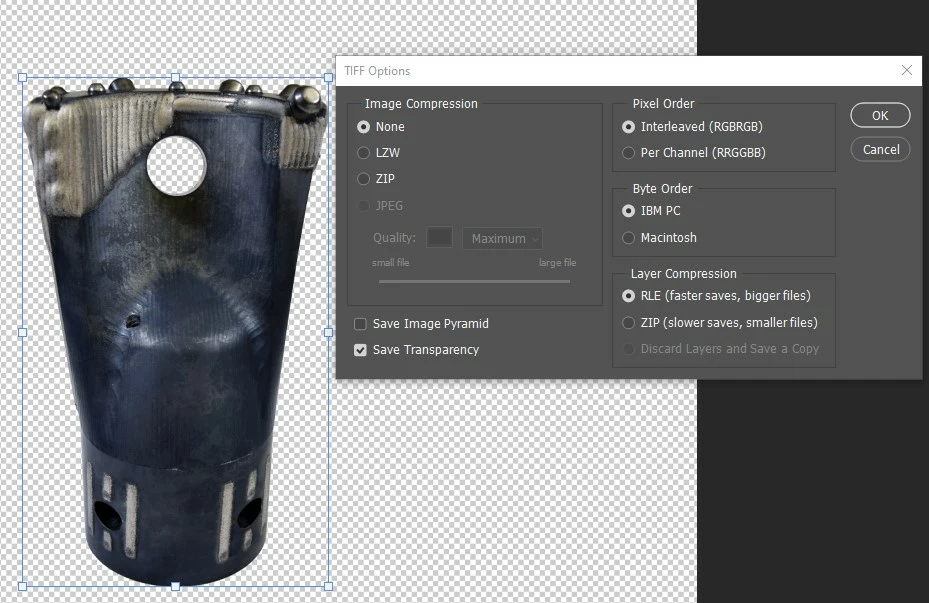
Any suggestions on why this may be happening? Attached is a Photoshop screenshot and the final print outcome we're encountering. This is not normally a problem, but it's now happened with two different publications in the last month with two different ads/images. I'm guessing the issue lies in the background removal, but I don't understand what specifically would cause this. Thank you in advance for your help!

 AdChoices