


James2110
New Participant
July 24, 2017
Answered

Tint effect?

  • July 24, 2017
  • 4 replies
  • 5783 views

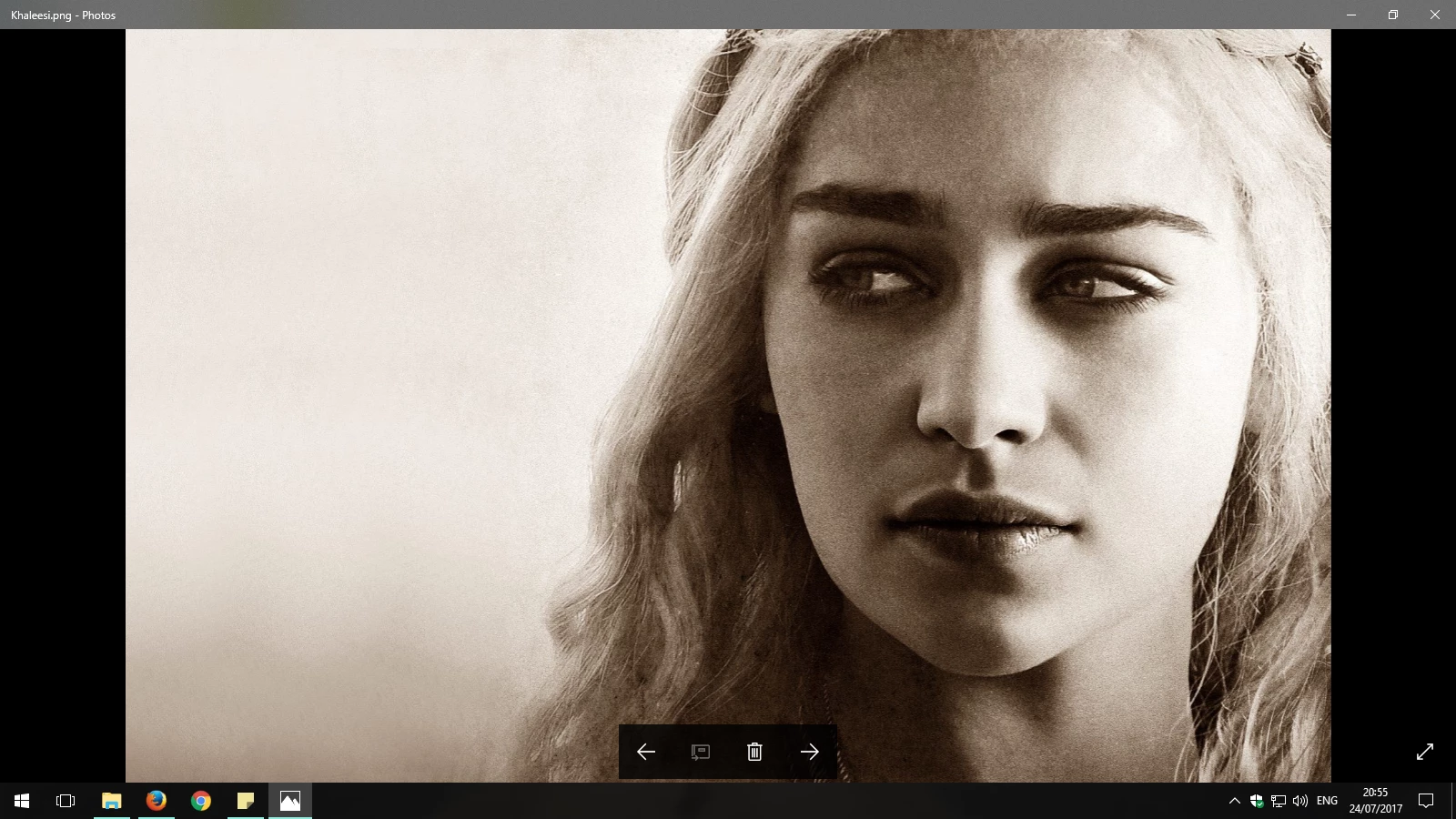
Hello again! Does anyone know how to create this effect?:
This topic has been closed for replies.
Correct answer michelew83603738

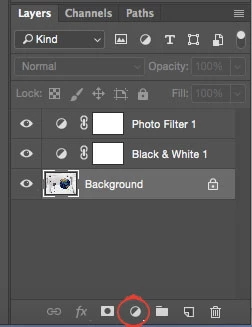
You can turn your image into a black and white image using the adjustment layer to push the colors to black and white the way you want and then use a photo adjustment layer to tint the image on top of that. The image might also have an been soften a little.
4 replies

Norman Sanders
Brainiac
July 24, 2017

Among the Default Actions is Sepia in CS6.

CS6 also offers a Color Lookup Sepia which may not be in later versions of Photoshop

Theresa J
Community Expert
July 24, 2017

I would use a photo toning gradient map adjustment layer.

Semaphoric
Community Expert
July 24, 2017

You could add a Color Fill Layer with the blending mode set to color, or you could add a Hue/Saturation adjustment layer with the Colorize box checked.

War Unicorn
Community Expert
July 24, 2017

Just to add to the bedlam: You could also use Camera Raw as a filter (Filter > Camera Raw Filter on the menu bar), convert the image to grayscale using the HSL/Grayscale tab, hop on over to the Split Toning tab and go to town.

If you're using RAW images, Camera Raw is used anyway and is pretty much the same deal but with the added bonus of being nondestructive. You can use Camera Raw as a filter on images that have been converted to Smart Objects, also non-destructively. Either right-click the image's thumbnail in the Layers panel > Convert to Smart Object or use Filter > Convert for Smart Filters on the menu bar. Then use Camera Raw as a filter as you would normally.

davescm
Community Expert
July 24, 2017

Let me join the party

You could use a black and white adjustment layer and set the tint color in the adjustment properties:

Dave

michelew83603738
michelew83603738Correct answer
Community Expert
July 24, 2017

You can turn your image into a black and white image using the adjustment layer to push the colors to black and white the way you want and then use a photo adjustment layer to tint the image on top of that. The image might also have an been soften a little.
