



TIPP: Troubleshooting with external Graphic Cards on Notebooks | NVIDIA
As I came just today about this issue I would like to provide a little solution which might help others like me who will have a External Graphic Card.
As it is my first time installing and using an external Graphic Card with a Notebook I feld a bit "stupid" running into this. But hey we are all Humans. And if Someone else will bumb into this issue: Here a solution which might help 🙂
Situation is:
Laptop has internal NVIDA Graphic Card (mine is Quatro T1000)
And added was a external NVIDIA GeForce RTX 3080
Connected it was immediatly autodetected by PhS and AI & working! - while it wasnt with PPro & AE.
FIRST ISSUE:
Note that NVIDA will tell you your driver is up to date. Well they are wrong if you have two NVIDIA Cards.
So you want to select the Driver for the external Card, download and install.
As a result, PPro and AE will do their job from now one but not PHS and AI
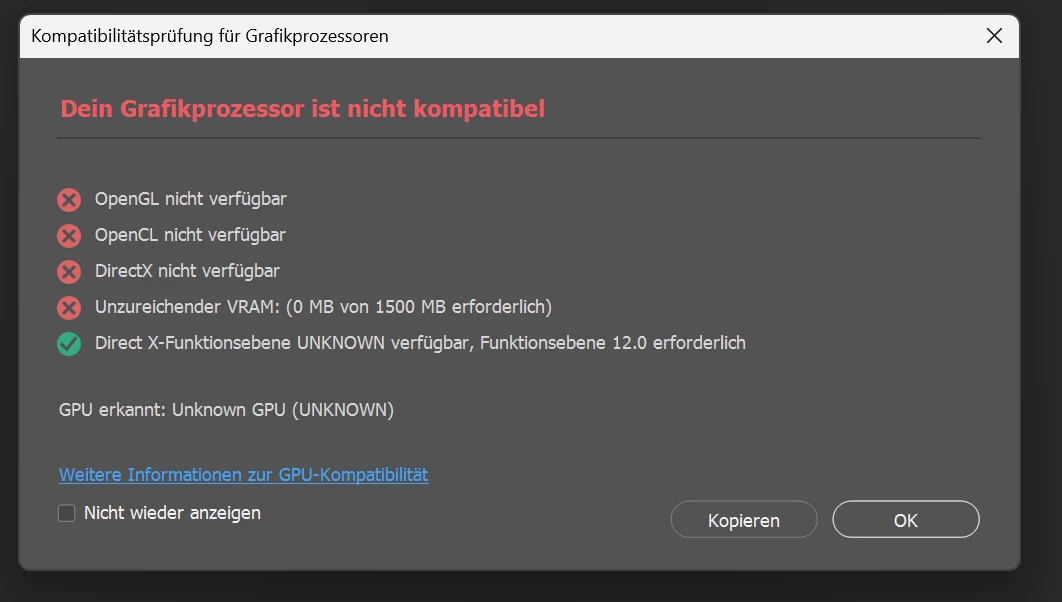
Suddenly the external Card was not regonized.
SECOND ISSUE
Some Q&A will tell you to Unintall OpenCL or things like: Open the Control pannel / Systemsettings of NVIDA and go to "3D-Settings => Program settings => select PHS => Choose "NVIDIA High performace processor"
This won't solve it!
Solution:
Go to "Confuigure PhysX " and select the external Graphic Card in the DropDown and check the "Reserve for PhysX"
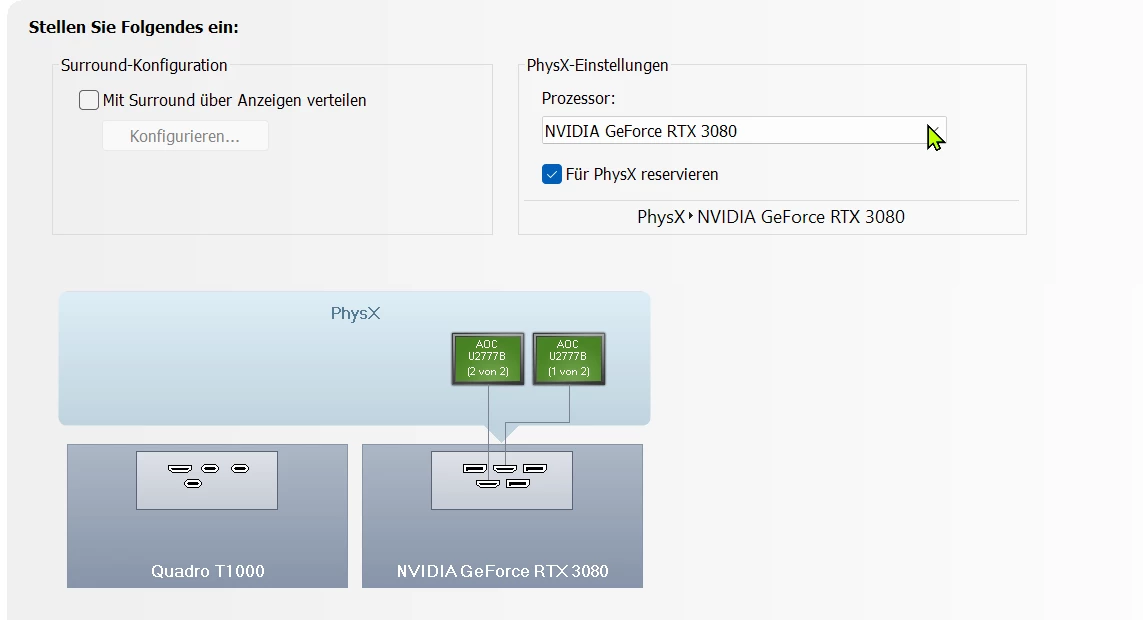
Working.
Hope this will help anyone. All the best

 AdChoices