Participant
February 5, 2023
Answered

Turning Multiple Layers into a Smart Object is resulting in a completely different image

  • February 5, 2023
  • 2 replies
  • 1690 views

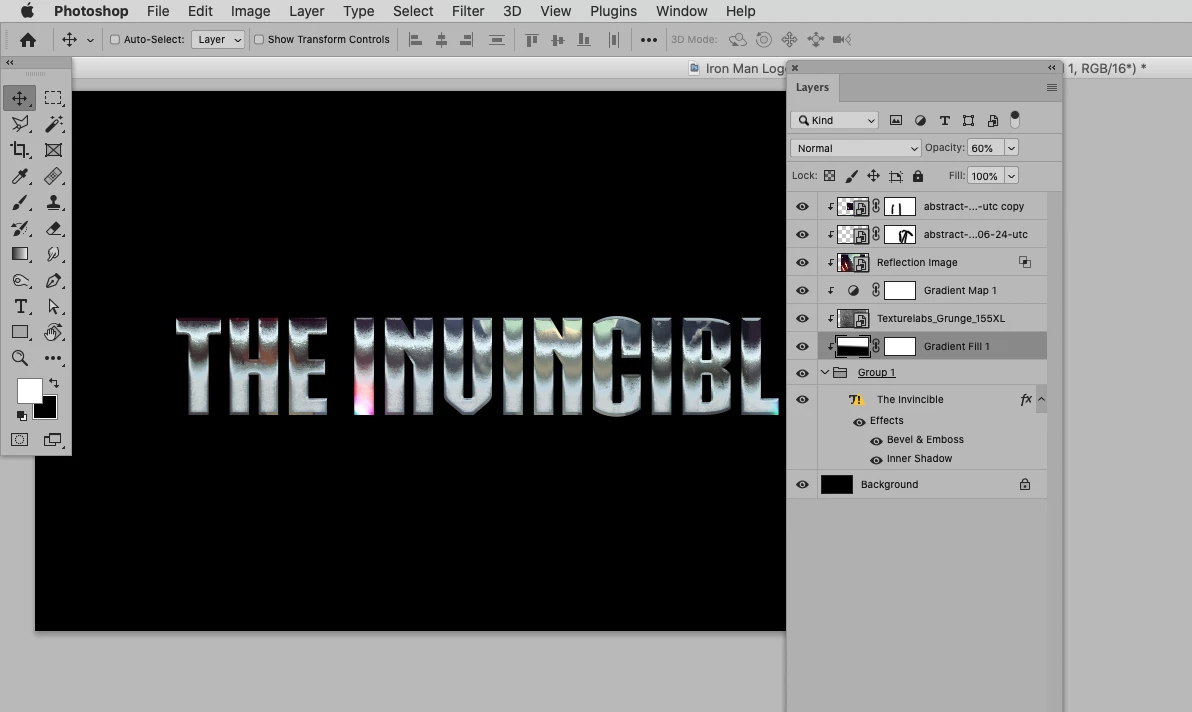
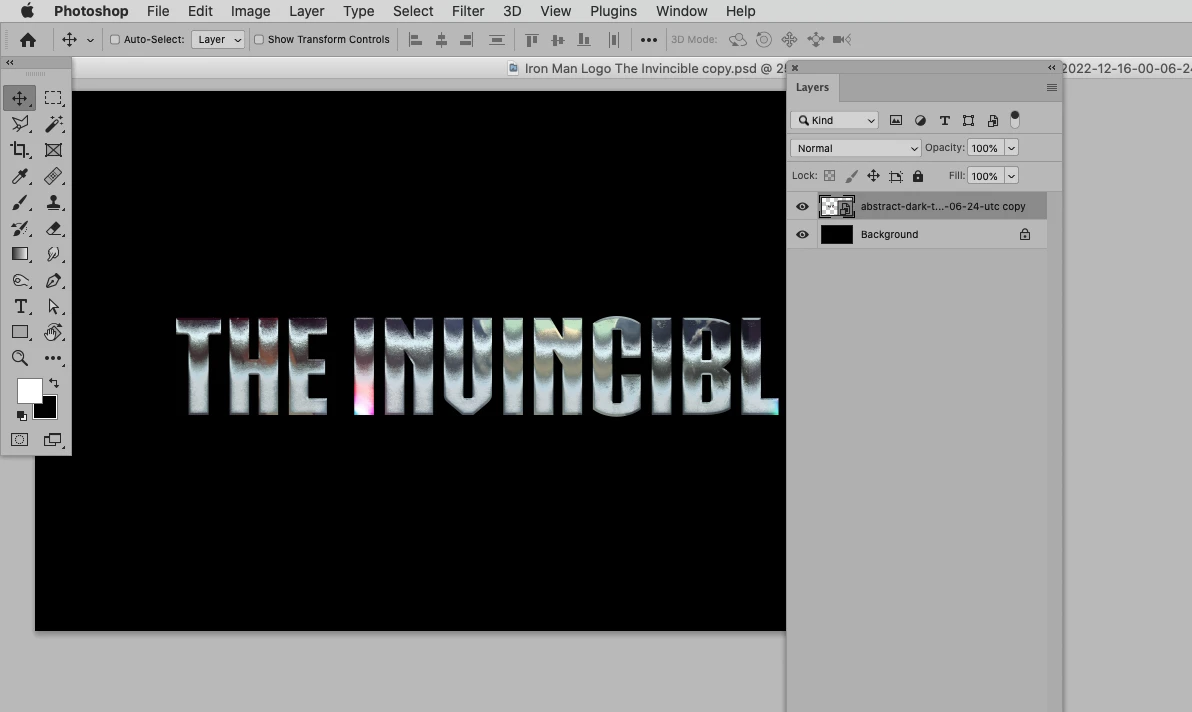
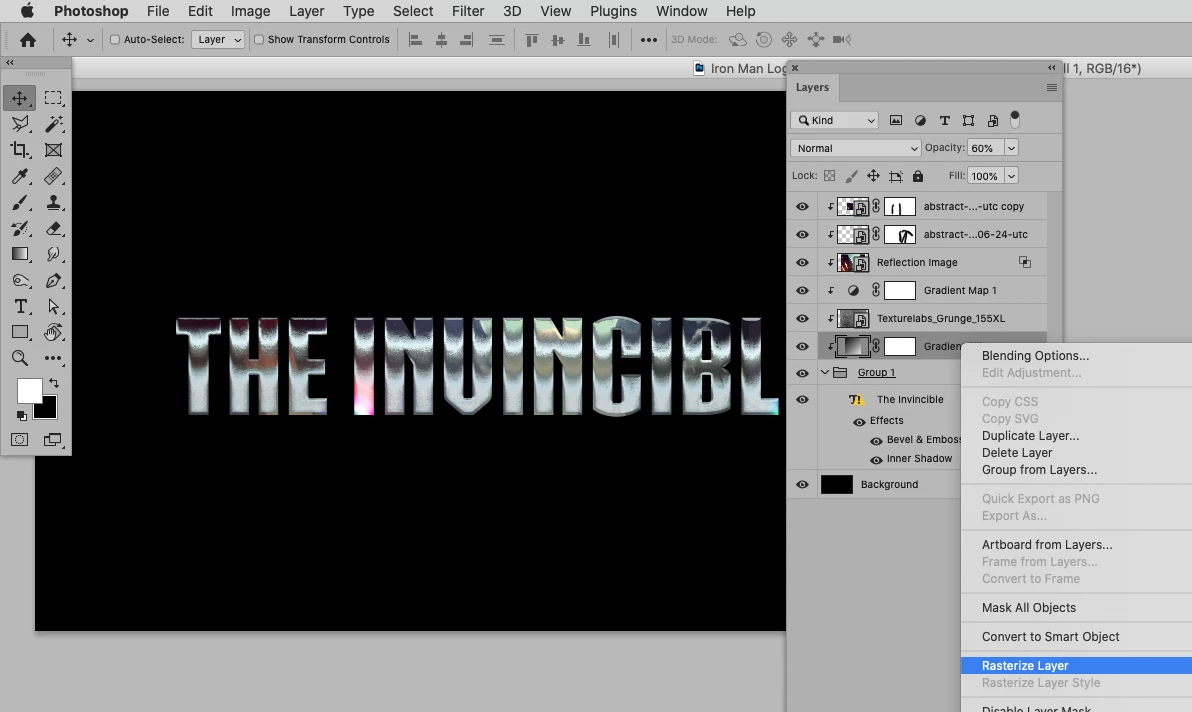
Okay, I've been looking for an answer for a while. When i take multiple layers and convert to a single smart object, the resulting combination of layers is no longer identical (visually)  to those same layers as individual layers. Would someon please explain why this is? I've seen the same method used successfully before but while I havent noticed a difference in method, there is clearly something I am missing.


This topic has been closed for replies.
Correct answer c.pfaffenbichler

2 replies

c.pfaffenbichler
Community Expert
c.pfaffenbichlerCommunity ExpertCorrect answer
Community Expert
February 11, 2023

Participant
February 17, 2023

Thank you. That worked.

c.pfaffenbichler
Community Expert
Community Expert
February 5, 2023

Could you please post a screenshot taken at View > 100% with the pertinent Panels (Toolbar, Layers, Options Bar, …) visible? 

Can you provide the file for testing? 

Participant
February 10, 2023

Sorry, file size is too large for me to attach. I can make a onedrive link if you want to take a look that way. The screenshots I provided earlier essentially contain the info you requested. Toolbar is on the left, layers are on the right. I can take an additional shot of the options bar but the question isn't related to any particular tool, so you'll have to tell me what subset of the options bar you'd like me to screenshot.

Kevin Stohlmeyer
Community Expert
Community Expert
February 10, 2023

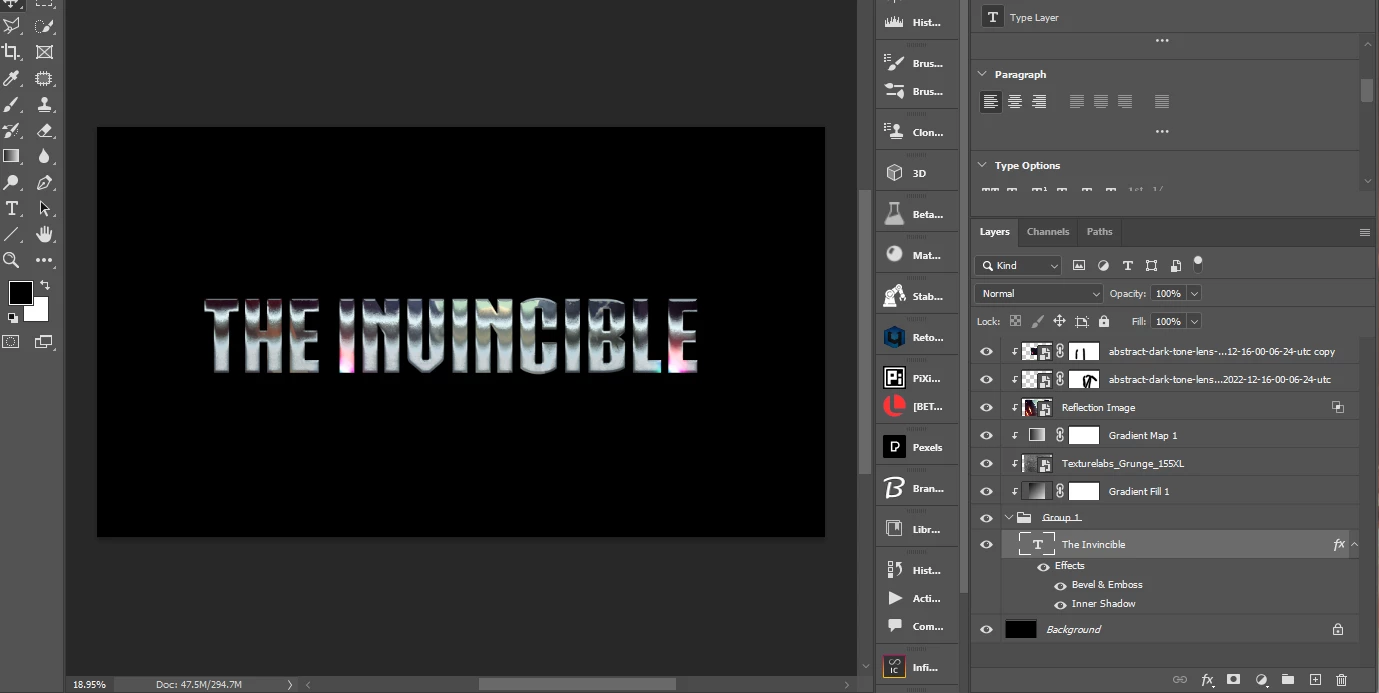
It is the "nesting doll" of having that Refelection Image smart object converted into another smart object.

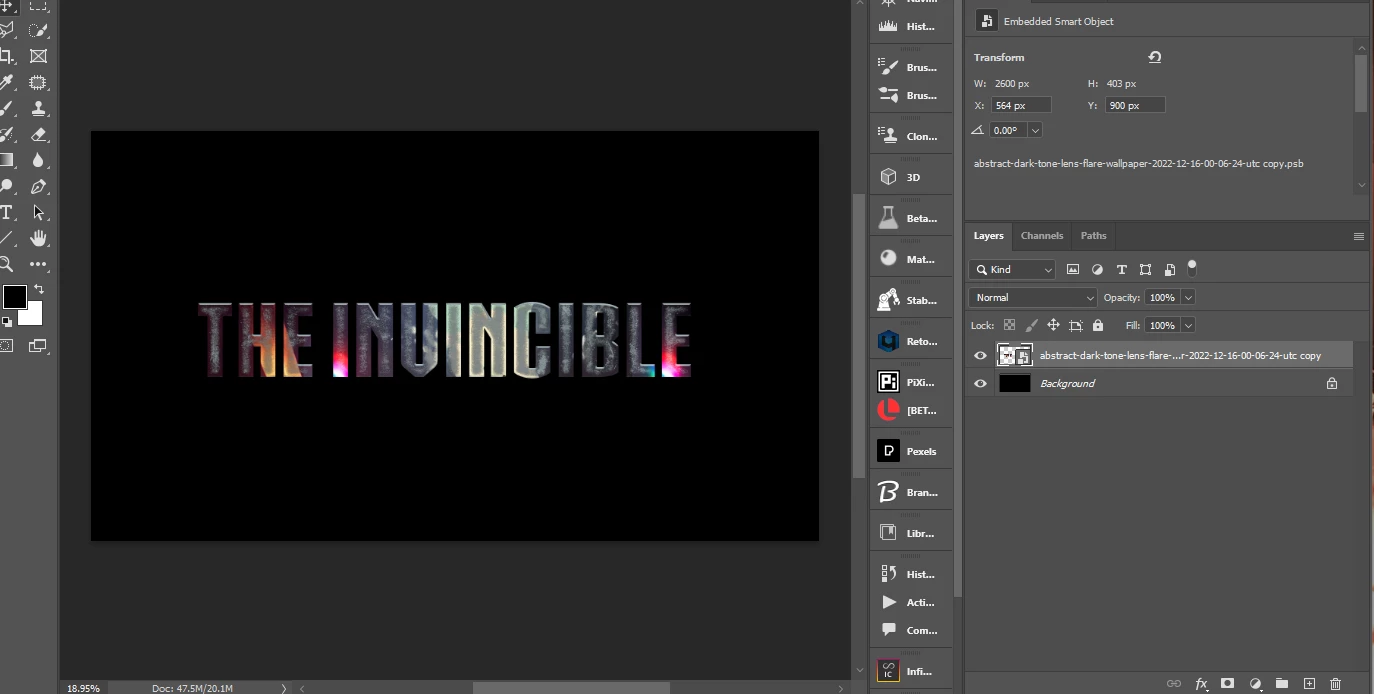
I removed that layer and recreated the smart object - honestly that image did not add a lot to the letter reflection but it sure was messing up the results when converted:

With Reflection Image:


Without Reflection Image: