


Known Participant
July 22, 2022
Question

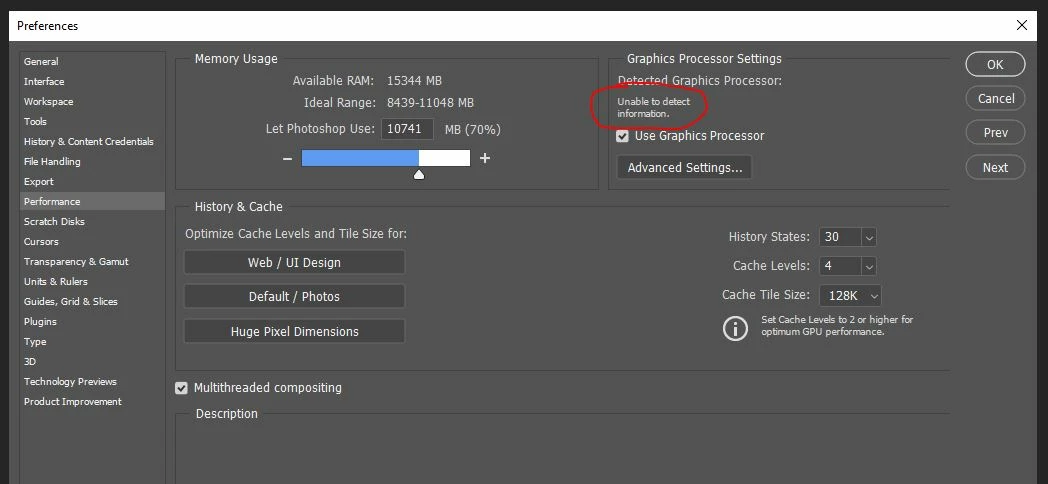
Unable to detect GPU in Photoshop 23.4.2 on Windows 10

  • July 22, 2022
  • 3 replies
  • 277 views

I been searching for days and have tried the different troubleshooting suggestions, but the problem still persists. Many of the suggestions are beyond my computer ability.

I have:

Windows 10

Photoshop 23.4.2

NVIDIA GeForce GTX 750 Ti - updated

I've run the capatibility test - came back compatible

I don't know what else I can do.
 

This topic has been closed for replies.

3 replies

aart2000Author
Known Participant
July 23, 2022

Thanks, Up until a few days ago everyting was working fine. That's when I updated PS and the graphics card.


nikunj.m
Community Manager
Community Manager
July 22, 2022

Hi,


We're sorry about the trouble with Photoshop. We recommend a graphics card with a minimum passmark score of 2000 (check: https://helpx.adobe.com/photoshop/kb/photoshop-cc-gpu-card-faq.html) but the GTX 750 Ti only have a score of 1760 (please check: https://www.videocardbenchmark.net/directCompute.html).


You can try re-installing the GPU drivers from Nvidia's website to check if that makes a difference.


Regards,

Nikunj

aart2000Author
Known Participant
July 22, 2022

Forgot to mention I'm using a PC.

I have more than enough VRAM