barts12566434
Known Participant
February 20, 2019
Answered

Unable to replace color on a dashed line

  • February 20, 2019
  • 2 replies
  • 580 views

Hey there,

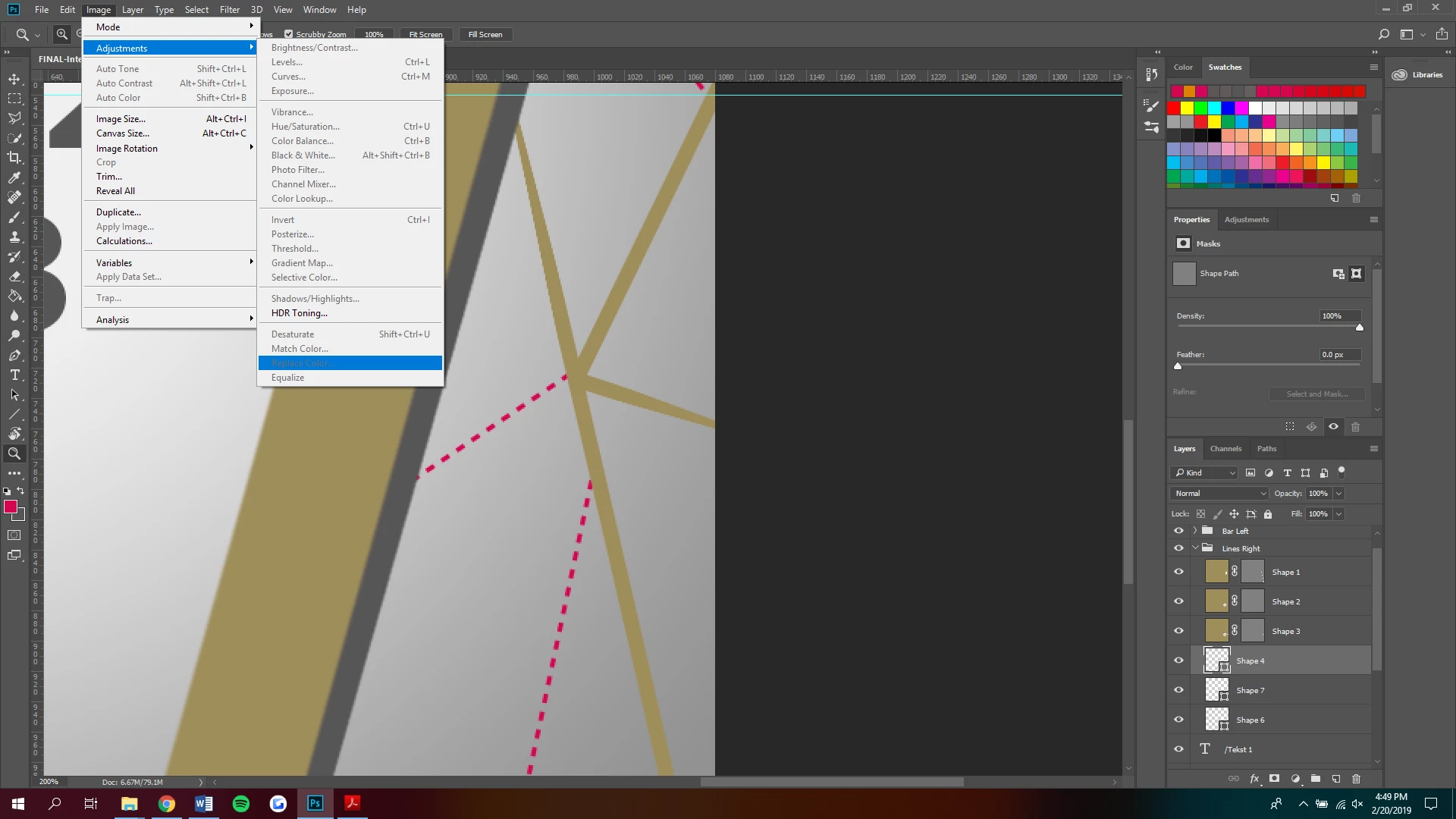
I've made a design where I used the line tool to create pink lines. I also made pink dashed lines. However for another design I have to replace their color to something else. The regular lines worked fine via Layer > Adjustments > Color Replace. However on the dotted lines I can't press this option. Does anyone know what I'm doing wrong? Do I have to convert the layer to something else before I can change it's color?

Thank you all in advance!
This topic has been closed for replies.
Correct answer JJMack

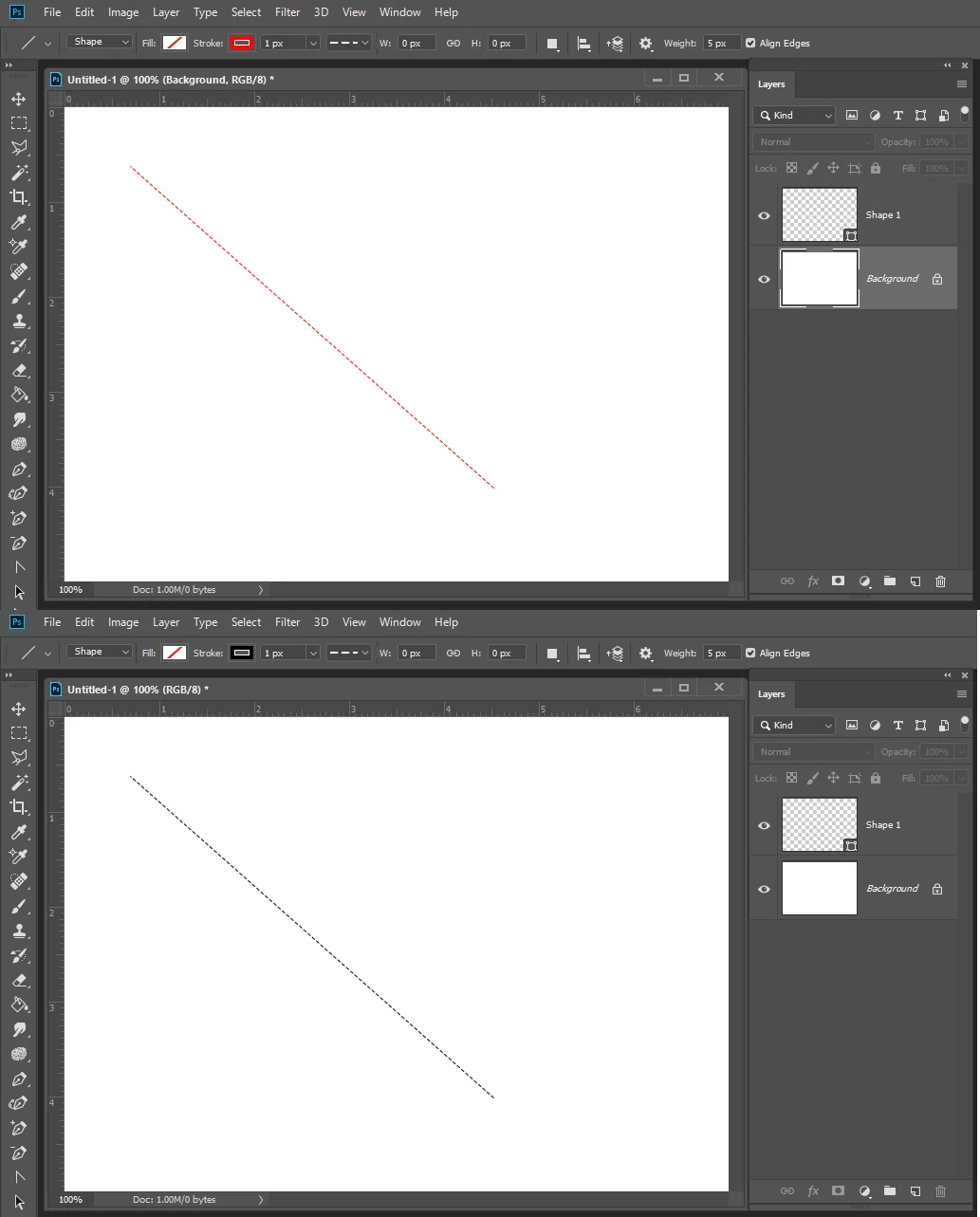
You show all Shape layers. You should be able to change the color of the shape fill and shape stroke using the tool option bar shape color fill and stroke color

.

2 replies

JJMack
Community Expert
JJMackCommunity ExpertCorrect answer
Community Expert
February 20, 2019

You show all Shape layers. You should be able to change the color of the shape fill and shape stroke using the tool option bar shape color fill and stroke color

.

JJMack
JJMack
Community Expert
Community Expert
February 20, 2019

Photoshop Line shape tool also goes from Point A to Point B, turns and goes back to point A it more a rectangle than a line.

JJMack
c.pfaffenbichler
Community Expert
Community Expert
February 20, 2019
Layer > Adjustments > Color Replace

That functionality is in my opinion unfit for serious work.

Are the dashed lines possibly the Shape Layers visible in the Layers Panel?

If so you could change the Color in the Options Bar with the Direct Selection Tool selected for example or give them a summary Color Overlay after putting them in a Group.