


Known Participant
October 31, 2018
Question

URGENT: Not enough RAM

  • October 31, 2018
  • 4 replies
  • 2532 views

It is supeeeerrrr URGENT since I am working on photos which the deadline is this Friday.

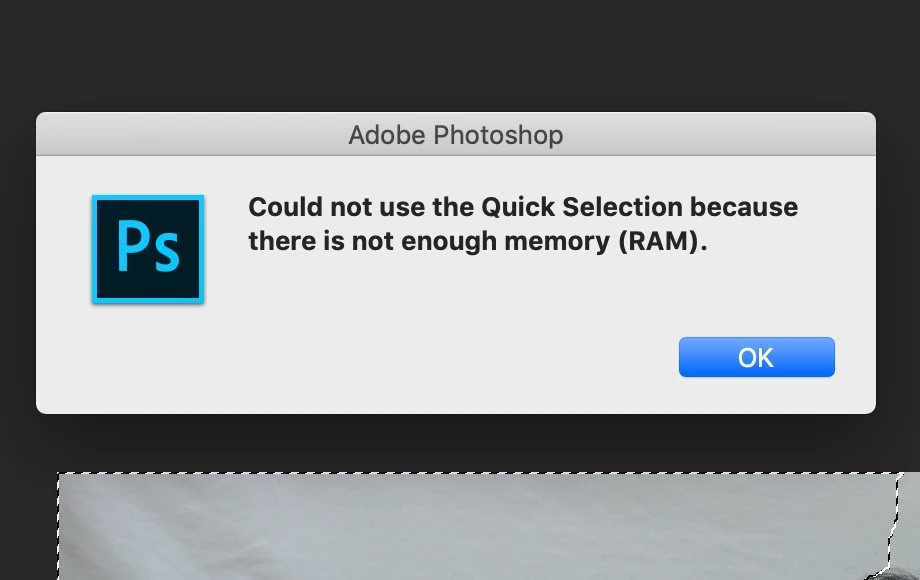
I was working on photoshop till the popup keep appearing whenever I tried to move the mouse so I save another working file and delete some layers that I don't need to use but this still keeps appearing when I was trying to remove the background..

I had tried everything including purge caches and it still doesn't work at all and I tried to find but most are for windows.

I'm using Mac and had upgraded to CC 2019.

I never had any problem with cc 2018.

As can you see below, I really don't know what to do when the deadline is drawing near...              
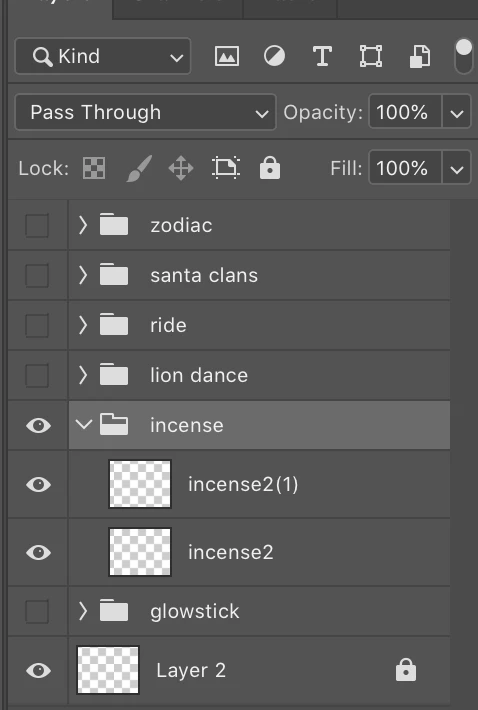
the preview image in the layers incense 2 and incense 2(1) are gone but in the artboard, it is there....           

This topic has been closed for replies.

4 replies

Known Participant
February 15, 2019

Um hello..

till now i still cannot find the answer to solve ram...

It was working fine tillunexpectedly, the problem appeared again.....   

PLEASE HELP

Legend
February 15, 2019

Save and relaunch Photoshop. And set the memory usage lower! It has a suggested range.

Community Expert
October 31, 2018

As the others said,  I suggest downgrading.   But may I ask,  how much RAM are you using?

Known Participant
November 1, 2018

I always max the ram in photoshop currently, I had set it 14204mb. and as for my computer, it is 16gb ram

Known Participant
November 5, 2018

hirokojejung  wrote

I always max the ram in photoshop currently, I had set it 14204mb. and as for my computer, it is 16gb ram

No, never do that. This will strangle the rest of your system, and even plugins like ACR need to work outside Photoshop's address space.

Always leave 3-6 GB for other applications and processes. If Photoshop has it all, you will get excess paging to disk all over your system.

What is your scratch disk setup and how much free space? I suspect that's the root of your problem.


Always leave 3-6 GB for other applications and processes. If Photoshop has it all, you will get excess paging to disk all over your system.

What is your scratch disk setup and how much free space? I suspect that's the root of your problem.

Ahh, i didnt know... but i had max the gb in the after effect when i was working on it before.. do i need to reduce gb to middle in all programs ?

Uhm, im not sure which can i find scratch disk setup but

here you go

MarekMularczyk
Community Expert
Community Expert
October 31, 2018

May be just a temporary bug. As suggested here, downgrade back to CC 2018 (use CC desktop app to uninstall 2019 and install 2018)

Adobe Community ExpertAdobe Certified Professional
Known Participant
November 1, 2018

okay, so i will be using cc 2018 till there is a new update?

MarekMularczyk
Community Expert
Community Expert
November 2, 2018

You could do that. They should release an update soon.

Adobe Community ExpertAdobe Certified Professional
Ussnorway7605025
Legend
October 31, 2018

hirokojejung  wrote

I never had any problem with cc 2018.

As can you see below, I really don't know what to do when the deadline is drawing near...              
 

so install 2018 and get the deadline sorted