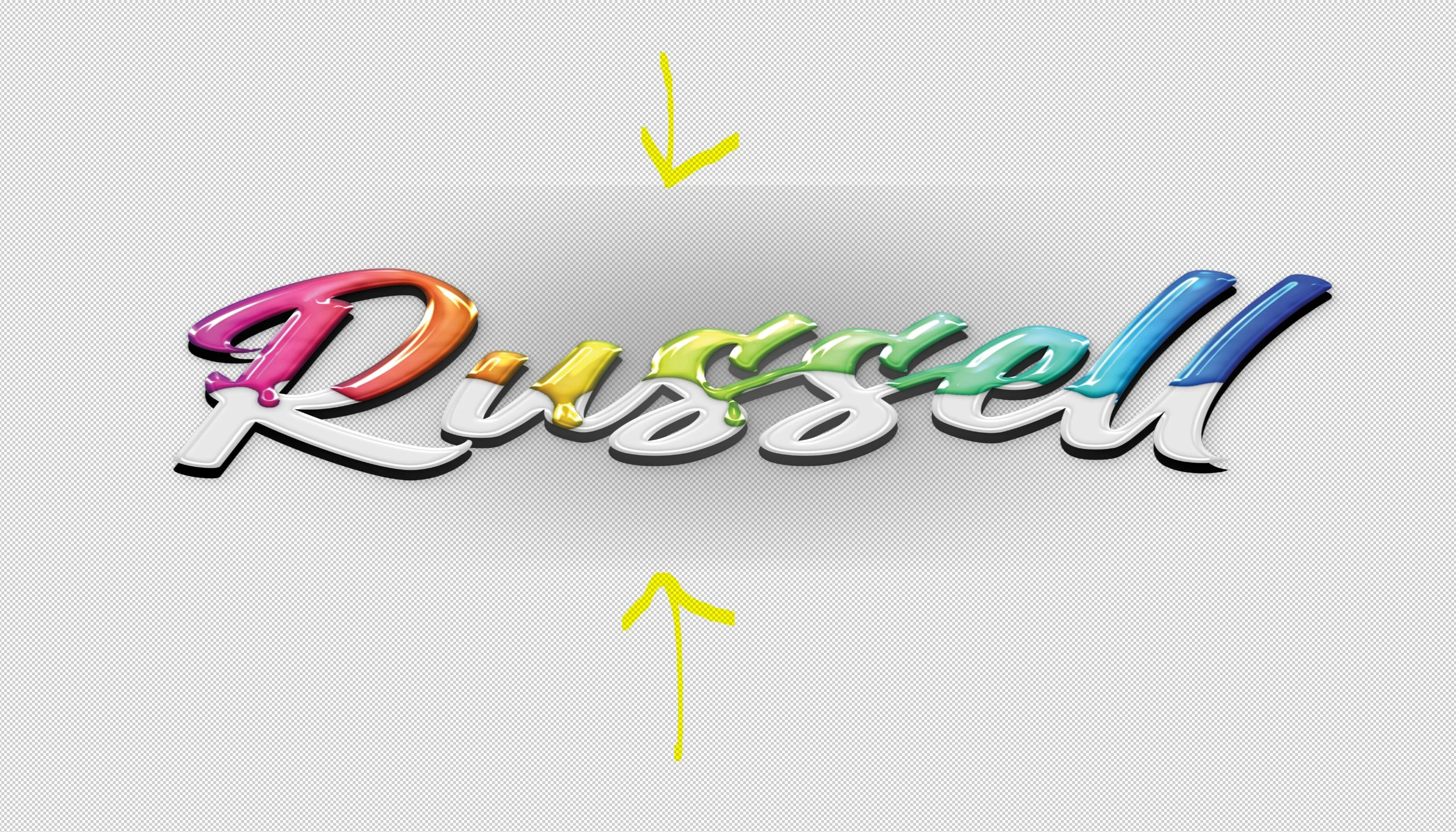
Thanks for a reply Stephen 😉 I just installed Photoshop 2024 and am getting used to it. I am currently working on creating a business card. While I've been creating it I have played with different styles and effects on the text. I found that I liked how the drop shadow looked on that lettering so I applied it. Well, for some reason now when I choose the same effect or Any effect, it leaves that background artifact or glow ect. It no longer just applies an effect to the letter, it has some kind of effect on the background too. I've played around ALL day long to try and rectify the issue, to no avail. Not sure what could have changed? Can't find any settings that have changed, and I certainly haven't messed with any. Everything was fine. I watched dozens of videos on youtube today and Nobody had my problem, all of the effects they applied only affected the Text itself, nothing else. Thx again for the reply, enjoy your Easter.



 AdChoices