


Participant
September 28, 2020
Answered

When i export the psd, my image comes out lighter

  • September 28, 2020
  • 1 reply
  • 4134 views

So I'm not exactly sure why this is happening and I'll list out a few things I have tried already


1)Change the colour profile - my psd file was in sRGB - i tired to convert to another colour prodile such as prophoto and RGB, this didn't work. On one of my computers when i try to do this i get the error message Could not complete the COnvert Profile command becsue the ICC des is invalid, if somone knows how to solve this please help, I've ptried pasting the colours profiles again.


2) Instead of flattening the image which brightens the image straight away (almost like one of the adjustment layers isnt't working), i try merging them, i get the same result.


3) I've exported as a Jpeg and PNG - same result.


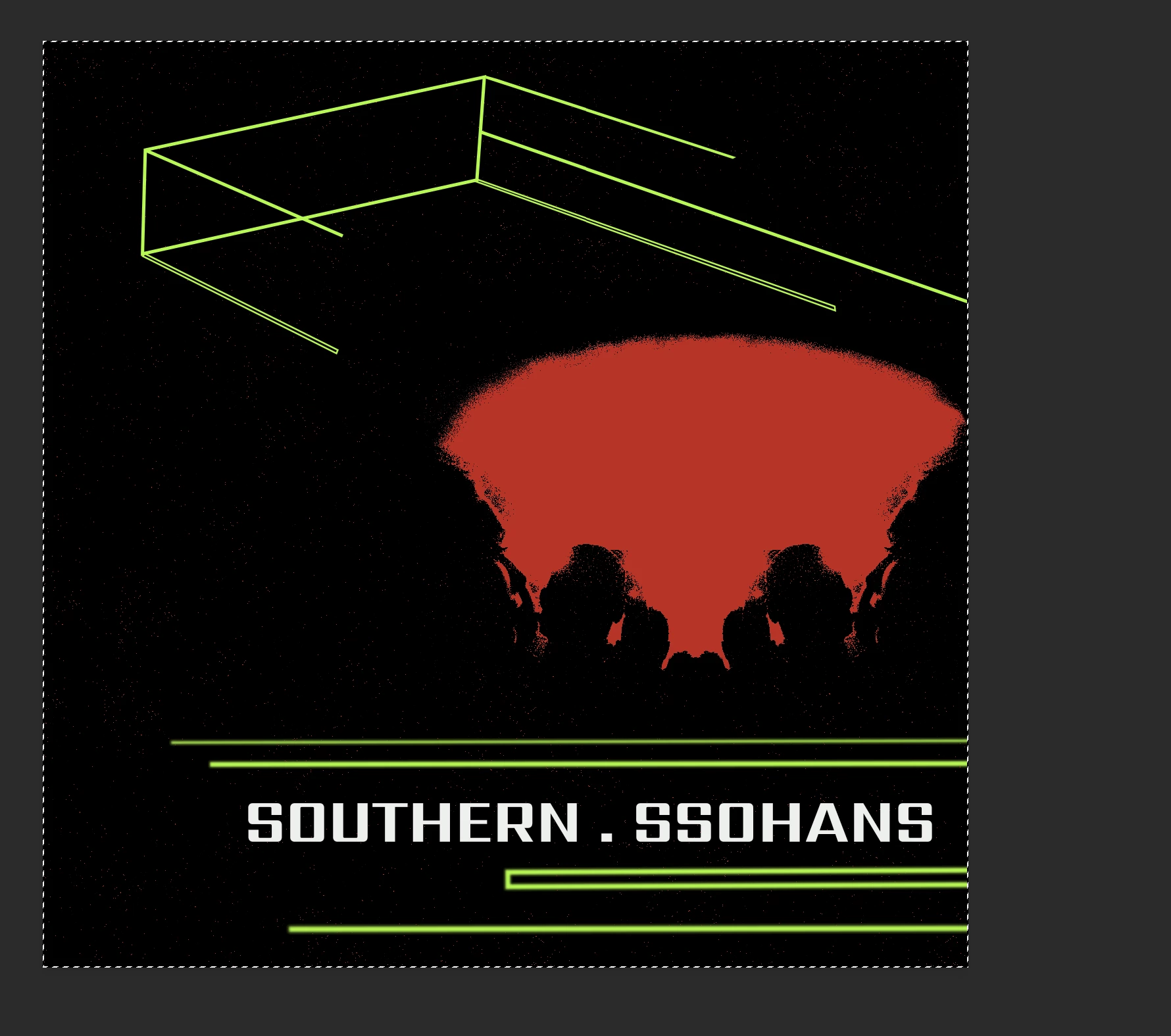
The result I want - you cant see it exactly but theres quite a few very small red dots
What I get
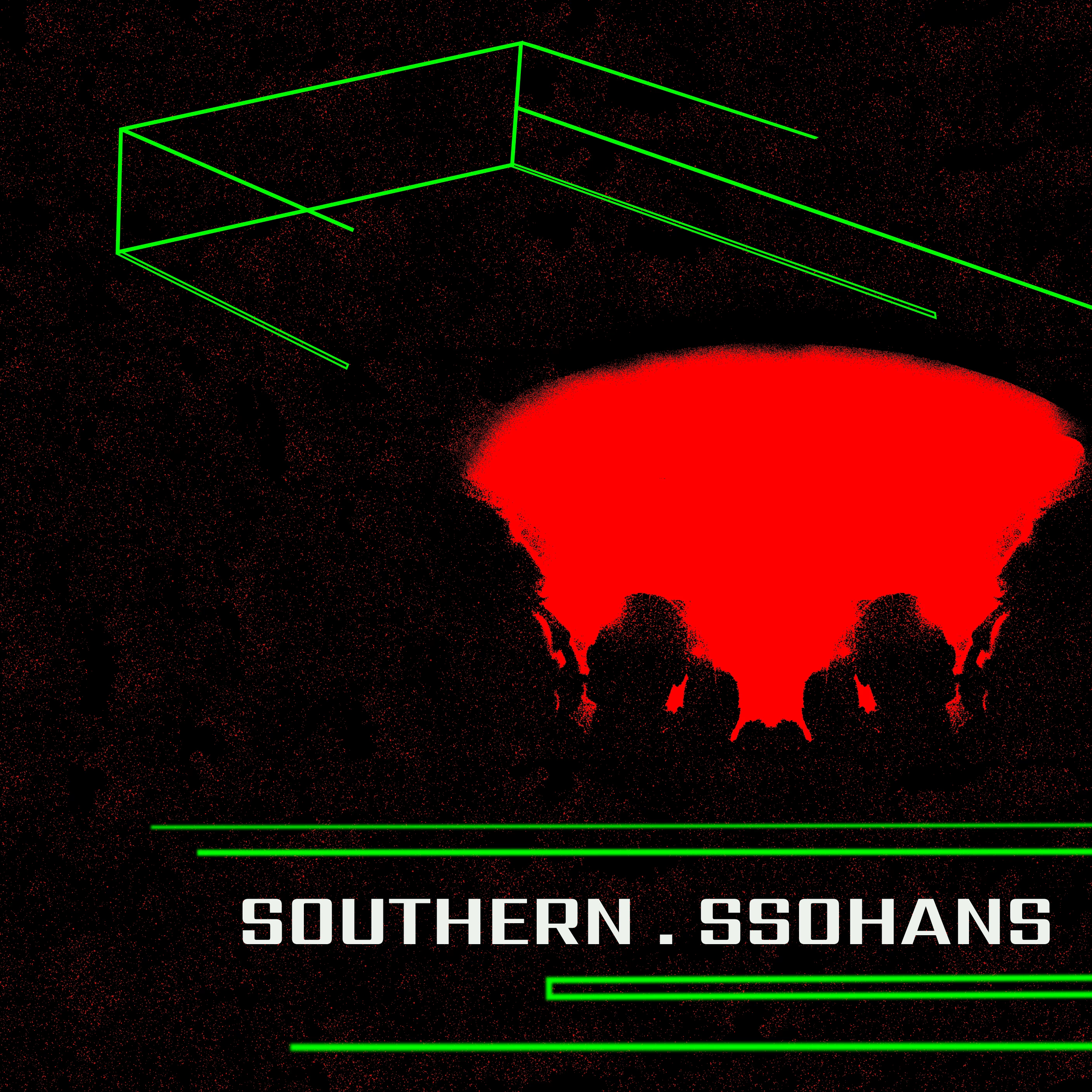
 

As well as the above can someone tell me why when i apply my adjsutment layers they look good on around 100%, then when I zoom in the effect seems to be vastly ineffective.


I've attached the PSD file if anyone is happy to take a look at it.


Thanks,


Charlie
 

This topic has been closed for replies.
Correct answer D Fosse

That's what I'm saying. You assume the preview is correct and the result wrong. It's the other way round: the preview is wrong, but the final result is correct.


Now, if you get a general tonal shift in all files, not just this one file, chances are your monitor profile is bad/defective. If you're not using a calibrator, this happens a lot because monitor/laptop manufacturers distribute profiles through Windows Update, and these profiles are very often defective in different ways.


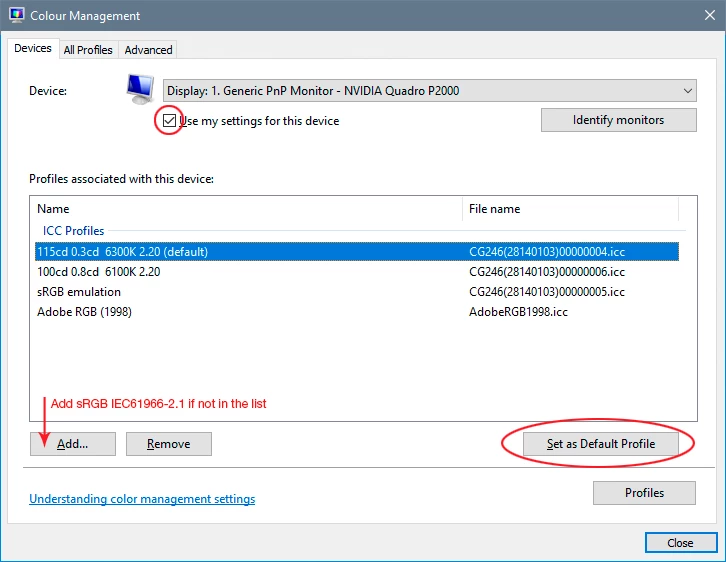
The only way to properly deal with this is to buy a calibrator. In the meantime, replace the current profile with sRGB IEC61966-2.1 for now. It won't be accurate, but better than a broken profile:


Note that only color managed applications actually use the profile. Applications without color management support, like Windows "Photos", don't use the profile at all, and so are unaffected by a bad profile. That doesn't mean they're right; it means they're always a little wrong (or sometimes very wrong).

1 reply

D Fosse
Community Expert
Community Expert
September 28, 2020

Leave the profile alone! A profile conversion isn't supposed to change visual appearance. In fact, that's the whole point. Converting to a different profile is done for other and very specific reasons. If you don't have those reasons, leave it alone. The important thing is that there is a profile. The safe choice is sRGB, which will appear more or less right even in applications without color management.


To judge the effect of any adjustment or layer blend, view at 100%. This maps exactly one image pixel to one screen pixel, so that the file is accurately reproduced on screen. At other zoom ratios, you see a downsampled and softened version. When you have sharply defined pixel transitions, noise etc, this softening will introduce intermediate values that aren't there in the full data. This leads to a misleading preview. Adjustment previews are calculated on the basis of the screen image for performance reasons.


Participant
September 29, 2020

Great good to know thanks @D Fosse on the above points about colour profiling and mileading previews when closer than 100%


Does anyone else have an opinion on why the exporting turns out to be brighter than what I am viewing in photoshop and why my layers aren't having an effect?

D Fosse
Community Expert
D FosseCommunity ExpertCorrect answer
Community Expert
September 29, 2020

That's what I'm saying. You assume the preview is correct and the result wrong. It's the other way round: the preview is wrong, but the final result is correct.


Now, if you get a general tonal shift in all files, not just this one file, chances are your monitor profile is bad/defective. If you're not using a calibrator, this happens a lot because monitor/laptop manufacturers distribute profiles through Windows Update, and these profiles are very often defective in different ways.


The only way to properly deal with this is to buy a calibrator. In the meantime, replace the current profile with sRGB IEC61966-2.1 for now. It won't be accurate, but better than a broken profile:


Note that only color managed applications actually use the profile. Applications without color management support, like Windows "Photos", don't use the profile at all, and so are unaffected by a bad profile. That doesn't mean they're right; it means they're always a little wrong (or sometimes very wrong).