


Participating Frequently
April 1, 2022
Question

When using text, random elements appear and ruin my project

  • April 1, 2022
  • 13 replies
  • 3498 views

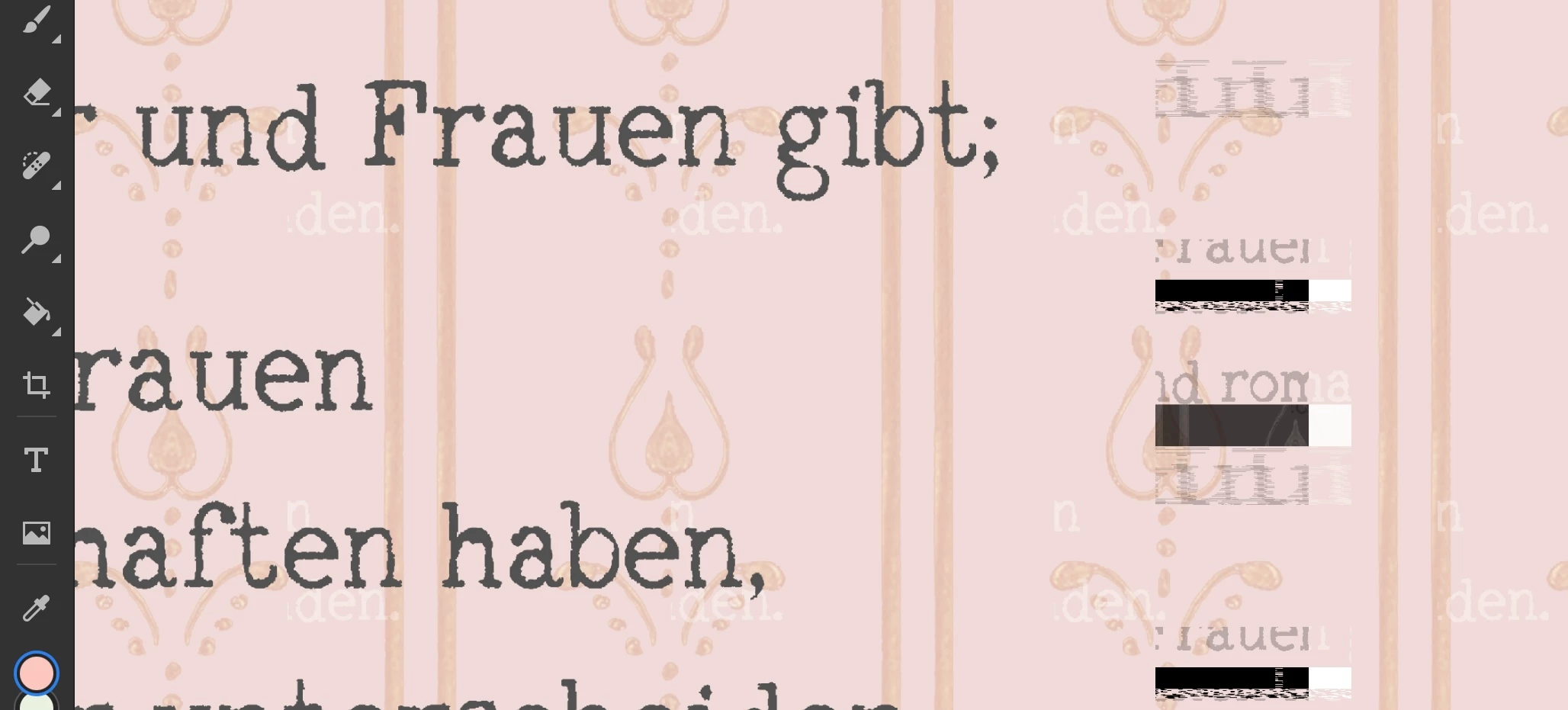
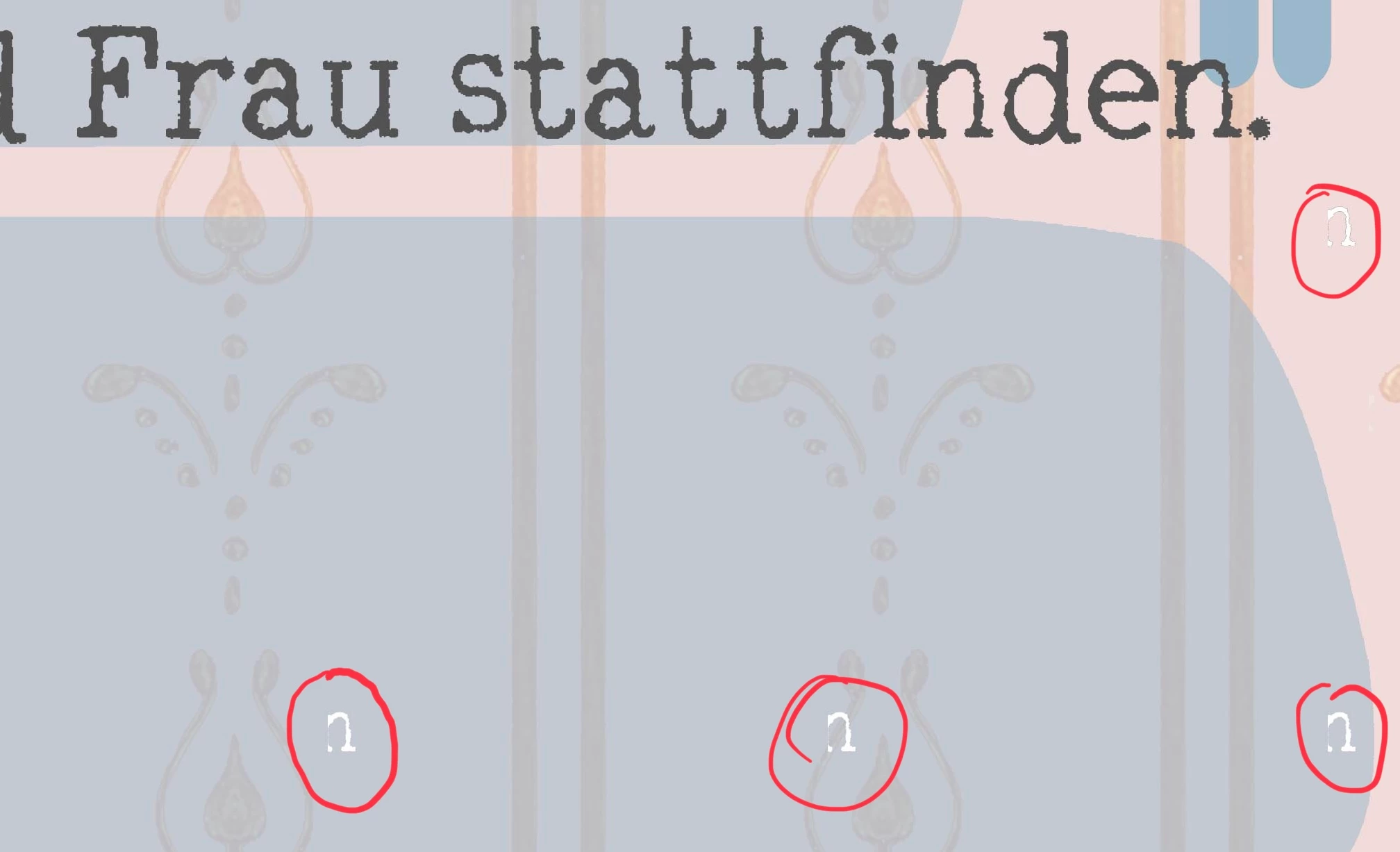
I am using Photoshop on Ipad. When adding text there sometimes appear random pieces of text and other elements all over my project. 

Those elements are not on one special layer, so I can't just delate one layer and go on. I have not found out how to get rid of them and by now I only can start my projects again. Today I may have lost days of work, please help me.
 

This topic has been closed for replies.

13 replies

New Participant
August 23, 2024

This keeps happening to me too and its driving me mad. They'll appear on a layer im not even working on after I work on a new text layer. 

New Participant
October 2, 2024

This is happening to me as well. It is so troubling. Hopefully troubleshooting will fix it, as right now it is halting all progress with my document.

New Participant
September 28, 2023

Same thing happened to me, I had to convert all the text layers to smart objects and delete the extra text. It was really annoying as I just finished my project and it wasn't approved yet, I can't go back and change the text if needed.


New Participant
January 24, 2023

I'm having the same issue. I see that there is still no solution. Other than floating text all over my work, also there is a text suppose to be inside of the pad and paper shapes and you can see the text inside of half missing. I check the layer arrangement or anything can cause that. I don't know if it gives any ideas but first I thought it maybe bc of the glyphs I used so I turned all of my glyphs into shapes, unfortunately the problem remained.


New Participant
January 24, 2023

I also deleted them but nothing changed. Other "normal" texts have the same error.

New Participant
January 24, 2023

Just to update, I tried to change the font and delete all blending options or other thing may cause this and didn't work but when I toggled off the faux bold, it did work. I can't believe but,,, yeah.

Community Manager
April 7, 2022

Agreed. Please continue on with your work, and if you see the problem again, please send me the document and I will debug. Appreciate your time and effort in reporting this!

New Participant
July 15, 2022

Hello, I am currently experiencing this same issue in a project I am working on.  There are a bunch of "E."s randomly throughout the file. Is there any sort of formal fix for this yet? I can't add the file here because it exceeds the file size. 

New Participant
November 24, 2022

I am having the same issue

jane-e
Adobe Expert
April 6, 2022
quote

"The problem disappeared magically, all I did was opening the Creative Cloud App"

By @LySophie


I am a volunteer and when Benjamin comes back, he may have a different answer. Your first description sounded like what we used to call "ink blots" because they weren't really there. You might want to back up your image every so often, but if it were me, I would proceed.


Jane


LySophieAuthor
Participating Frequently
April 6, 2022

The problem disappeared magically, all I did was opening the Creative Cloud App and right after the elements disappeard in all my projects. Should I send yuu one of the docs anyways? Otherwise I would go on with my work and if the problem appears again I`ll send you the doc immediately.

LySophieAuthor
Participating Frequently
April 6, 2022

Squares / Zoom:


LySophieAuthor
Participating Frequently
April 6, 2022

There are two different random elements, text and squares.

In my newest project the text elements disappear when I turn off the eyeball, but don't change when zooming. But in a sooner project it was not connected to the layers, I think. but not 100% sure - I opened it on the PC so the problem disappeared.

The squares change / disappear while zooming but don't disappear until I turned off all.


Community Manager
April 6, 2022

Hi LySophie - I sent you a message (envelope upper right hand corner of this page) with my email address. Please send me the PSD, and I will trouble shoot and let you know what is going on.

-Ben

jane-e
Adobe Expert
April 6, 2022

@LySophie 


For testing purposes:

  • Do the random elements go away when you zoom in and then out again?
  • Do they go away when you turn off the eyeball for the layer?


Jane