


Answered
When using the Type Tool, the text box comes with text automatically inside?
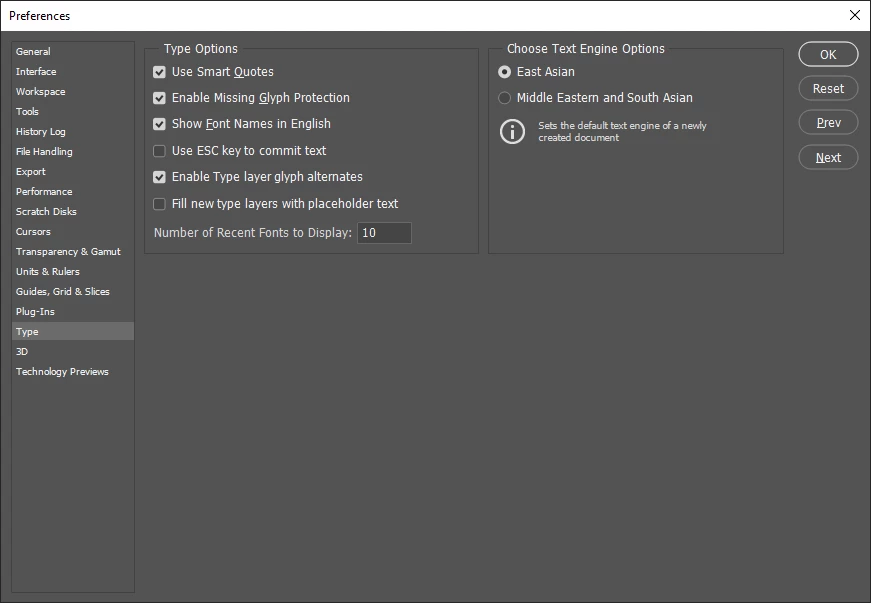
This is an issue that popped up only recently. When adding text to an image in photoshop by clicking the Type Tool and then on the layer to insert the text box, a bunch of latin text appears automatically within. Does anyone know why this is happening and how I can get rid of it?
Here is exactly what appears in my text box every time I use it on a layer:
Lorem ipsum dolor sit amet, consectetur adipiscing elit, sed do eiusmod tempor incididunt ut labore et dolore magna aliqua. Quis ipsum suspendisse ultrices gravida. Risus commodo viverra maecenas accumsan lacus vel facilisis.
 AdChoices