


joeh87907460
Inspiring
May 1, 2024
Answered

Where is the recent fonts list in photoshop now?

  • May 1, 2024
  • 3 replies
  • 2475 views

Where is the recently used font list in photoshop? Why the heck is it gone in this latest so called "update"? Does anyone know how to get rid of the stupidity that replaced it? I was going to change the font on some text to one that I use most frequently and when I cliced the dropdown to choose the font THAT SHOULD HAVE BEEN AT THE TOP OF THE LIST I GET THIS STUPIDITY shown in this screenshot below. 
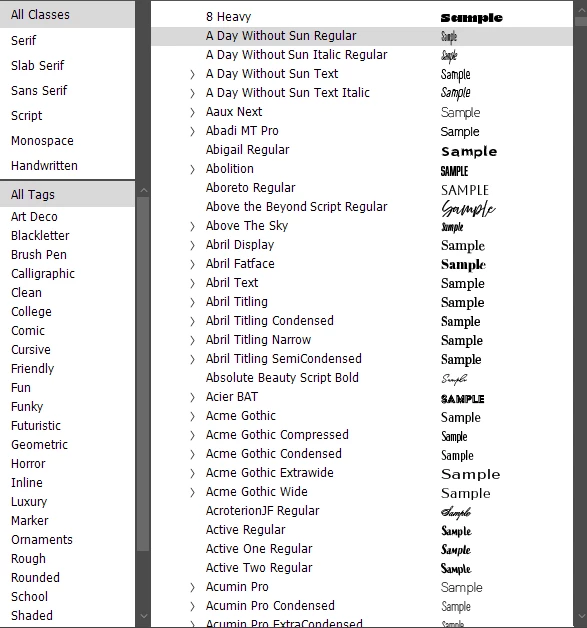
I can't figure out how to get rid of this ignorant stupidity and get the previous Recently Used Font List at the top of the drop down. Does anyone know how to undo this and bring back the font list that was there a week or so ago?
Correct answer Jeff Arola

Do you have Your Fonts enabled?

https://helpx.adobe.com/photoshop/using/fonts.html


3 replies

Bojan Živković11378569
Community Expert
Community Expert
August 28, 2025

Hi @joeh87907460 did the suggestion above resolve your issue?

Jeff Arola
Community Expert
Community Expert
August 26, 2025

joeh87907460,


I would try a reset of the Photoshop preferences:

https://helpx.adobe.com/photoshop/using/preferences.html

Jeff Arola
Community Expert
Jeff ArolaCommunity ExpertCorrect answer
Community Expert
May 2, 2024

Do you have Your Fonts enabled?

https://helpx.adobe.com/photoshop/using/fonts.html


joeh87907460
Inspiring
August 26, 2025

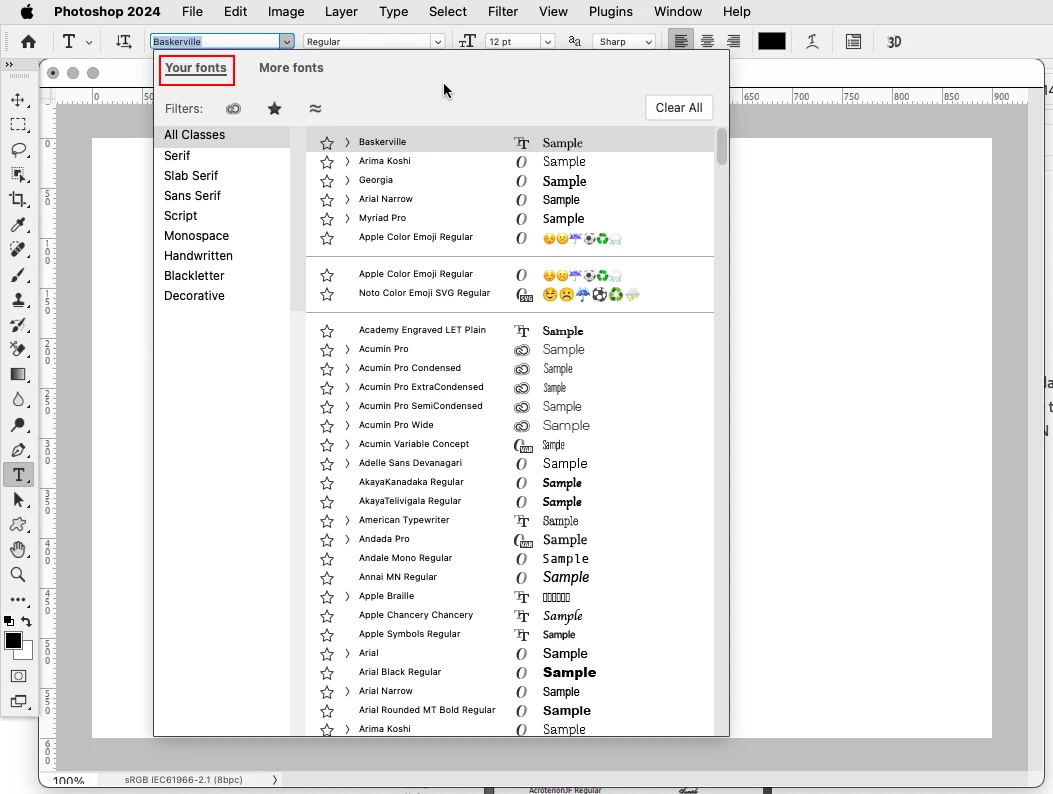
That does not work. I have "Your Fonts" enabled, and the recently used fonts are still not showing, even after several worthless "updates" from adobe. I gave up on it after starting this thread about a year ago, but they never fix these things. Here's a screenshot of my font list in photoshop and the "Your Fonts" is active but the recently used fonts list is still missing. 


Thanks for trying to help, but it just didn't work. I got so aggravated with it today that I tried searching for an answer again and this tread came up in the search. I saw where it was marked as the correct answer but it's not. I clicked on the link and it supposedly removed the "solved". I looked at the link you posted and there is nothing on that page that tells how to fix the problem of the missing "recently used font list". I sure wish adobe would fix this junk and stop breaking it...