Known Participant
June 13, 2018
Answered

Whipping effect ?!

  • June 13, 2018
  • 2 replies
  • 6709 views

Hello,

I'm a tattoo artist and i just got a xp pen tablet 15.6.

I downloaded some set on deviant art.

All are really nice but i'm looking for a specific brush.

In the tattoo industry we have a technique to do shadow who is called whip shading, or whipping.

Needle_example_page.jpg?v=1519834724

I found some brushes but not for photoshop.

Is there a way to do this in photoshop ? 

Thank you !
    This topic has been closed for replies.
    Correct answer c.pfaffenbichler

    That's exaclty what i want to achieve, but i must do something wrong.

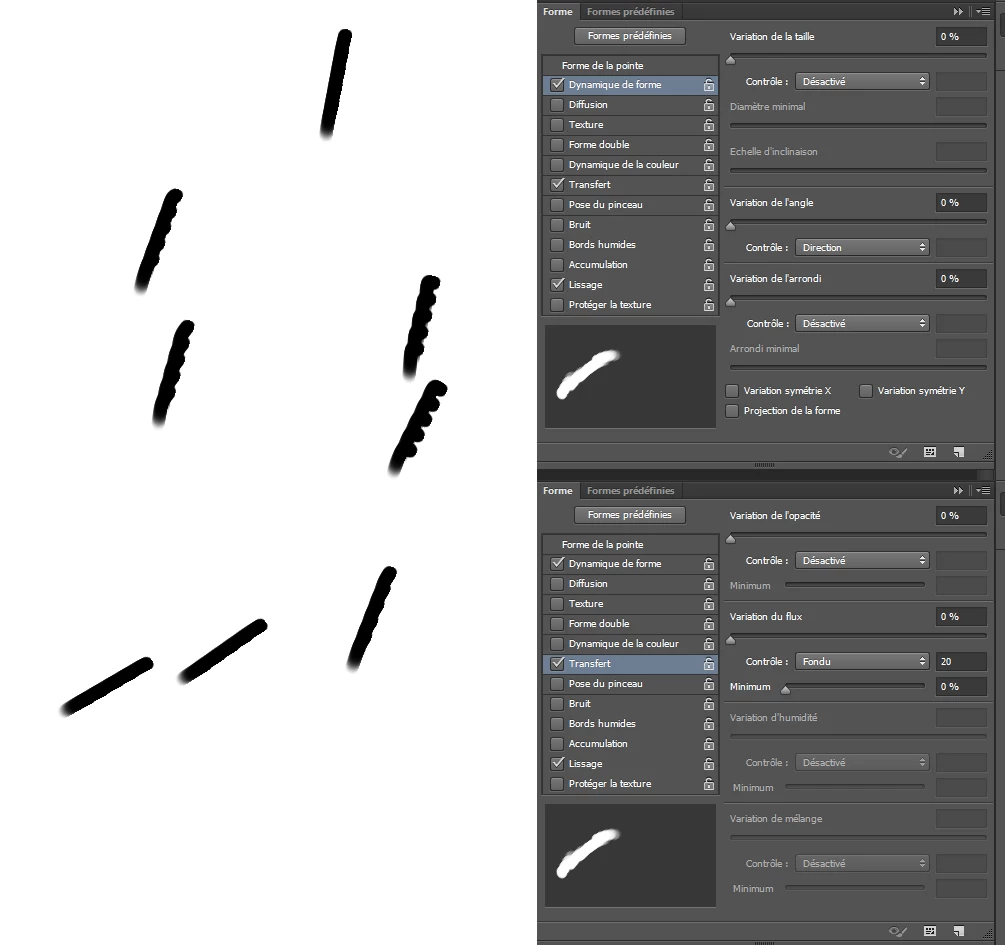
    That's the result i have with your settings.

    And when i said i tried to tweak the settings before i had the exact same results. It's really weird because like you can see, it seems to not work properly.


    What is your »Angle« setting (Edit: the one under »Brush Tip Shape«)?

    2 replies

    Known Participant
    June 14, 2018

    up

    melissapiccone
    Adobe Expert
    June 14, 2018

    The first screenshot you posted is a brush being used over and over starting from the same spot. You used your brush in a line, once. I don't have my tablet right now so my screenshot isn't what you want, but I'm showing you It's the painting technique...

    Melissa Piccone | Adobe Trainer | Online Courses Author | Fine Artist
    WILDCAT54
    Inspiring
    June 13, 2018

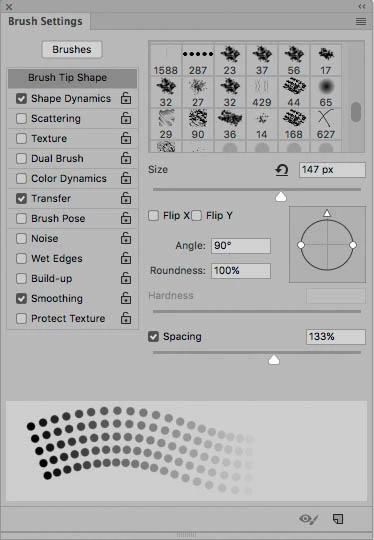
    Try these settings.

    The shape and style of your brush will obviously be different.

    Let us know if you need help creating a dotted brush like what you have pictured.

    Known Participant
    June 13, 2018

    Hi,

    Making a dotted brush is indeed my main problem.

    Thanks  !

    Known Participant
    June 15, 2018

    What is your »Angle« setting (Edit: the one under »Brush Tip Shape«)?


    Ohh right ! It's working now.

    Perfect, that's what was missing.

    Thank you so much (and everyone who helped me) !