



Answered
Whole image not printing on HP borderless printer
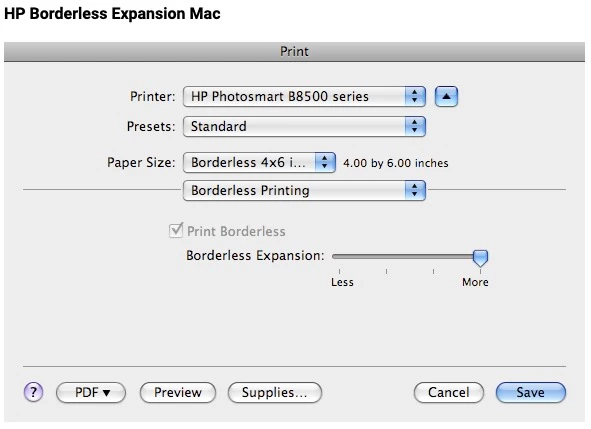
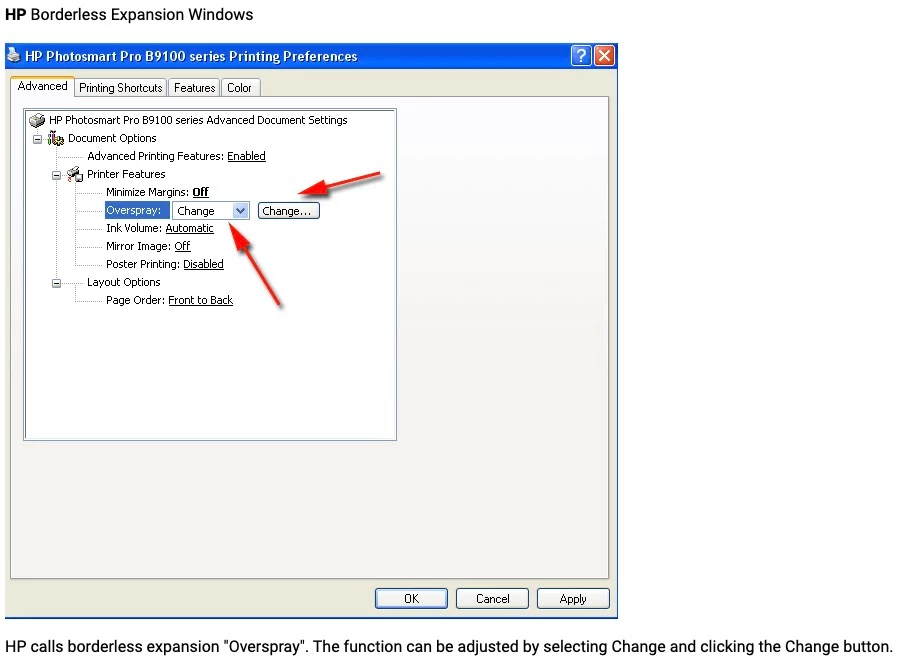
I just purchased an HP Envy borderless printer so that I could print out 8.5 x 11" images. The printer cuts off just over .3" on the bottom and .25" on the right, which is unacceptable as I want to print these out for sale. I have gone into every setting, and spent over an hour each with two separate people at HP. This included a supervisor who apparently hadn't seen this problem before. Images were also printing the same from Google and some other program they tried. My images are created in PS and I use an iMac (Monterey). Has anyone else experienced this and found a workaround? I see people were complaining about this in 2017 on the HP forums, but nothing recent.
 AdChoices