
Why are Adobe apps so dirty on MacOS?
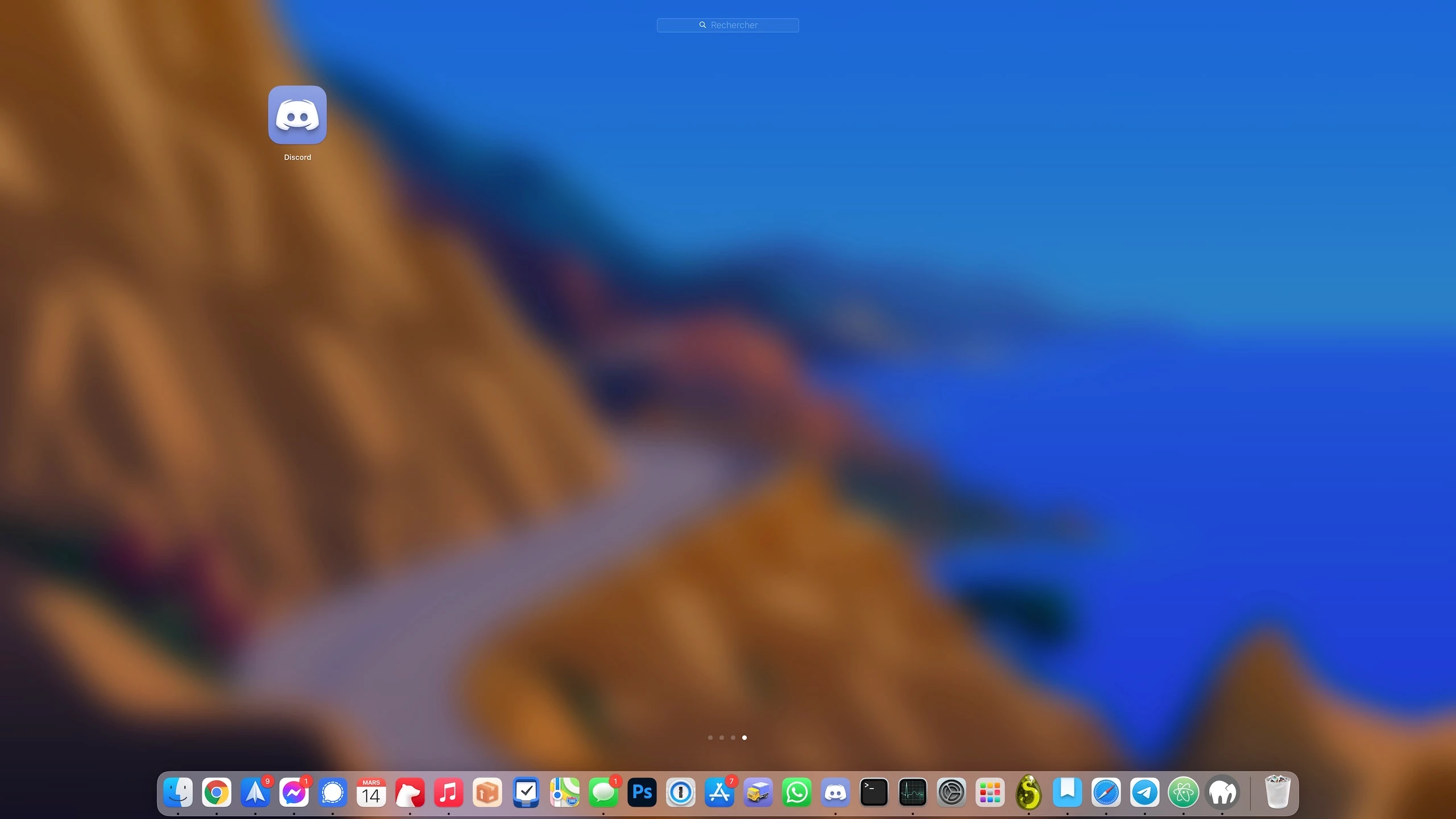
This is how it looks when you install an app on MacOS:
Now this is how it looks when you install an Adobe app on MacOS, for example Photoshop:
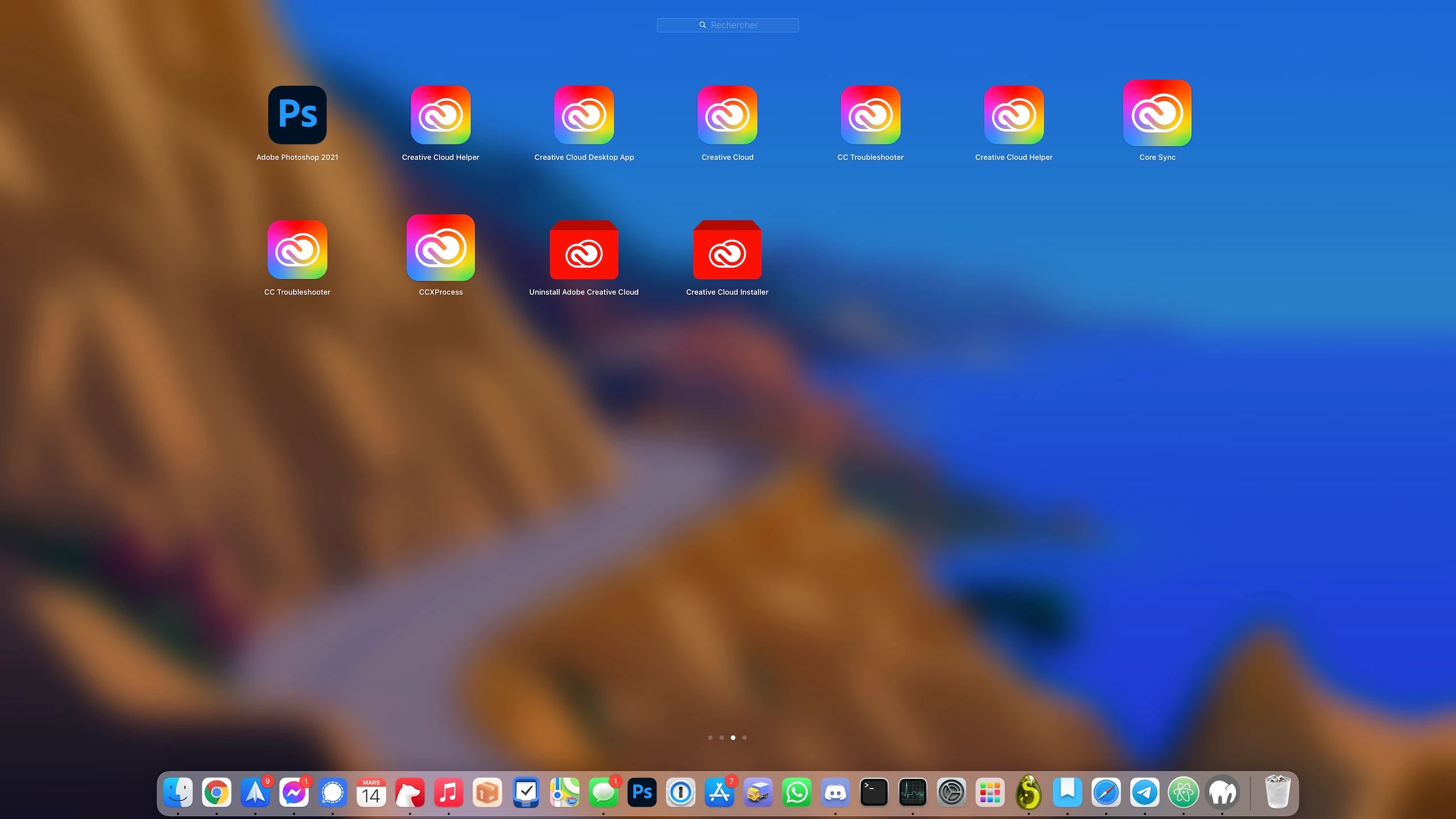
I mean ... Is all this [cursing removed] really useful? Can't Adobe integrate it into the app instead of making 2 million independent apps?
In addition, Adobe processes run in the background to do unwanted tasks. Sometimes my internet connection is slow, I look at where it's coming from and see that it's coming from a "Setup" process. I look closer and it's actually an Adobe process, downloading gigabytes and gigabytes of data while taking up my entire connection and preventing me from doing anything.
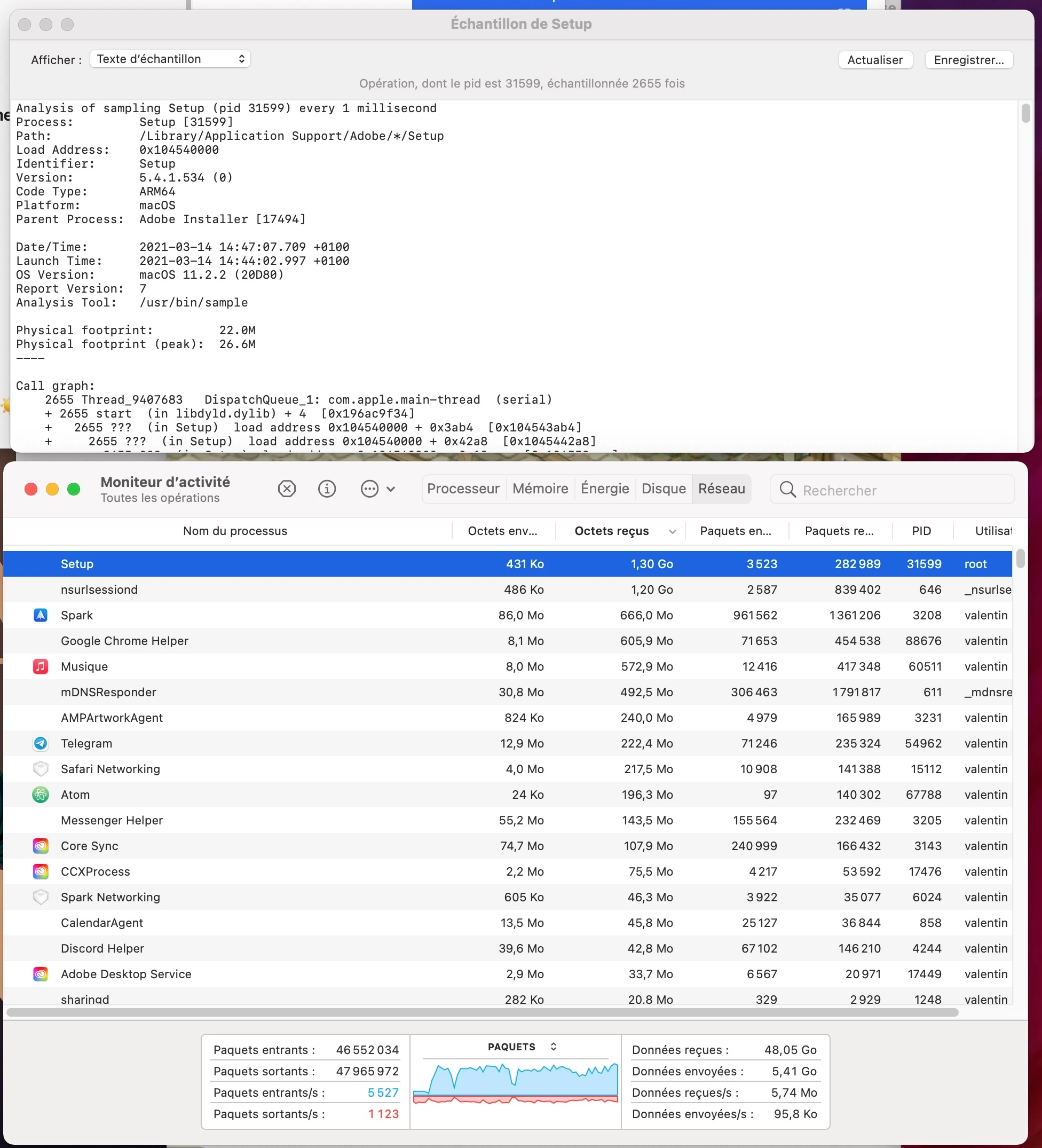
I would like to point that I have NO adobe application running, nor Creative Cloud, and that I did uncheck the option that automatically launches Creative Cloud at startup. But still Adobe runs a lot of processes in the background, downloads gigabytes of data while all my apps are actually up to date. What is it downloading?! How I can prevent Adobe from doing tasks that I don't want ?
 processes running in the background and slow down my system for no reason.
 AdChoices