


Participant
April 3, 2022
Question

Why do I need Rosetta with native M1 Apps?

  • April 3, 2022
  • 7 replies
  • 4267 views

just launching the installer for Photoshop and After Effects gives me a dialog box saying I need to install Rosetta first. Why is this, if both of these apps are native, according to the adobe webs site. I'd rather not install something for intel based software if I don't have to.


This topic has been closed for replies.

7 replies

April 1, 2023

Photoshop doesn't ask for rosetta - I can't speak for after effects - people know what rosetta is and what it's for - but this thread was started a year ago and we now have M2 computers and still no silicon based verson of acrobat (still requires rosetta). The only work around would be for Adobe to release updated versions of their products... which isn't an unreasonable expectation given that silicon macs have been around since 2020 and Adobe subscriptions aren't cheap, especially for casual users and students.

Legend
April 4, 2022

I recommend installing Rosetta regardless. Having said that, the Adobe installers are not yet M1-native AFAIK.

March 31, 2023

Why? - I wouldn't want unnecessary intel software on my shiney new mac either. Installers are the first thing that should be updated. It's now almost April 2023 and they still want us to intall Rosetta just to download Acrobat. Given the price of admission and the fact that Apple silicon couldn't be considered new technology any more, I think it's a bit rude to expect users to do that.

Legend
March 31, 2023

You understand that Rosetta comes from Apple and is part of the operating system? And yes I agree that developers should be 100% Apple Silicon-native now, but we can be realists or we can be mad.

Legend
April 4, 2022

1. The installer is NOT native yet, so YES you need Rosetta.

2. It might surprise you to know that the M1 Native code in Photoshop is still missing a lot of things, like video support (!!) This means you may need to switch Rosetta on and off to use the features you need in Photoshop.

davescm
Community Expert
Community Expert
April 4, 2022

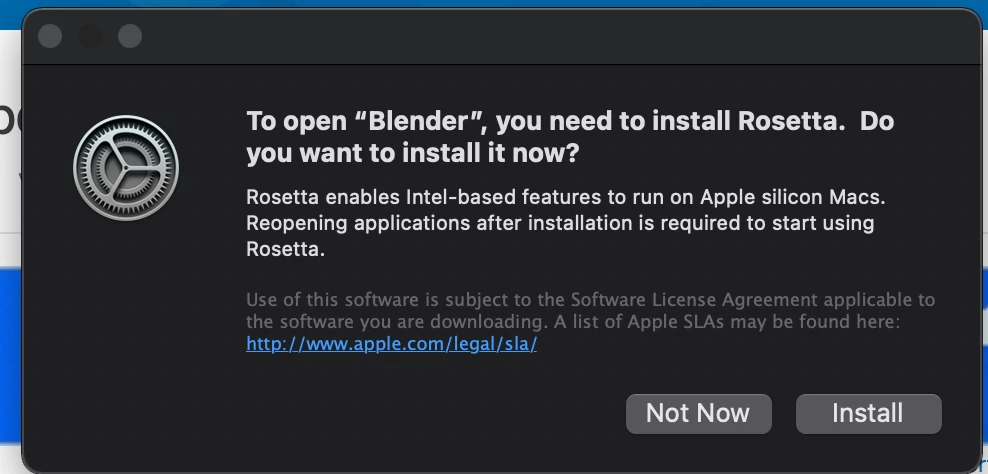
Blender is not Photoshop or After Effects, why is your screenshot referring to a third party application

Dave

jane-e
Community Expert
Community Expert
April 4, 2022


@TheDigitalDog 

"And the screen capture you provided speaks of "Blender"; what's that?"


Blender is a free open source 3D application. @davescm uses it to create his scenes for the bi-weekly photo challenge. Here's an example from this week's challenge:

https://community.adobe.com/t5/photoshop-ecosystem-discussions/something-for-the-weekend-part-159-going-up-in-the-world/m-p/12851687


Jane


TheDigitalDog
Inspiring
April 4, 2022

Installer for what version? You should be using the Creative Cloud application to install Photoshop which is native.

And the screen capture you provided speaks of "Blender"; what's that?

Author “Color Management for Photographers" & "Photoshop CC Color Management/pluralsight"
jane-e
Community Expert
Community Expert
April 4, 2022

@GorkEnterprises 


"Rosetta 2 enables a Mac with Apple silicon to use apps built for a Mac with an Intel processor."

https://support.apple.com/en-us/HT211861


There are some Photoshop features that do not work with the M1 chip yet. If you use these features, you will need to run Photoshop through Rosetta.

https://helpx.adobe.com/photoshop/kb/photoshop-for-apple-silicon.html


Jane