
Why does an Adobe RGB test image not show gamma compression on my monitor but does when printed
I created a test image with tiles of increasing luminance side by side with tiles with black and white pixels of linearly increasing white pixel density. The gamma compression factor is changed for each group of tiles. When I view this image in Photoshop, I expected to see a luminance match to the black and white pixel tiles on my monitor when gamma compression was 0..4545 (1/2.2) but the nearest visual match is with gamma = 1.0. When I print the image out however, the visually matching set is with gamma = 2.2.
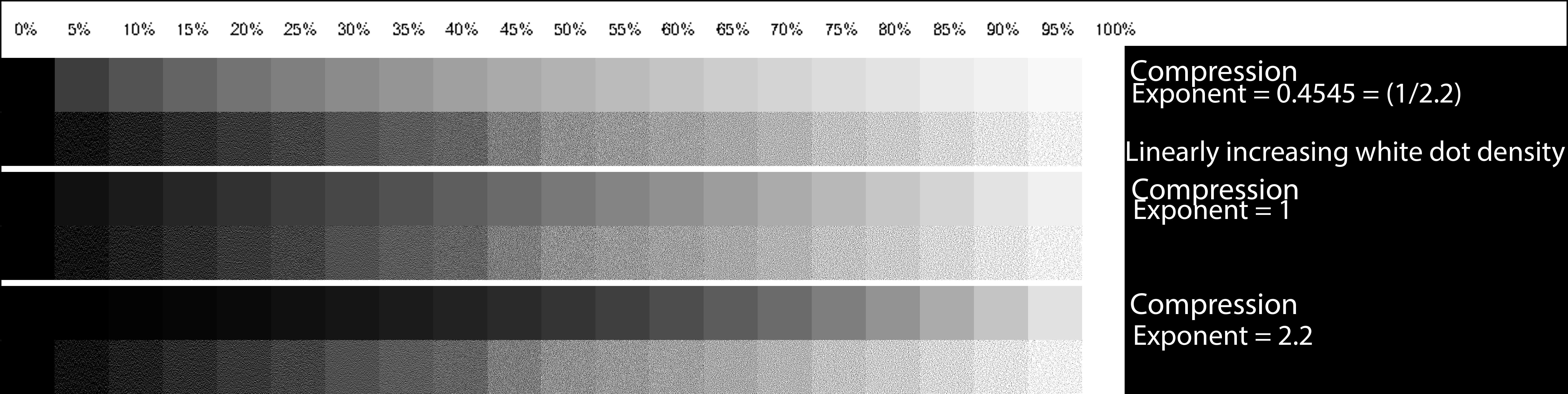
My monitor is calibrated to gamma = 2.2, 6500K white point. I did try recalibrating to gamma = 1.0 and the result was ugly but the visually matching set was still at the same gamma = 1.0.
I printed the test image with Photoshop two ways. One with Photoshop managing colours and one with the printer managing the colours.
This test image is Adobe RGB 1998 but I got similar results with sRGB test images.
I am working on a project that requires two layers of image. A background layer printed on white paper and a translucent layer printed on a digital transparency. The resultant image after light goes through the two layers is the product of the linear light amplitude of each layer for each pixel. This means that gamma compression needs to be taken into account so I need to understand gamma compression really well. When I see such a major difference in a simple monochrome image between my expectation, the image on the monitor and the printed image, it makes me wonder if my understanding of gamma compression is correct.
Would Adobe really make such a huge blunder and not remove the gamma correction before displaying it on the screen? As I see it, either they have indeed made that blunder, or else my understanding is wrong.
I presume that if other people look at my test image on their monitors they will see the same as I do, that the closest matching image is with Gamma = 1.
Can I ask readers please, which of the gammas is closest for your monitor setup? If you print the file, which set matches the dot
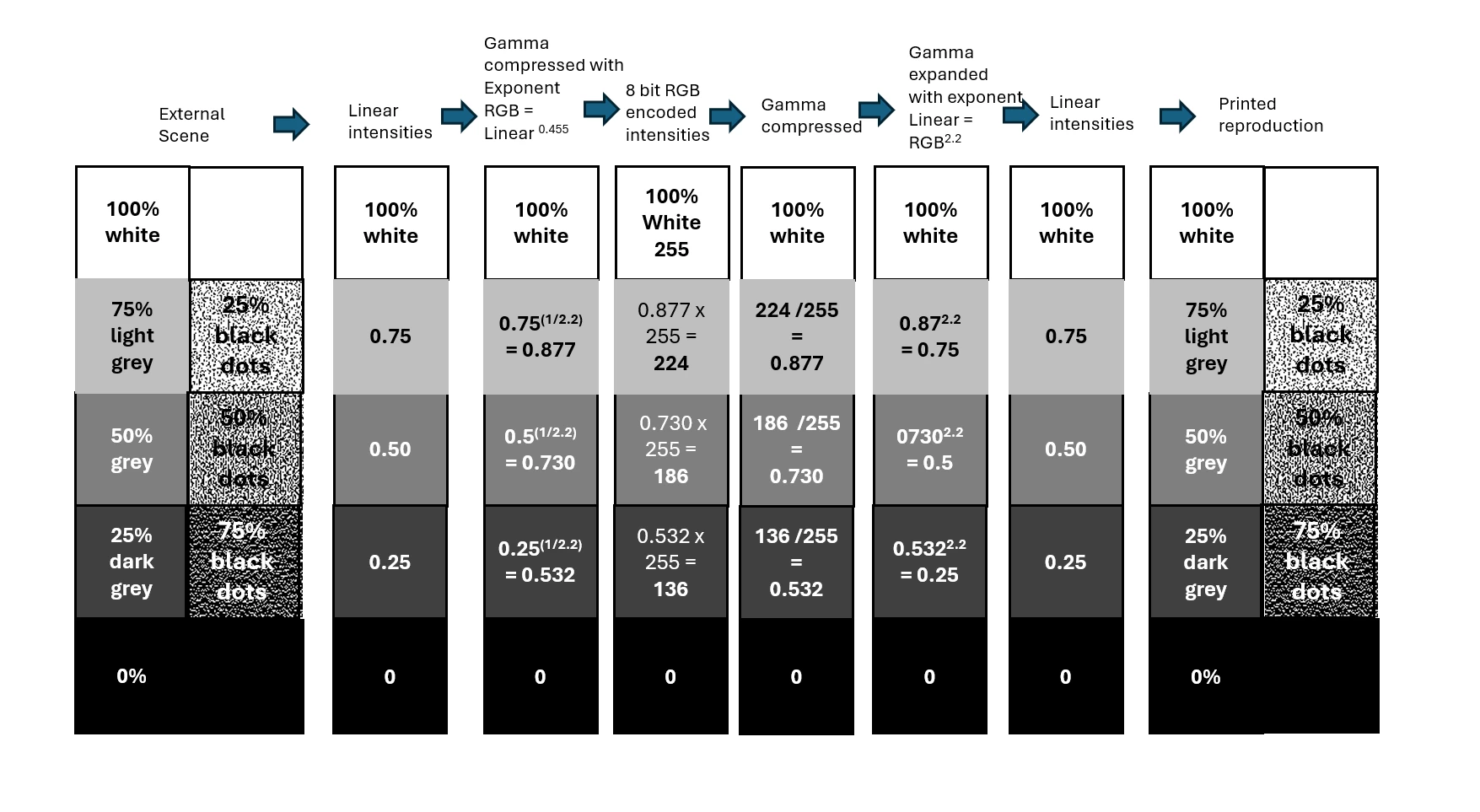
Here is my understanding of how Gamma compression and expansion should work:
 AdChoices